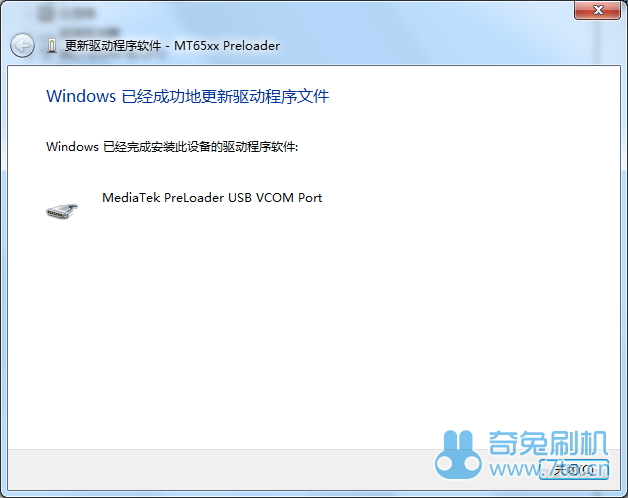
MTK flash should be done with the phone powered off, but the phone won’t install the driver automatically, so you need to install it in the phone. This tutorial is for Vista, win7, win8 and win8.1. Please note that windows8 & windows8.1 need to “disable driver mandatory signature”, then it can go on.(pleas refer to disable driver mandatory signature guide “for win8” or “for win8.1”) If your computer is Ghost version, it may be simplified, the driver may won’t be installed due to something loss. Please change to original windows system computer to do the flash. Now begin: Download the universal driver for MTK phones. Download and decompress it. (windows8&windows8.1 use the file “win7”) Then right click “My computer”(XP is “my computer”, win8.1 is “this computer”), choose “manage(G)” Choose “device manager” Power off your phone, remove the battery, then install the battery after five seconds. Do not to power on, connect to the computer when the phone is power off. Now the device maneger interface will show a yellow colored “MT65XX Preloader” device. Right click it, choose “Update drive software(P)”.This device only exists for a very short time, so you need to be quick. If you lost it, you need to connect the phone to pc again. Choose “Review the pc to find driver software(R)” 6. Click “R” Choose from the decompressed files according to your pc system, win7&win8&win8.1 uses the same file”win7” Make sure it’s the right file, then click next. The computer will start to install the driver, if there’s a pop-up window showing the safty warning, click “Always install the driver(I)” 10. The computer will install the driver, wait for a while. Finished. If it’s the first time you trying to do a flash with your pc, it may won’t connect successfully, please try again or restart your computer.