Aquí está el BEDOVE I5 firmware más nuevo(Todavía Android 4.0 SCI) enlace de descarga:
https://www.dropbox.com/s/jihzj705quropjg/GeekbuyingBedove%20I5.121108.ICS.V13.FWVGA.EN.COM.4P4.rar
registro de cambios:
Solucionar el problema de compatibilidad con la cámara..
Instrucciones de actualización:
Es bastante fácil actualizar el FW.(firmware) to i5, please follow the instruction as below:
1. Open the Smart Phone Flash Tool and select Scatter-loading:

 Click it to select the right file for i5.
 Busque el firmware y haga doble clic en el archivo txt llamado: MT6577_Android_scatter_emmc.txt
Aquí vamos:
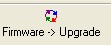
Haga clic en "Actualizar” botón.
Insert the battery into battery slow and connect i5 with data USB cable.
Listo!! Solo espere el alcance de la barra de progreso hasta el final y "OK” saltar.

Gracias !!!!!!!!!!!!!!!!!!!!!!!
no puedo hacerlo. When I plug my phone to computer, and then instert battery it starts charging… Can somebody help me?