hace unos dias, Notamos un artículo sobre cómo flashear CyanogenMod. 11.0 en Doogee Titans2 DG700. como el CM 11 no es estable en este momento, es posible que encuentres algunos errores menores. pero es bueno saberlo, seguirá actualizándose todo el tiempo hasta que esté totalmente libre de errores.
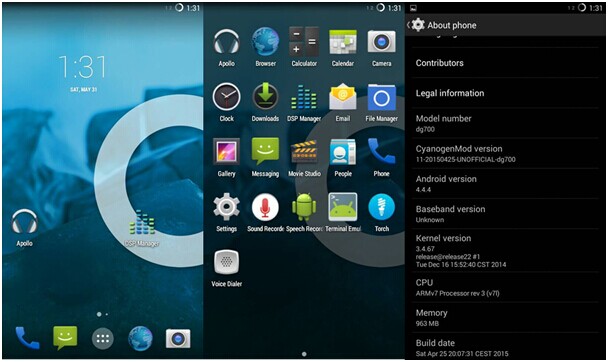
Entusiasmado? A continuación se detallan los procedimientos flash.:
PASO1: (Ignora este paso si ya tienes la ROM estándar de kitkat )
- ROM estándar de Flash Kitkat.
- Asegúrese de que la ruta de su ROM original no tenga espacio o que el nombre sea demasiado largo.
- Abra la herramienta SP Flash y cargue el archivo de dispersión MT6582_Android_Scatter.txt
- Cambie solo descargar a actualización de firmware.
- Haga clic en el botón Descargar y conecte su teléfono.
PASO 2: (este paso implica actualizar recovery_dg700.img )
- Aparece tu teléfono.
- Abra las herramientas SP Flash y cargue el MT6582_Android_Scatter.txt de la ROM estándar de Kitkat
- Ahora deseleccione todas las opciones y seleccione solo RECUPERACIÓN.
- Cambie la ubicación de RECOVERY a donde se encuentra recovery_dg700.img.
- Haga clic en el botón Descargar y conecte su teléfono.
- Espere a que se complete la descarga. 100%. Recibirás un error, simplemente ignóralo y desconecta tu teléfono.
PASO 3:
- Enciende tu teléfono y copia la ROM. (cm11-dg700-ALPHA1.zip) a tu tarjeta SD interna.
PASO 4:
- Aparece tu teléfono.
- Mantenga presionado SUBIR VOLUMEN + Botón de ENCENDIDO hasta que aparezca una pantalla con tres opciones..
- Use SUBIR VOLUMEN para seleccionar recuperación y luego presione BAJAR VOLUMEN para iniciar la recuperación.
- Ahora su teléfono se iniciará en modo de recuperación..
PASO 5:
- Ahora en el modo de recuperación use SUBIR y ABAJO VOLUMEN para navegar y el botón de ENCENDIDO para aceptar.
- Seleccione Opciones de borrado y formato -> Limpiar para instalar una nueva ROM.
- Espere a que se complete el procedimiento..
- Después de que esté hecho, use la tecla inteligente para regresar al menú principal.
- En la pantalla principal, seleccione Instalar Zip -> Elija zip de /storage/sdcard0 y luego seleccione el archivo zip ROM copiado.
- Luego se instalará la ROM y cuando haya terminado, Haga clic en Reiniciar sistema ahora en la pantalla principal de recuperación.. Se iniciará en CM11 ahora!
Más detalles de DOOGEE DG700 de Compra friki.
+1
+1
+1
+1
