Hola, Me complace compartir el firmware más reciente de MXQ Amlogic S805 TV BOX, por favor revise la siguiente información: Enlace de descarga: MXQ Amlogic S805 TV BOX FIRMWARE TARJETA SD FLASH MXQ Amlogic S805 TV […]
Autor: compra friki
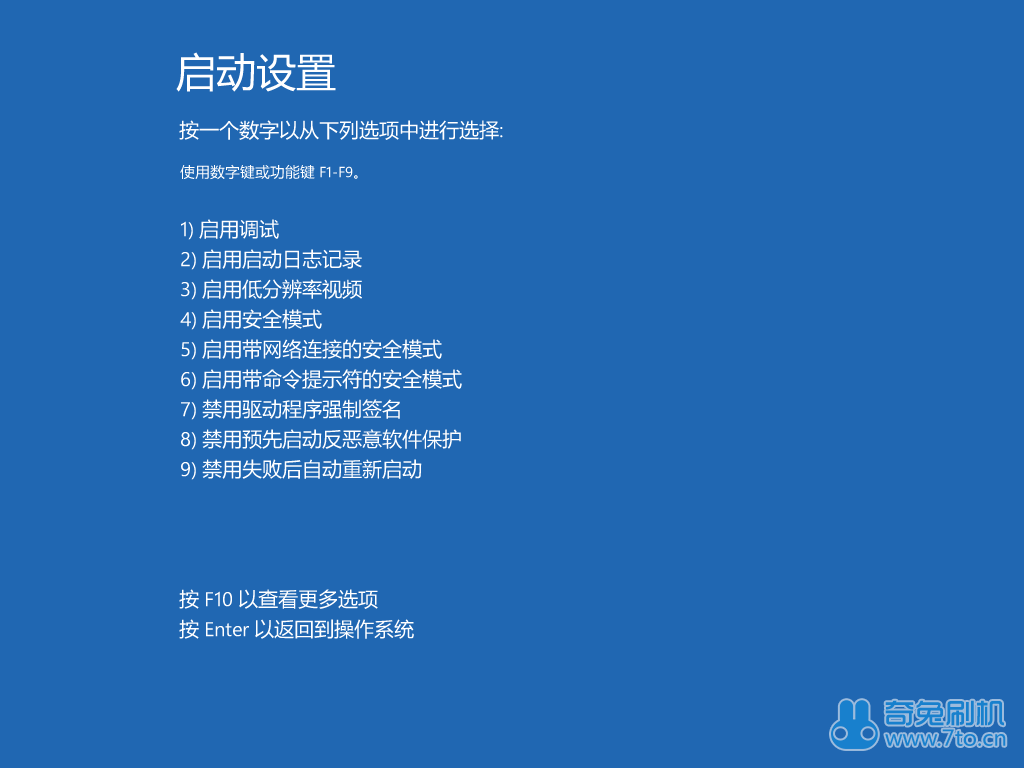
Para win8.1, deshabilite la guía de firma obligatoria del controlador
Este método solo está disponible para el momento del inicio después de finalizar los pasos a continuación, si reinicias tu computadora, todos estos se reinician, necesitas hacerlo de nuevo. Esta guía es para win8.1. Abra el menú Acceso, click setting. Move your mouse cursor to the right bottom of the screen, mostrará el menú Charm, o presione "ganar" & “C” juntos para decirlo. 2. Then click “change computer setting” 3. Choose “Update and restore” Left side “Restore”, right side “Restart now” 5. Choose “Problem solution” 6. Elija opciones avanzadas 7. Choose “Boot setting” 8. Click “Restart” 9. Press F7 or number keypad “7” 10. Después de ingresar al sistema, the diver can be installed. If a safety warning pop-up, click always install it. Please refer to the file “for Vista win7 win8 win8.1”
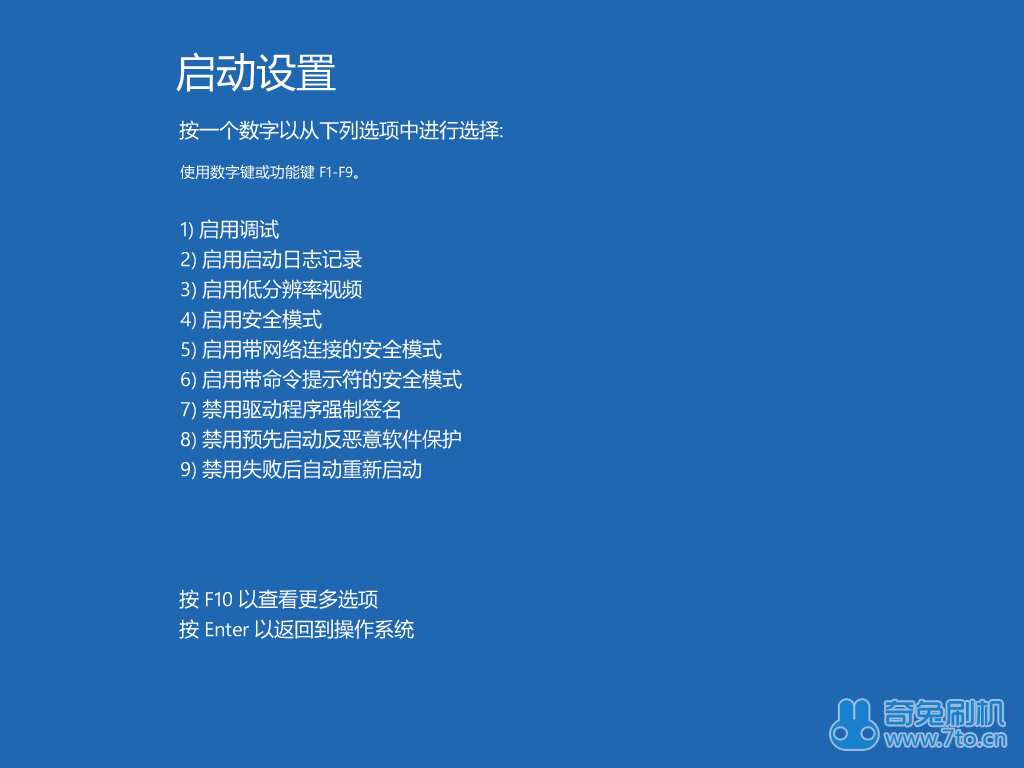
Para win8 deshabilitar la guía de firma obligatoria del controlador
Este método solo está disponible para el momento del inicio después de finalizar los pasos a continuación, si reinicias tu computadora, todos estos se reinician, necesitas hacerlo de nuevo. Esta guía es para win8.. Abra el menú Acceso, click setting. Move your mouse cursor to the right bottom of the screen, mostrará el menú Charm, o presione "ganar" & “C” juntos para decirlo. Then click “change computer setting” Left side, elige “General o común”, right side “Reboot right now” Choose “Problem solution” Choose advanced options 6. Choose “Boot setting” 7. Click “Restart” Press F7 or number keypad “7” 9. Después de ingresar al sistema, the diver can be installed. If a safety warning pop-up, click always install it. Please refer to the file “for Vista win7 win8 win8.1”
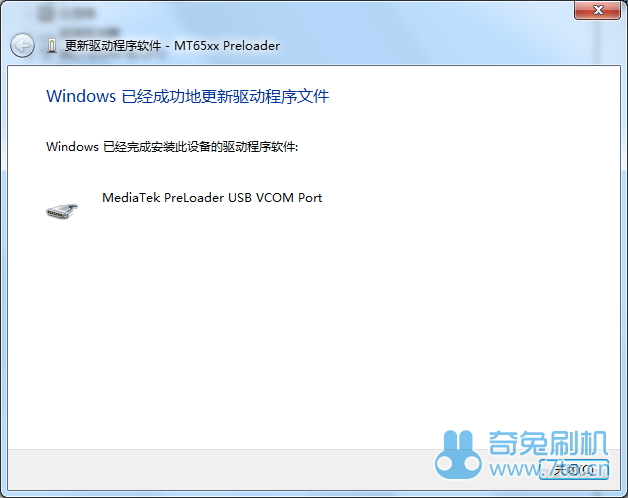
Guía de instalación del controlador MTK para el sistema operativo Vista win7 win8 win8.1
El flash MTK debe realizarse con el teléfono apagado, pero el teléfono no instalará el controlador automáticamente, Entonces necesitas instalarlo en el teléfono.. Este tutorial es para Vista., win7, win8 and win8.1. Tenga en cuenta que windows8 & Windows 8.1 necesita "deshabilitar la firma obligatoria del controlador", entonces puede continuar.(pleas refer to disable driver mandatory signature guide “for win8” or “for win8.1”) Si tu computadora es la versión Ghost, se puede simplificar, the driver may won’t be installed due to something loss. Please change to original windows system computer to do the flash. ahora comienza: Descarga el controlador universal para teléfonos MTK. Download and decompress it. (windows8&windows8.1 usa el archivo “win7”) Luego haga clic derecho en "Mi computadora"(XP es "mi computadora", win8.1 es "esta computadora"), elija “administrar(GRAMO)” Choose “device manager” Power off your phone, quitar la batería, then install the battery after five seconds. Do not to power on, connect to the computer when the phone is power off. Now the device maneger interface will show a yellow colored “MT65XX Preloader” device. Right click it, elija "Actualizar el software de la unidad(PAG)”.Este dispositivo solo existe por muy poco tiempo., so you need to be quick. If you lost it, necesitas conectar el teléfono a la pc nuevamente. Elija "Revisar la PC para encontrar el software del controlador".(R)" 6. Click “R” Choose from the decompressed files according to your pc system, win7&Win8&win8.1 uses the same file”win7” Make sure it’s the right file, luego haga clic en siguiente. La computadora comenzará a instalar el controlador., si hay una ventana emergente que muestra la advertencia de seguridad, Haga clic en "Instalar siempre el controlador".(I)" 10. La computadora instalará el controlador., espera un rato. Finalizado. If it’s the first time you trying to do a flash with your pc, es posible que no se conecte correctamente, por favor inténtalo de nuevo o reinicia tu computadora.
Teclast X98 Air (C6KN) Tablet Windows8.1 Firmware_175439
Hola, chicos, glad to share the Teclast X98 Air (IDENTIFICACIÓN: C6KN) ventanas 8.1 firmware, por favor haga clic aquí: X98 Air (C6KN)-Windows8.1 system files part1, parte 2, Win8.1 flash guide. Contraseña: geekbuying.com Attention matters: 1, por favor […]
