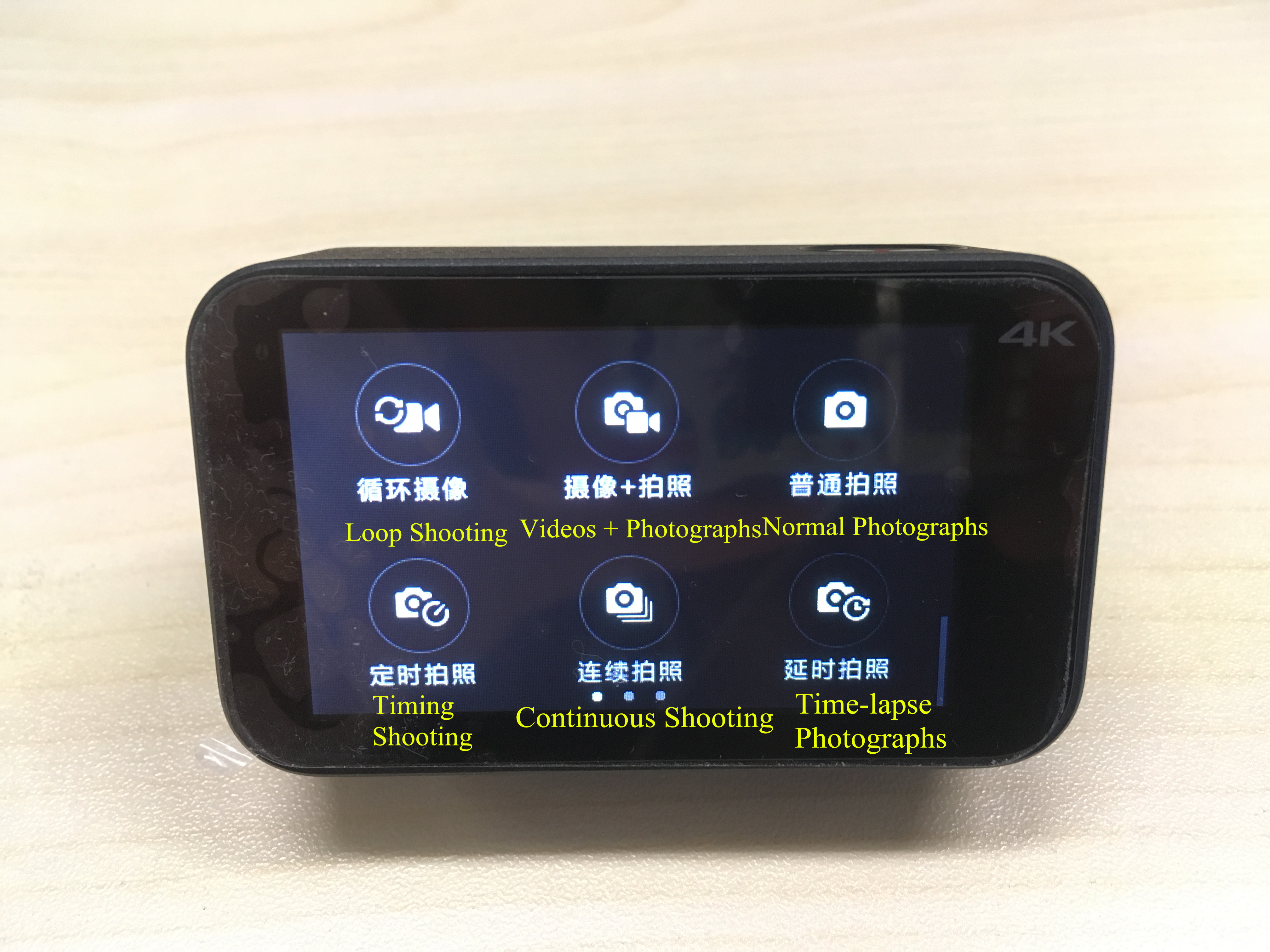
あるだろう 5 Xiaomi アクション カメラの操作方法をガイドするパーツ.
1. 点灯後のフラッシュガイド:
カメラの電源を入れた後, 画面をタッチして次のステップに進みます.
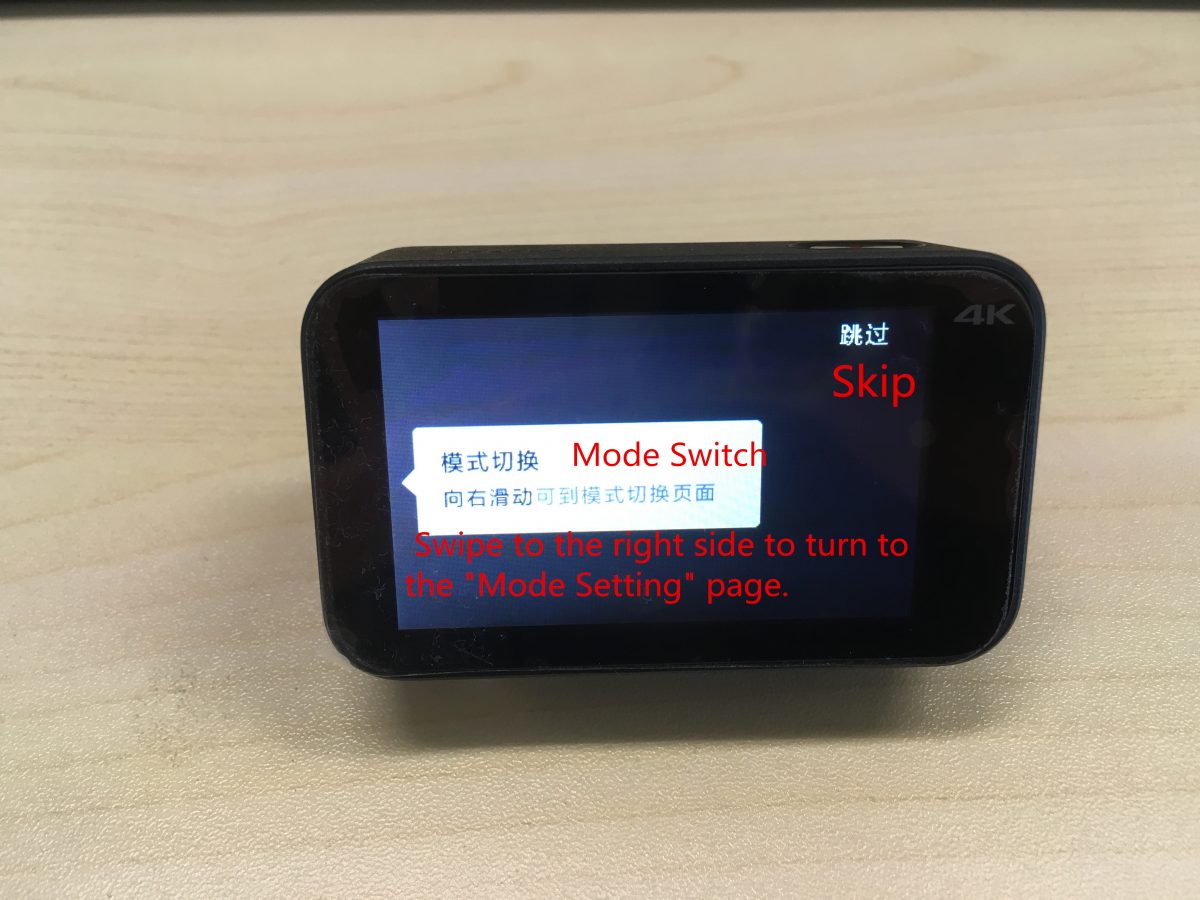
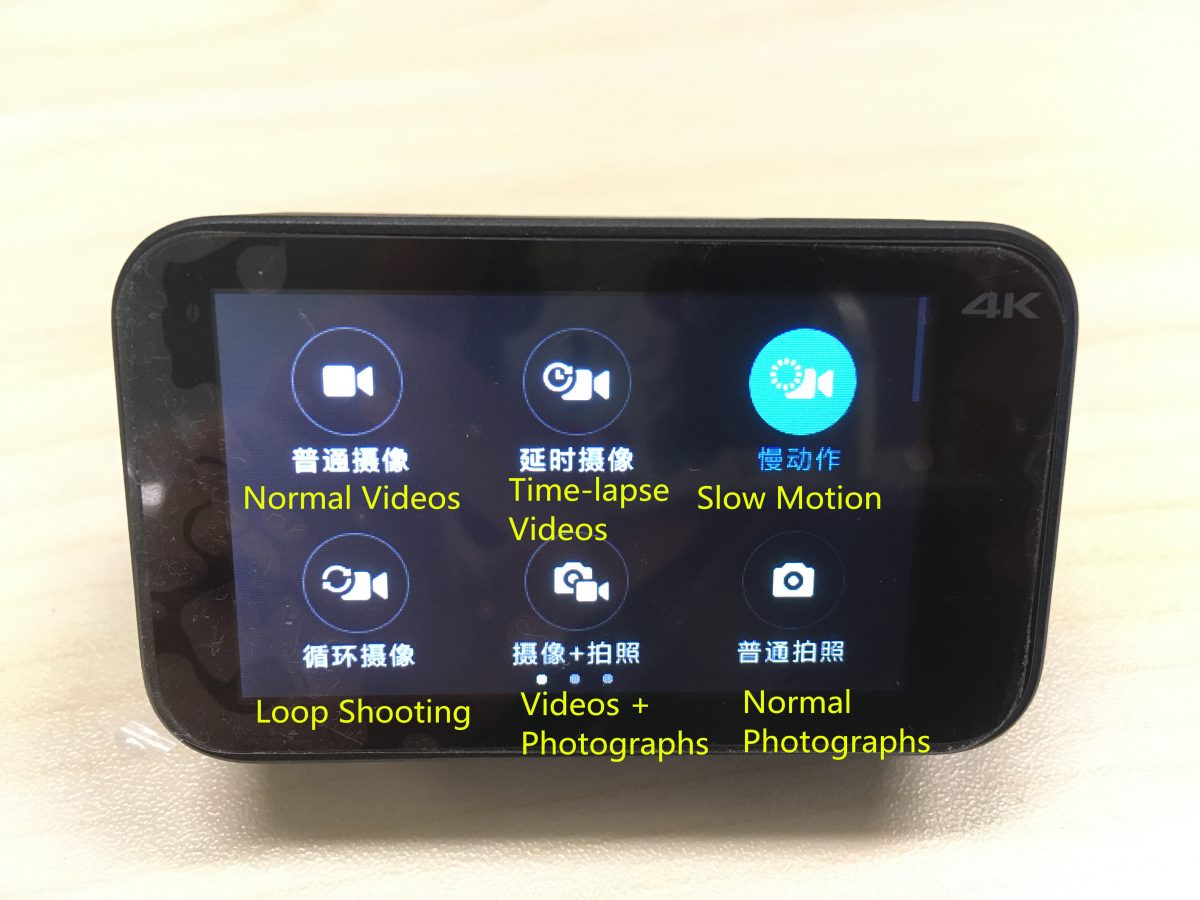
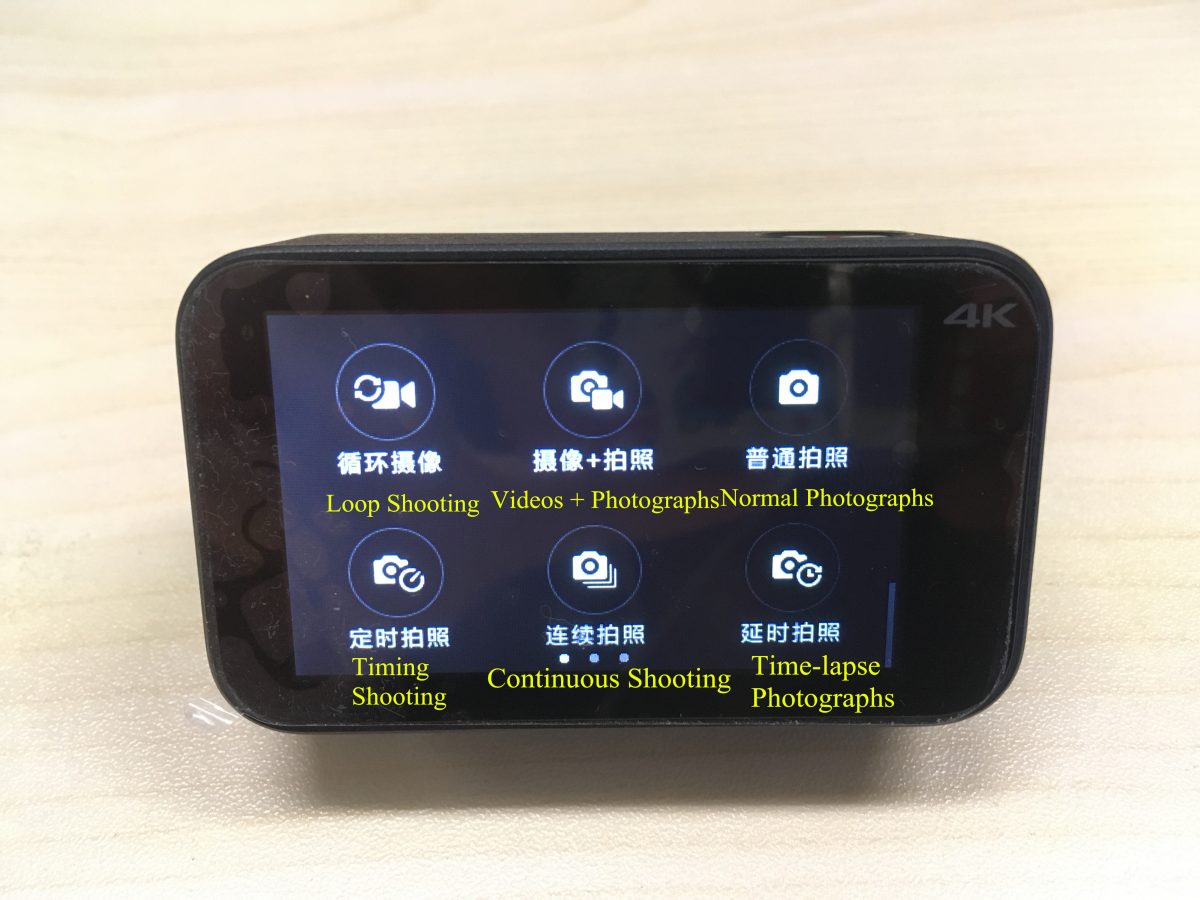
(1) 右側にスワイプして「モード設定」に進みます。” ページ. 対応するモードは以下の通りです:
通常のビデオ; タイムラプスビデオ; スローモーション
ループ撮影; ビデオ + 写真; 通常の写真
タイミング撮影; 連続撮影; タイムラプス写真
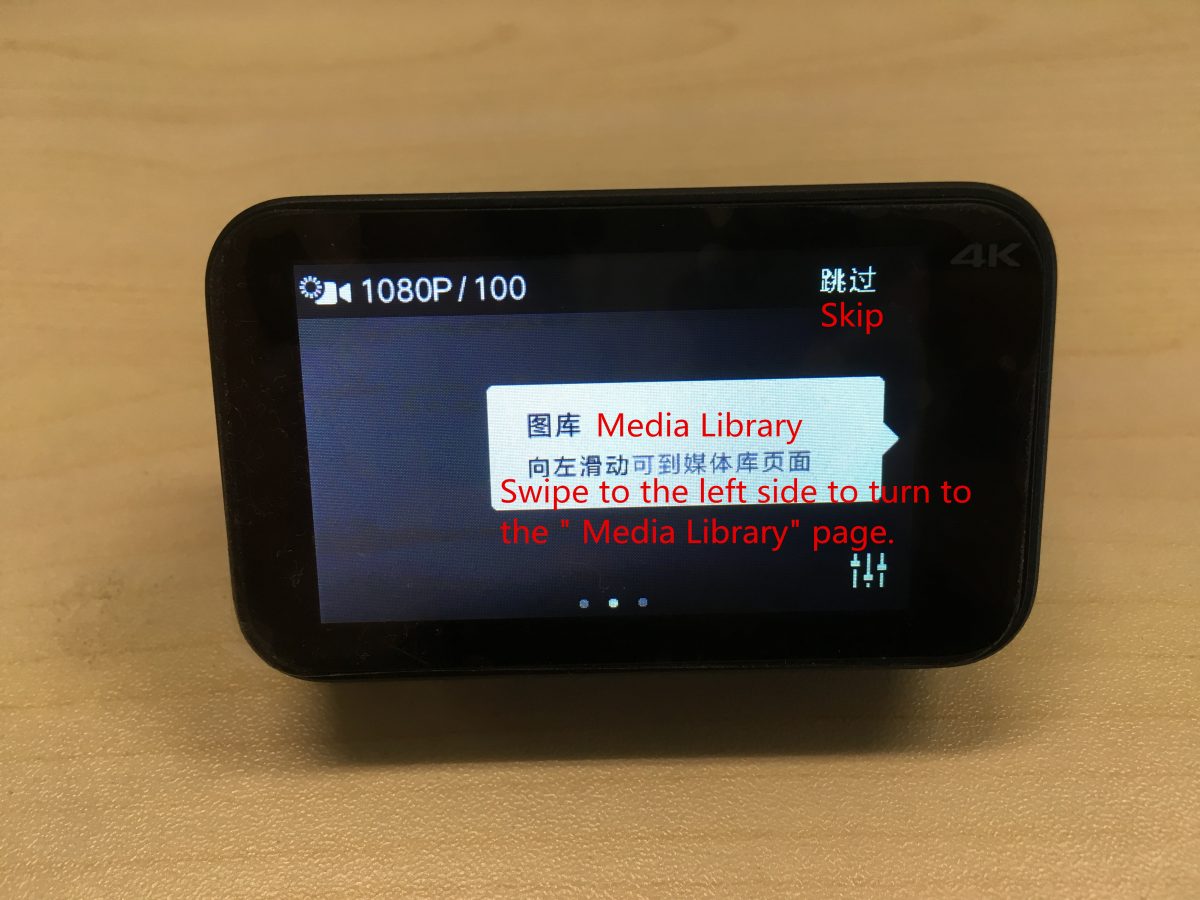
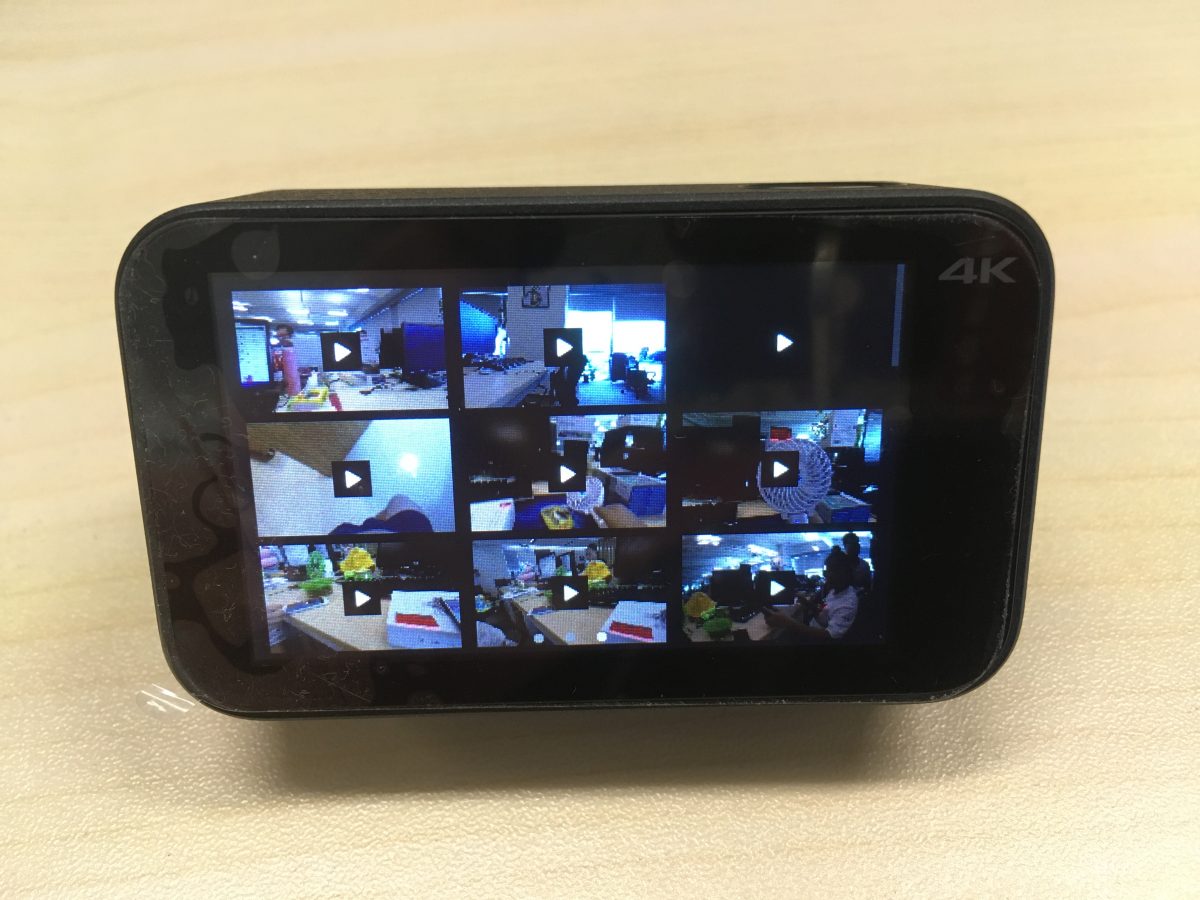
(2) 左側にスワイプして「メディア ライブラリ」に移動します。” ページ.
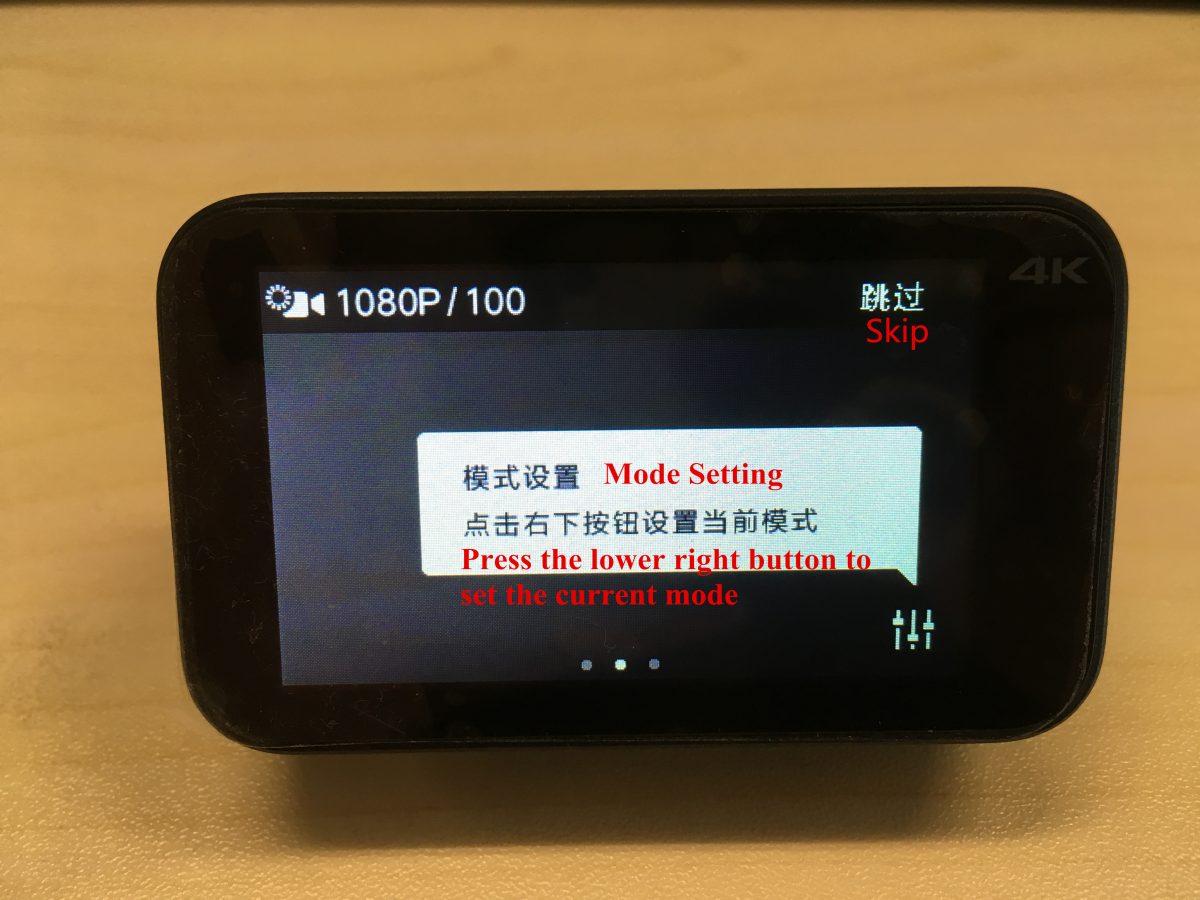
(3) 右下のボタンを押して現在のモードを設定します.
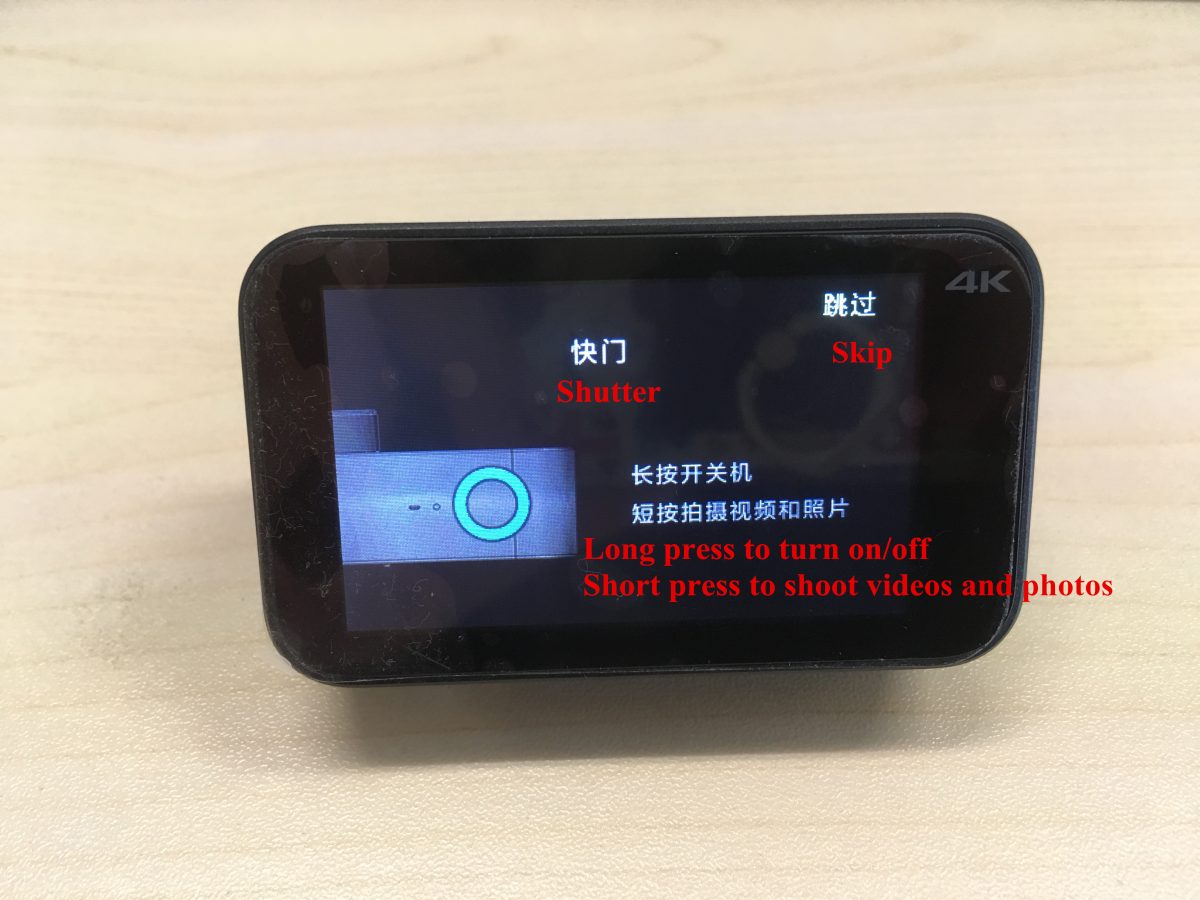
(4) シャッターを長押しするとオン/オフになり、シャッターを短く押すとビデオや写真を撮影できます.
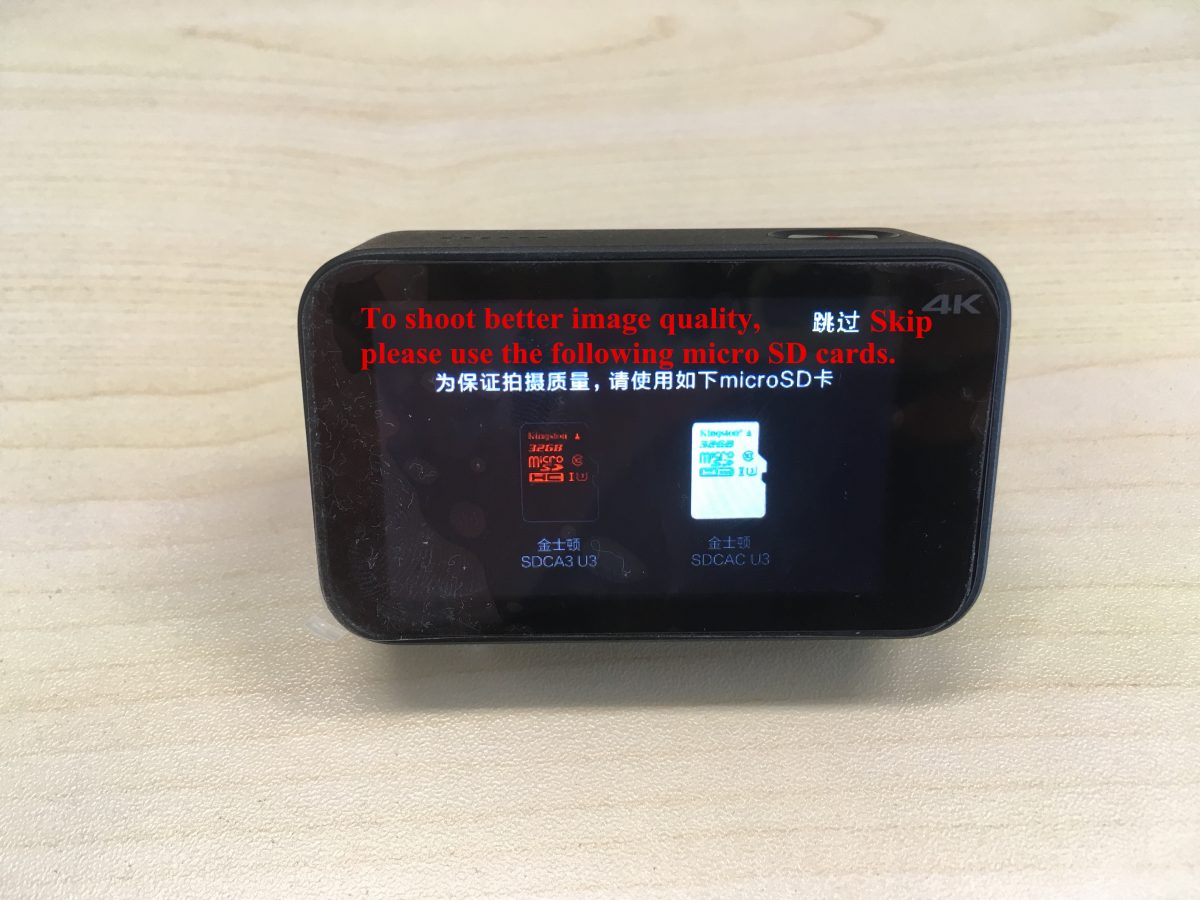
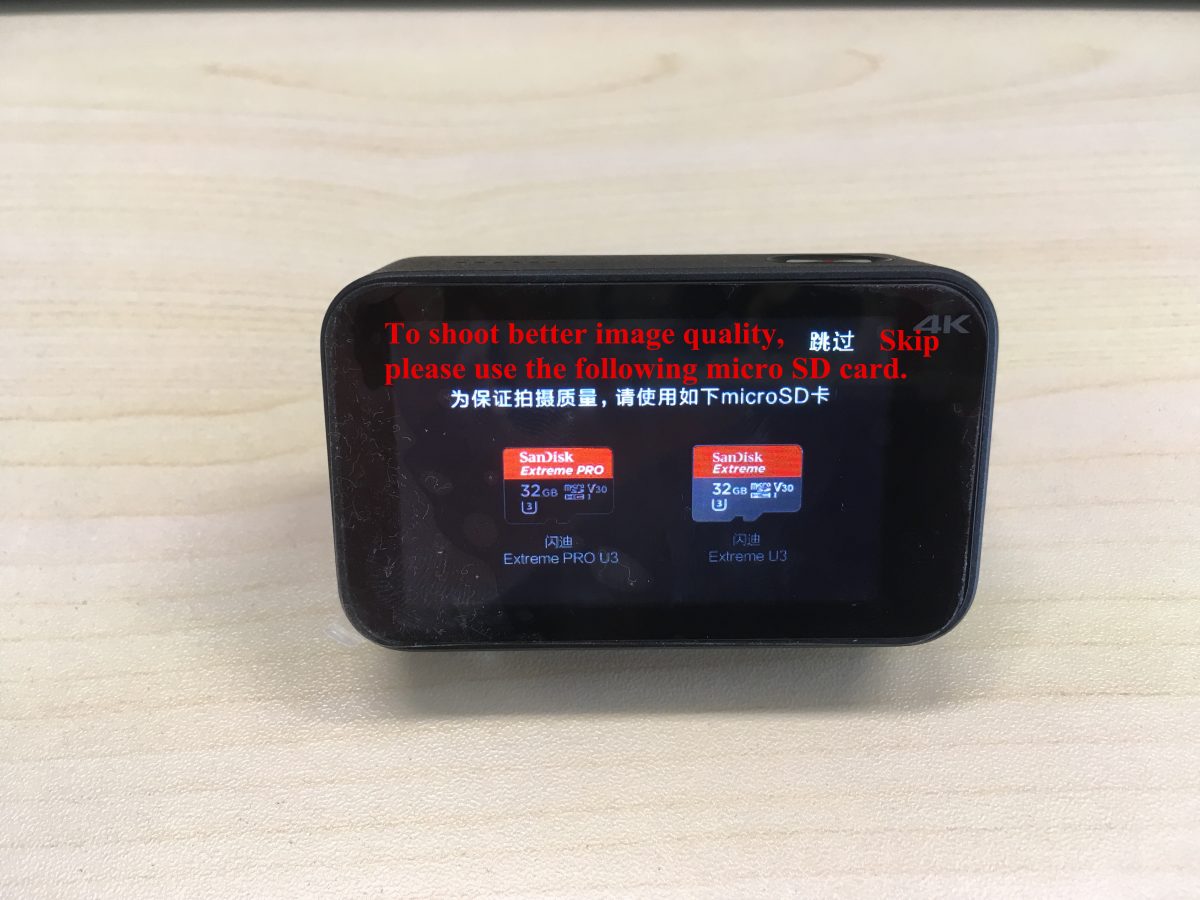
(5) より良い画質で撮影するには, 以下のSDカードをご使用ください: SDCA3 U3, SDACA U3, エクストリーム プロ u3, エクストリーム U3.
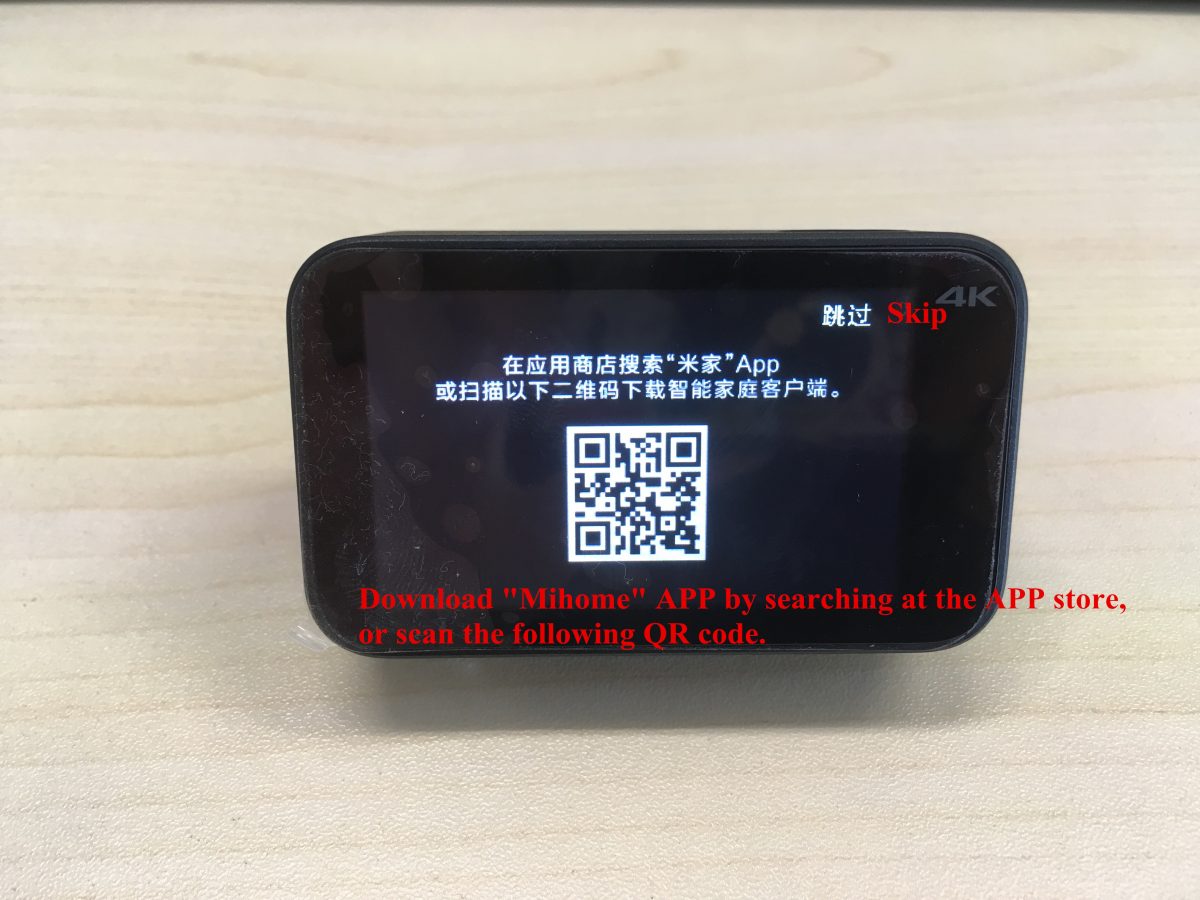
(6) 「ミホーム」をダウンロード” APPストアで検索するか、QRコードをスキャンしてAPPを入手してください.
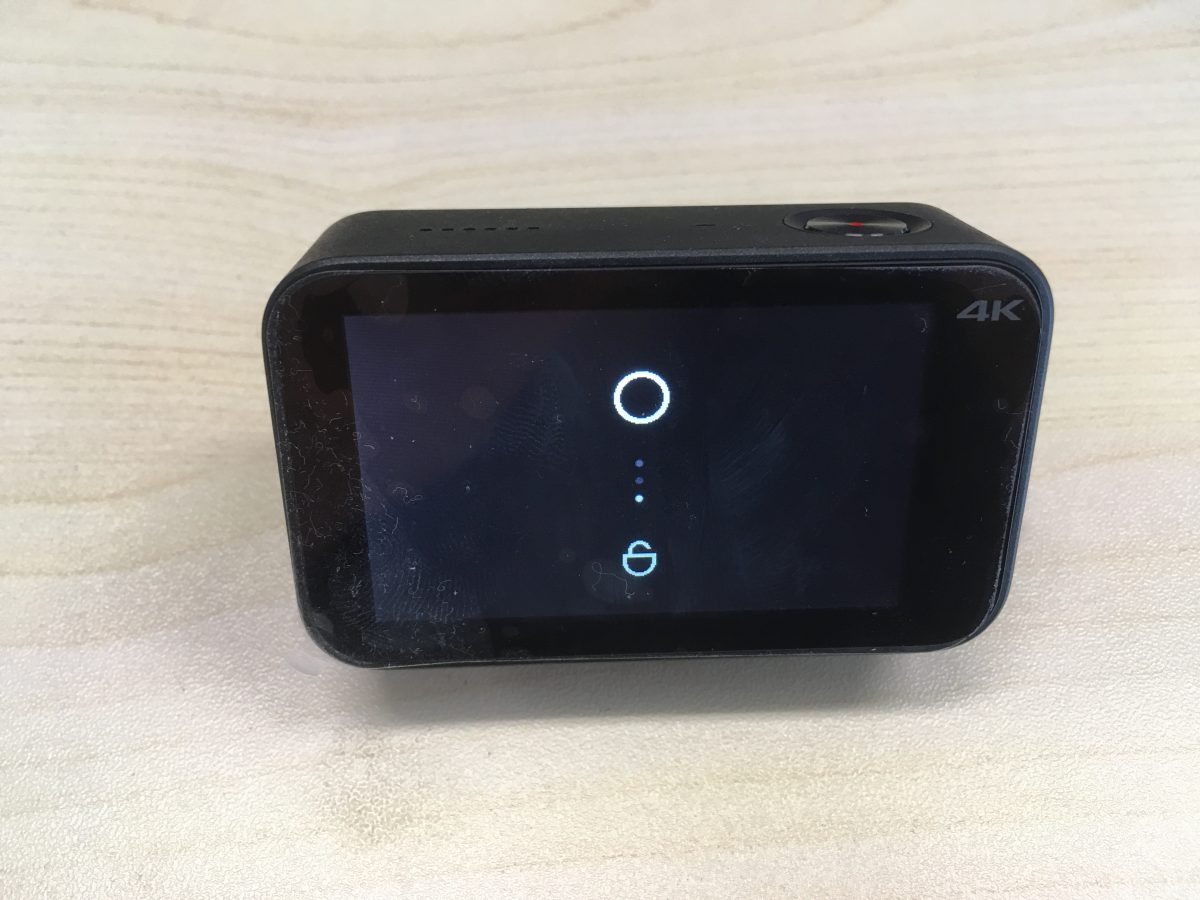
(7) カメラがロックされている場合, 下にスワイプしてロックを解除します.
2. モード設定ガイド:
右下のボタンを押して現在のモードを設定します.
(1) 通常のビデオ設定:
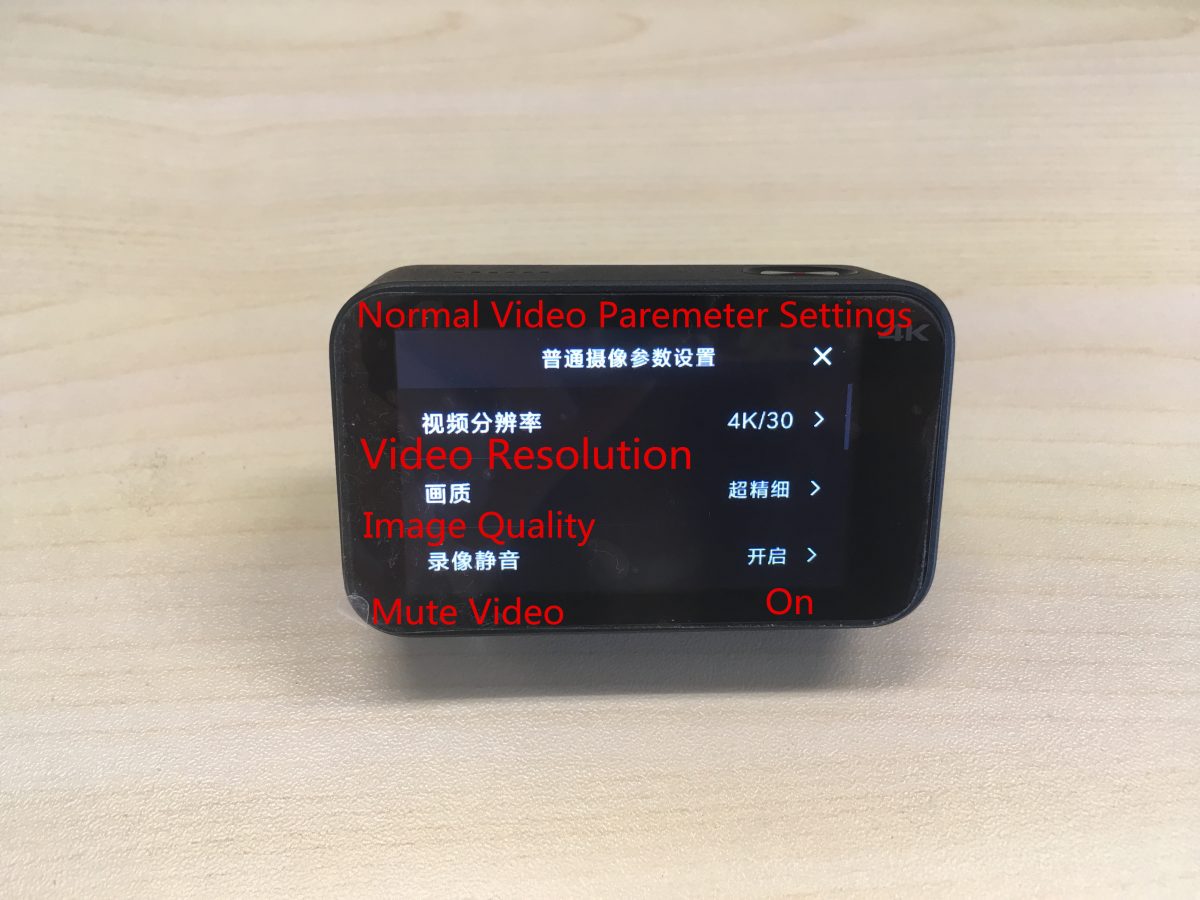
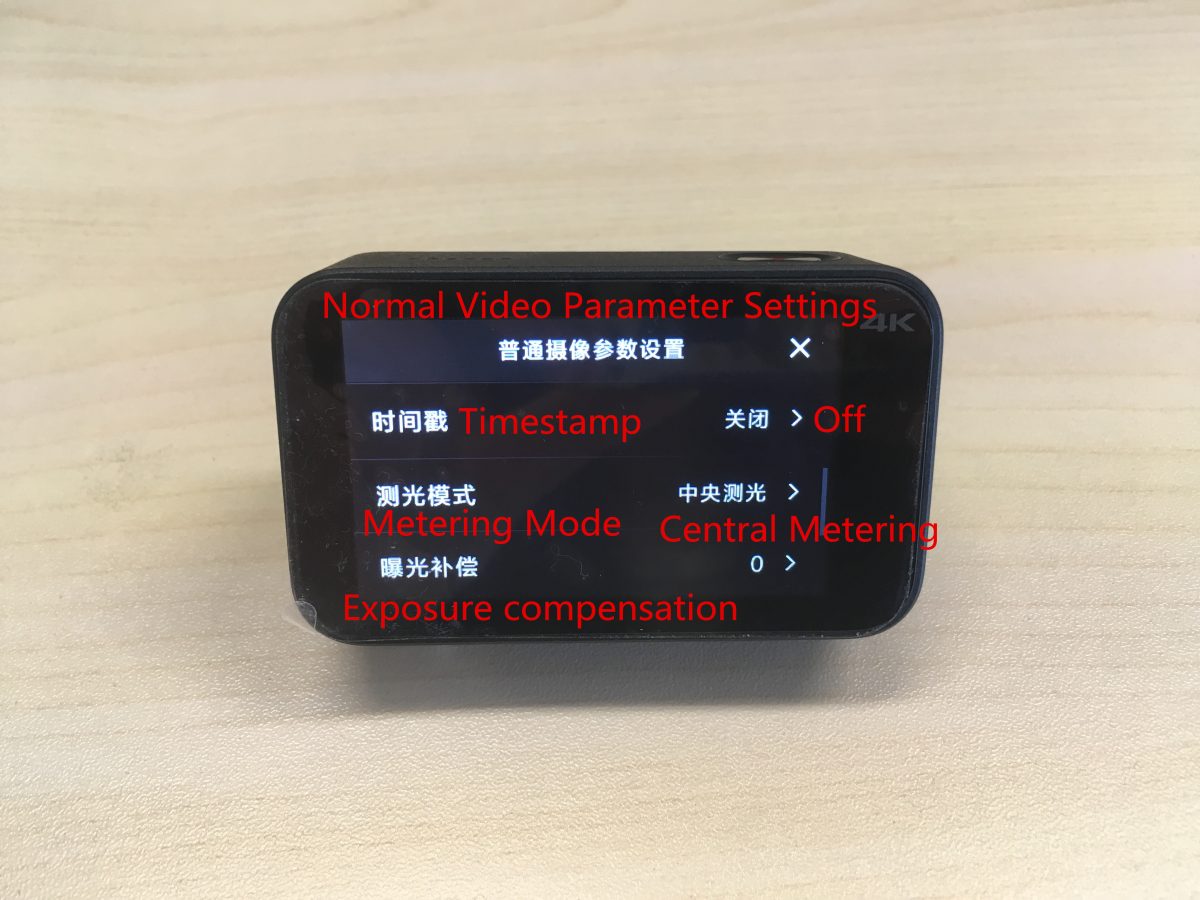
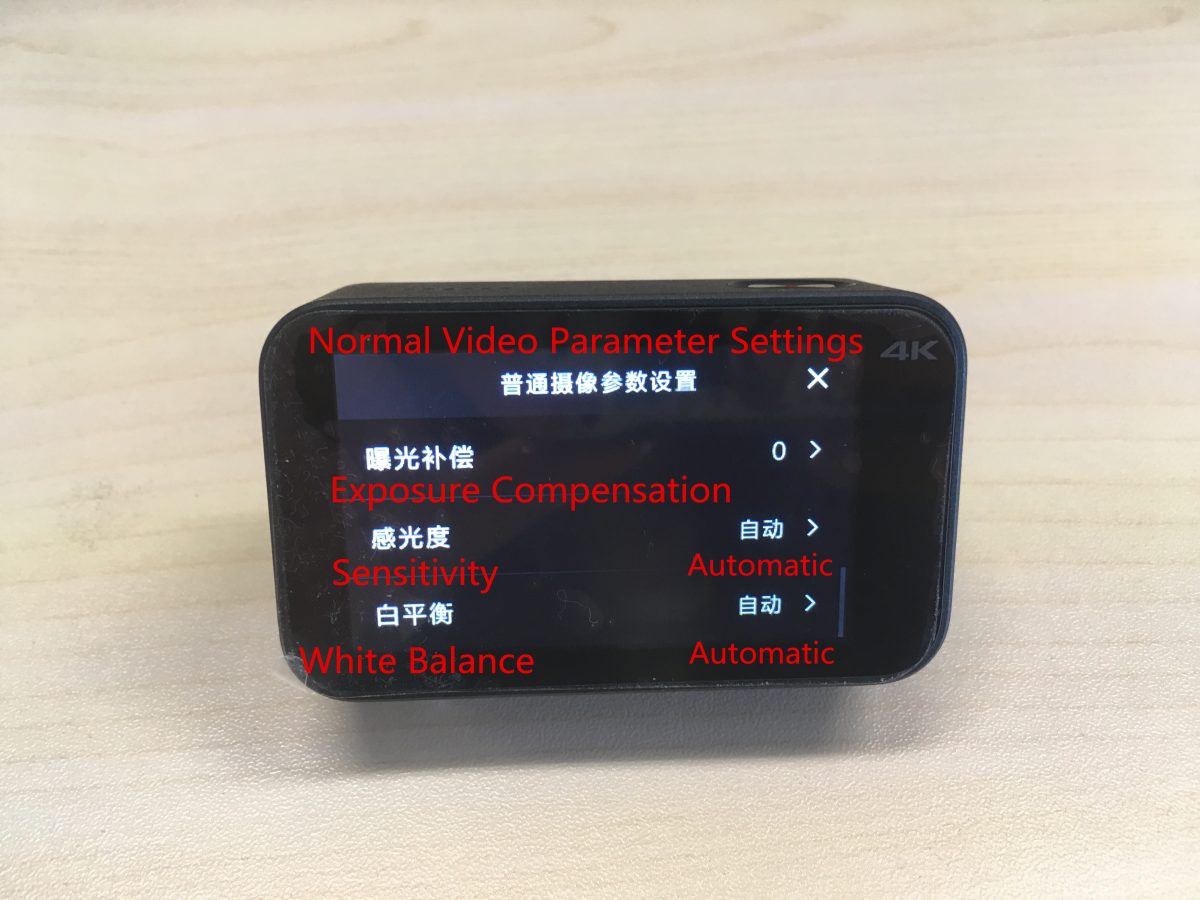
上から下に対応する設定は次のとおりです:
ビデオ解像度, 画質, ビデオをミュートする, タイムスタンプ, 測光モード, 露出補正, 感度, ホワイトバランス.
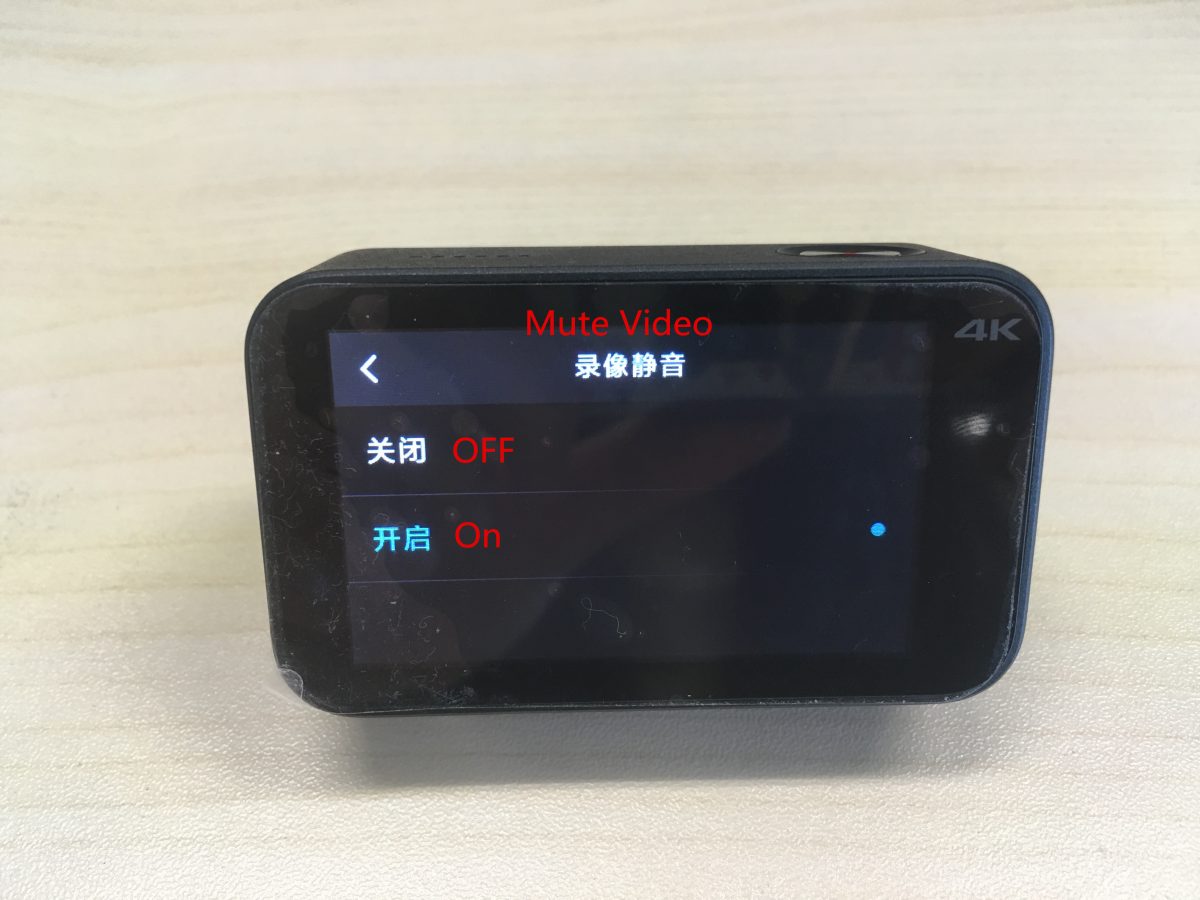
オンにする / 「ビデオのミュート」をオフにする.
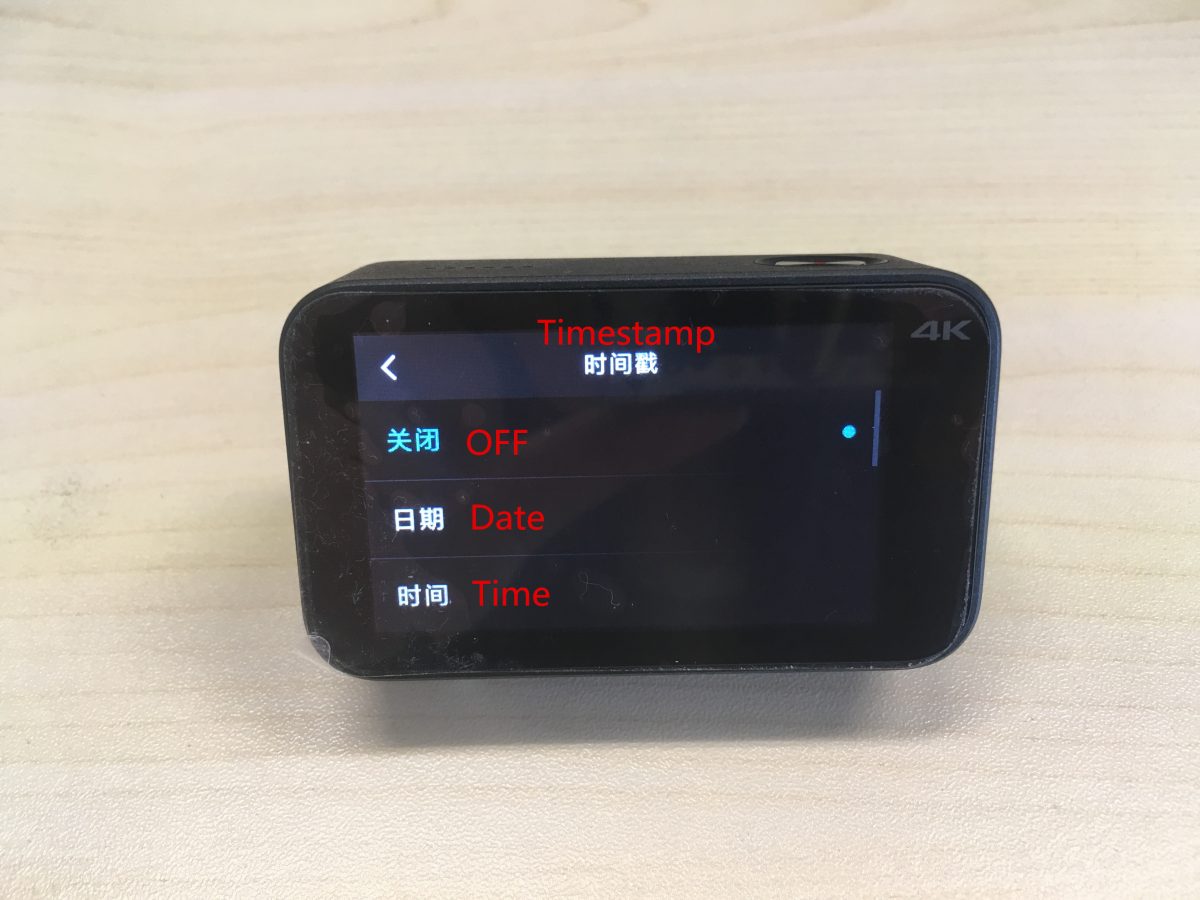
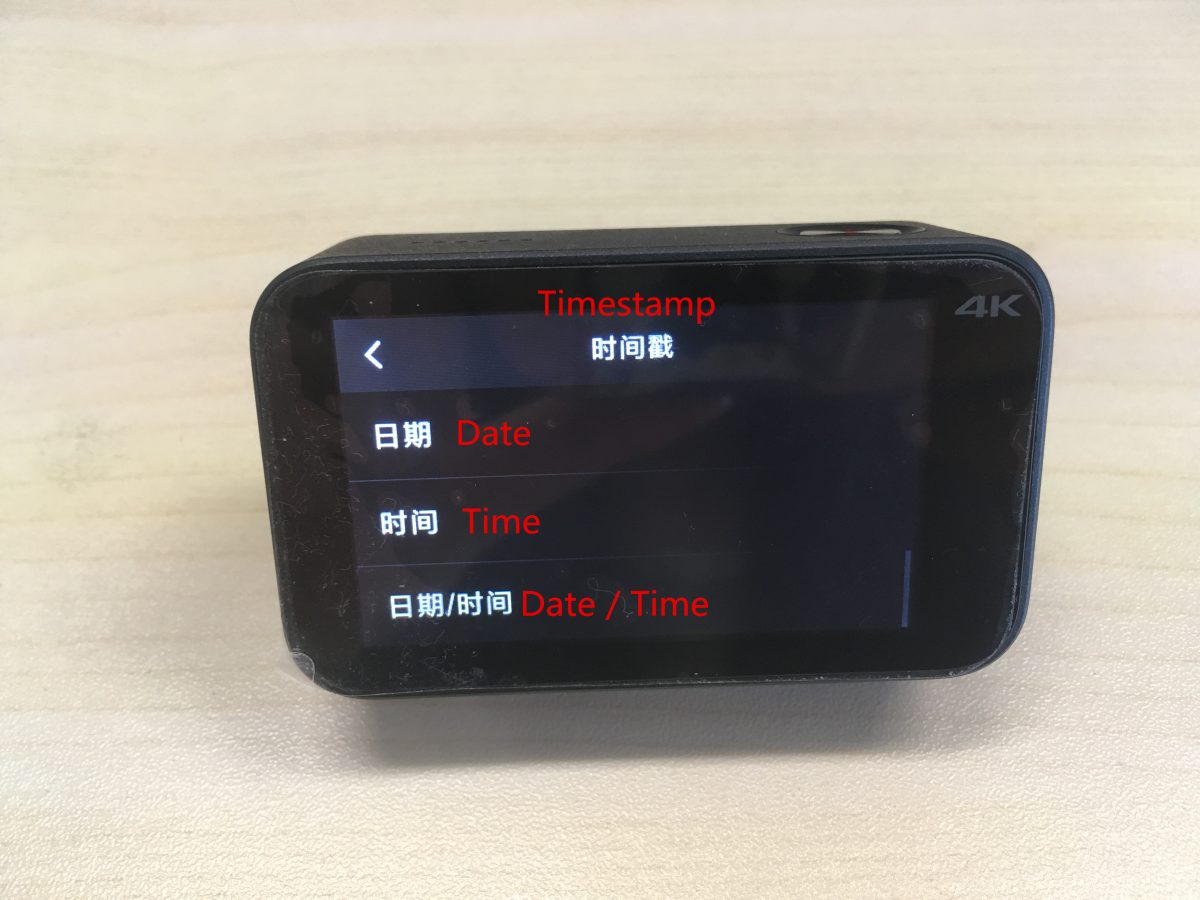
タイムスタンプを設定する: の上 / オフ, 日付, 時間, 日付 / 時間.
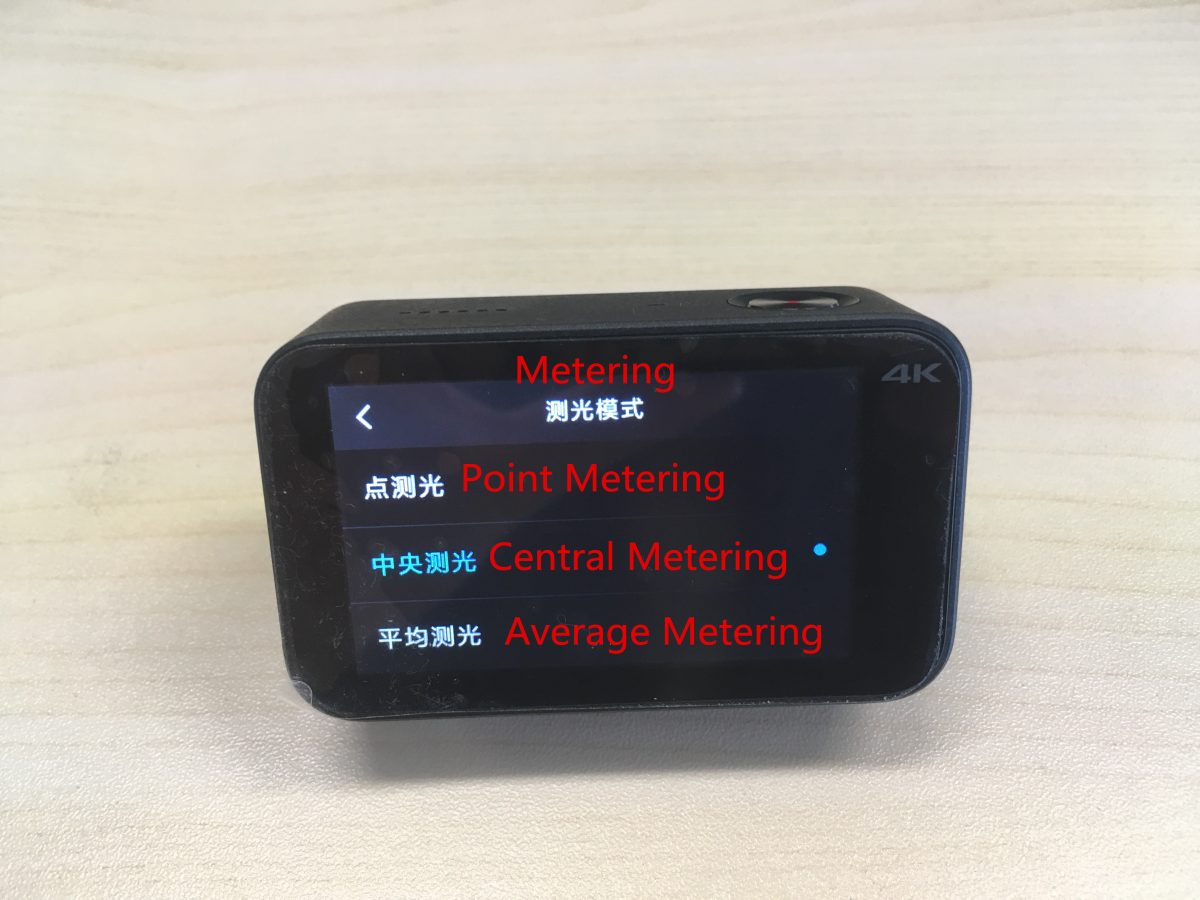
測光モードを設定する: ポイント測光, 中央測光, 平均測光.
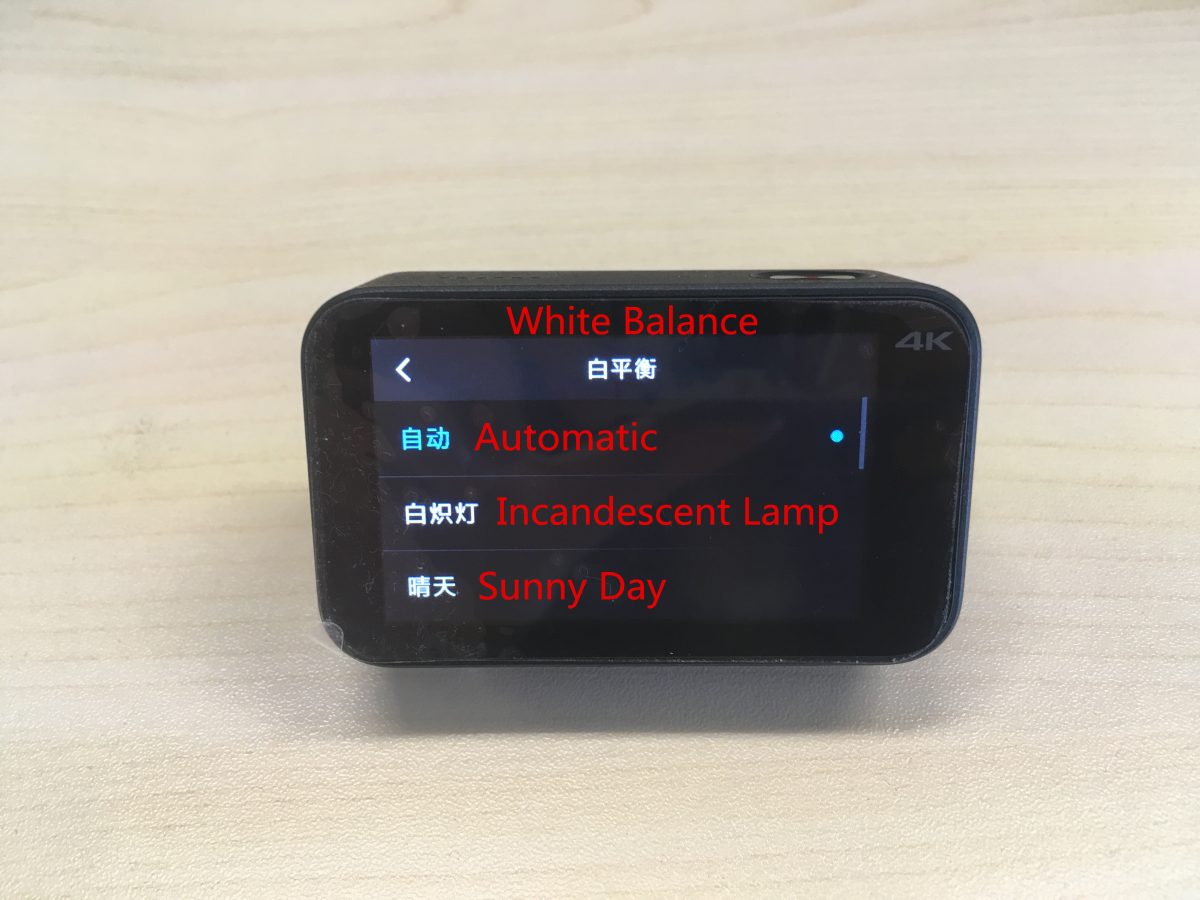
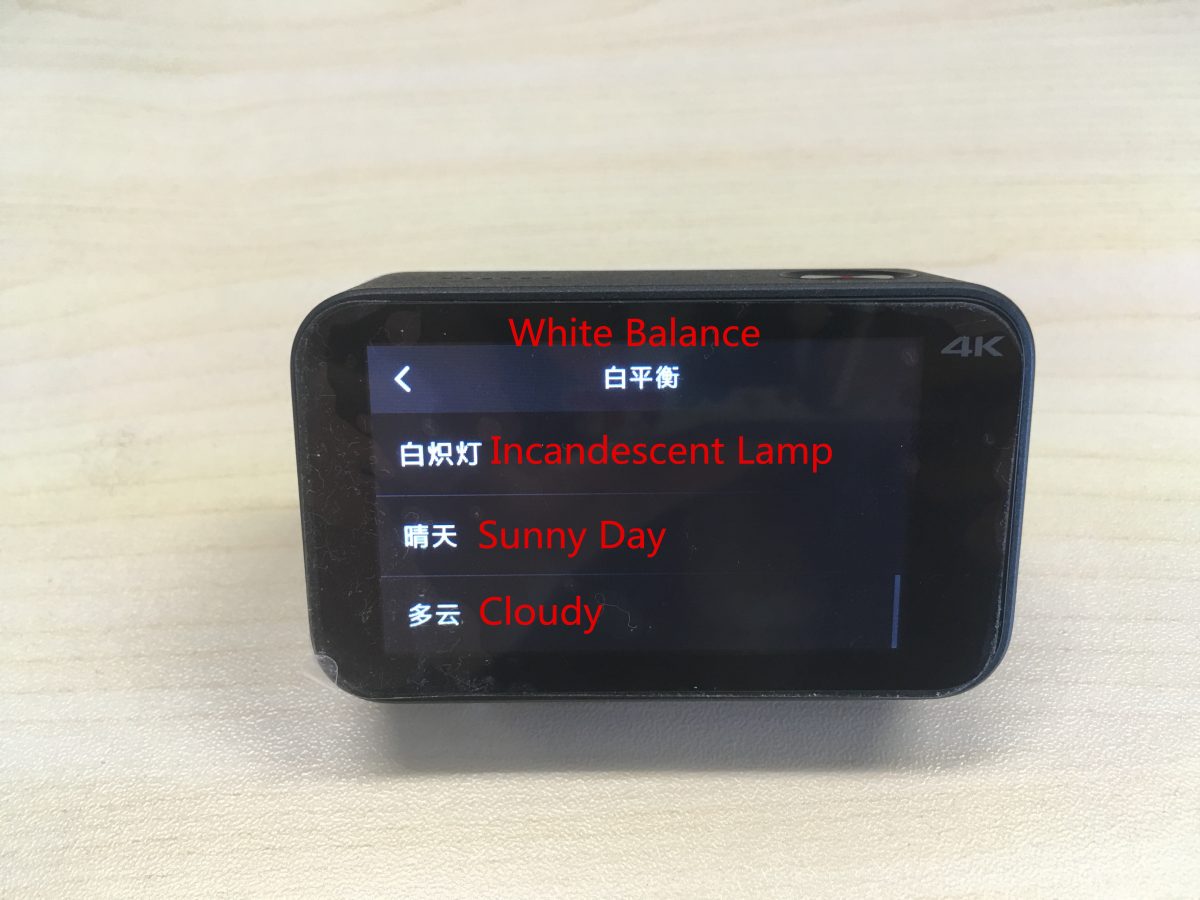
ホワイトバランスの設定: 自動, 白熱灯, 晴れた日, 曇り.
(2) タイムラプスビデオの設定:
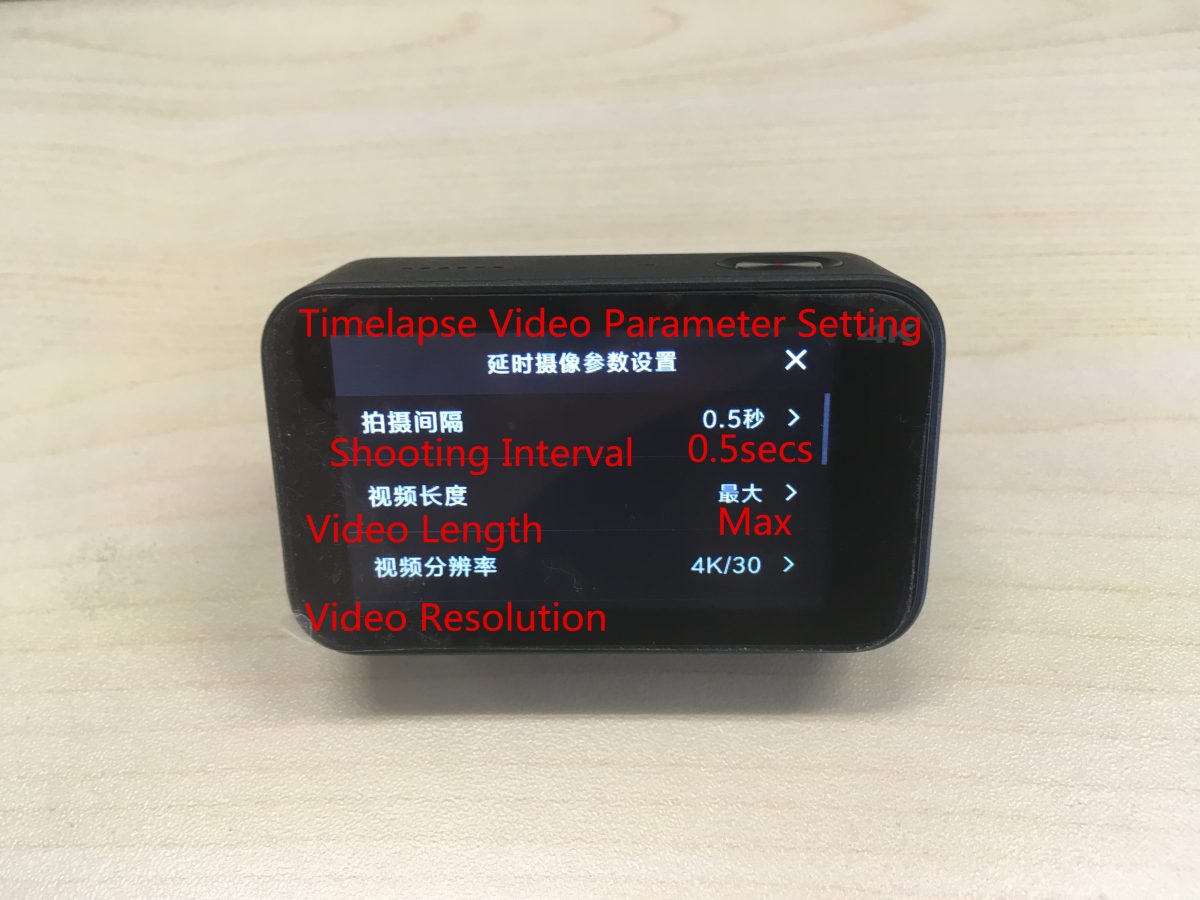
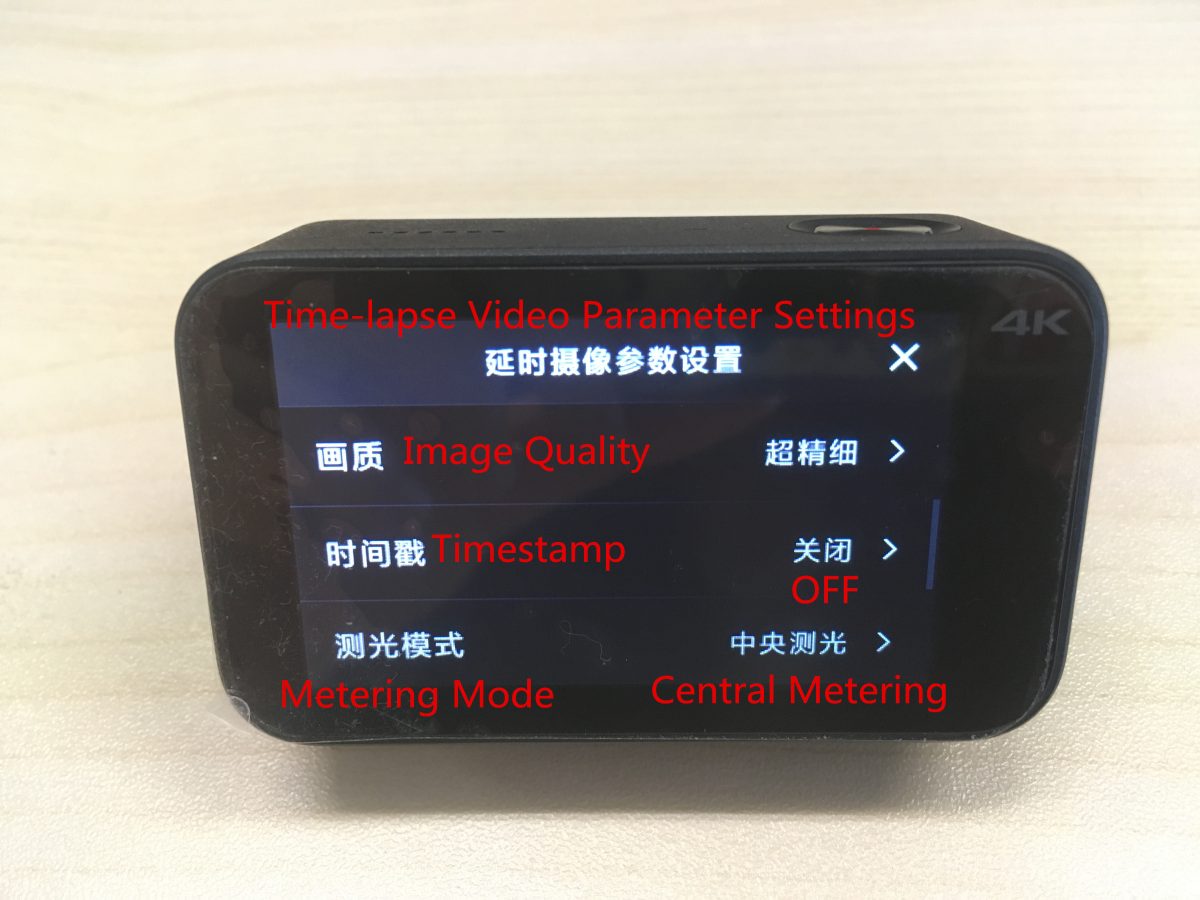
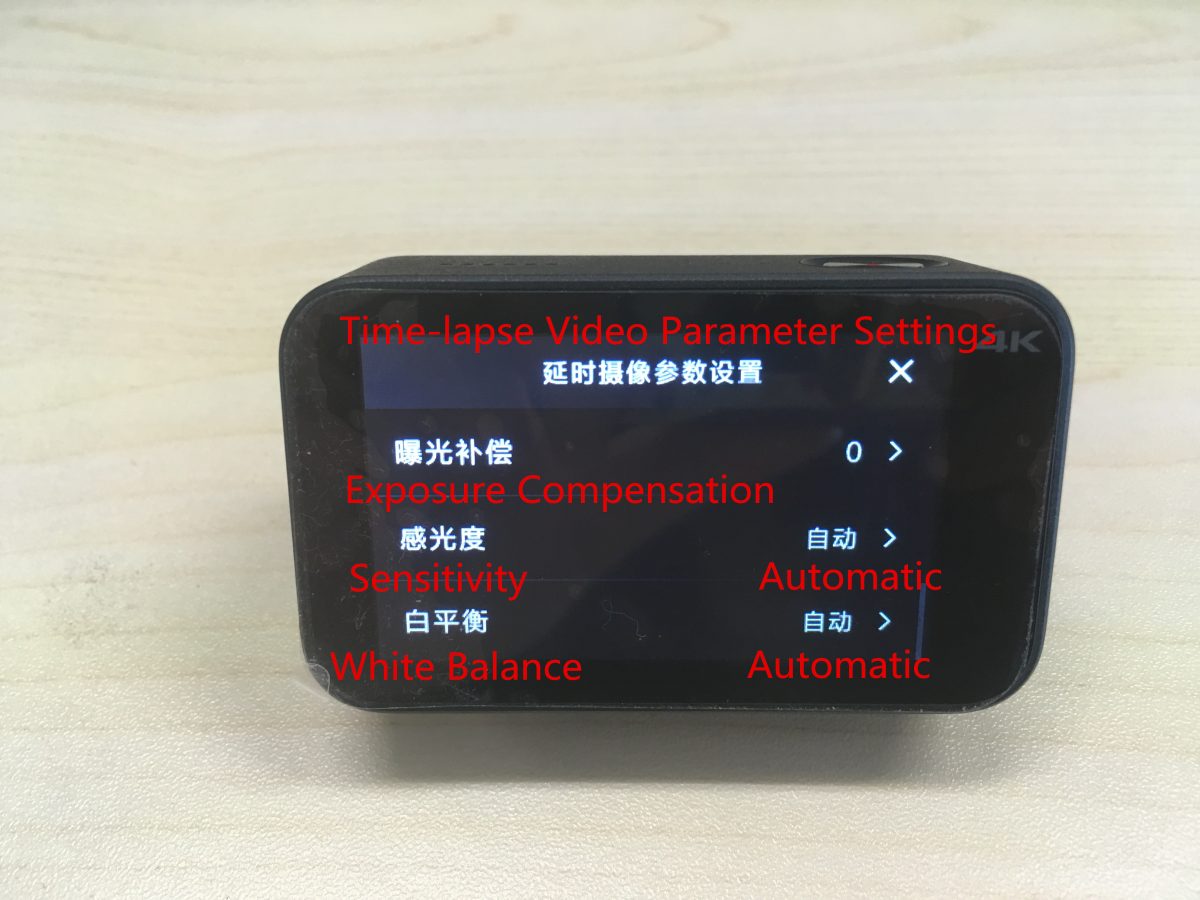
上から下に対応する設定は次のとおりです:
撮影間隔, 動画の長さ, ビデオ解像度, 画質, タイムスタンプ, 測光モード, 露出補正, 感度, ホワイトバランス.
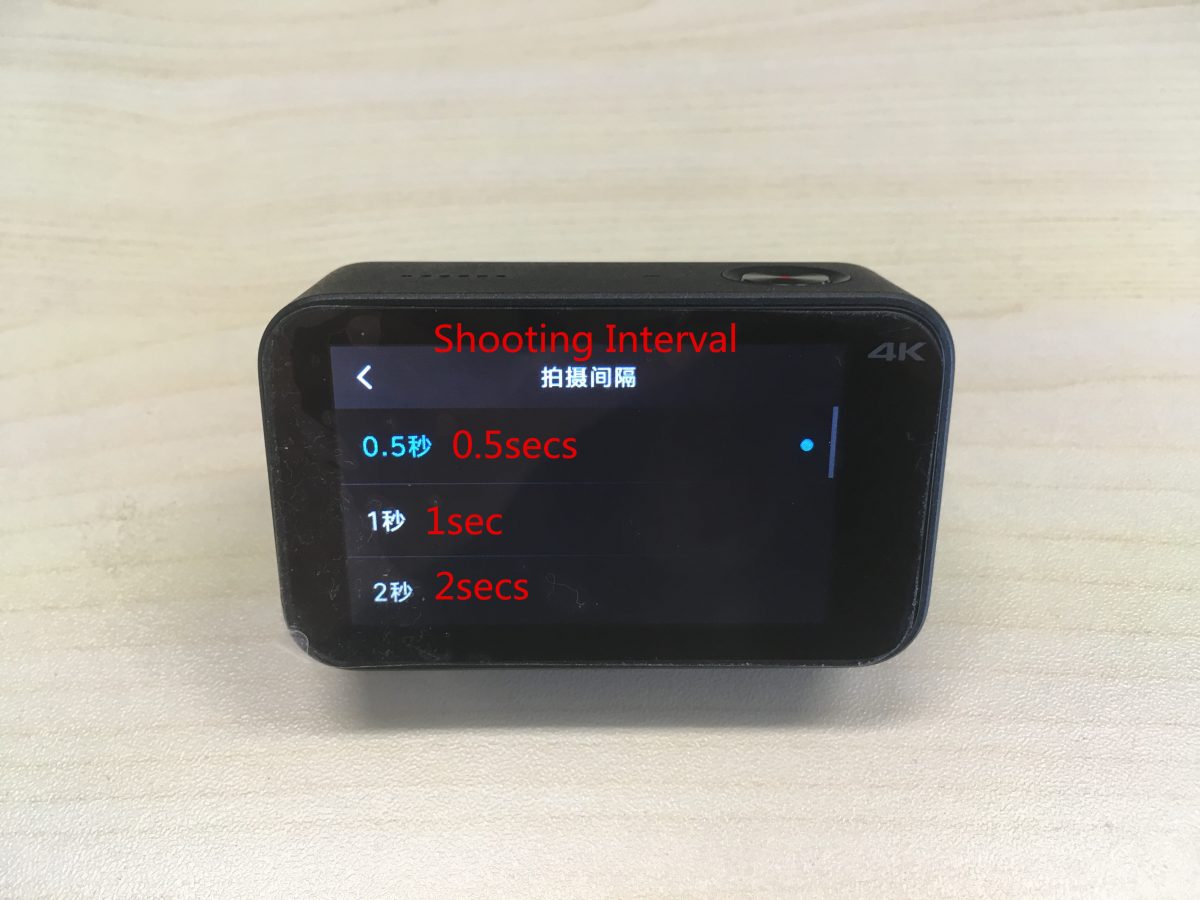
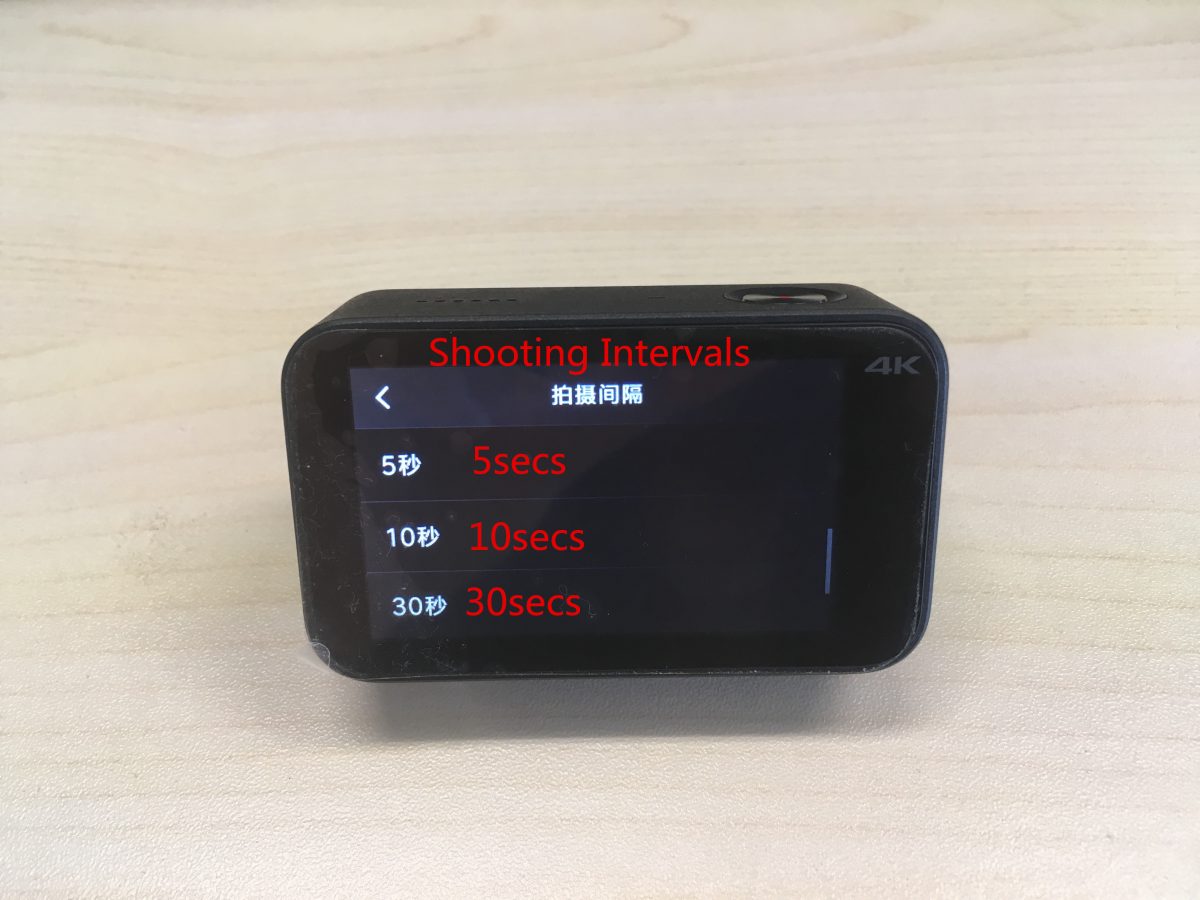
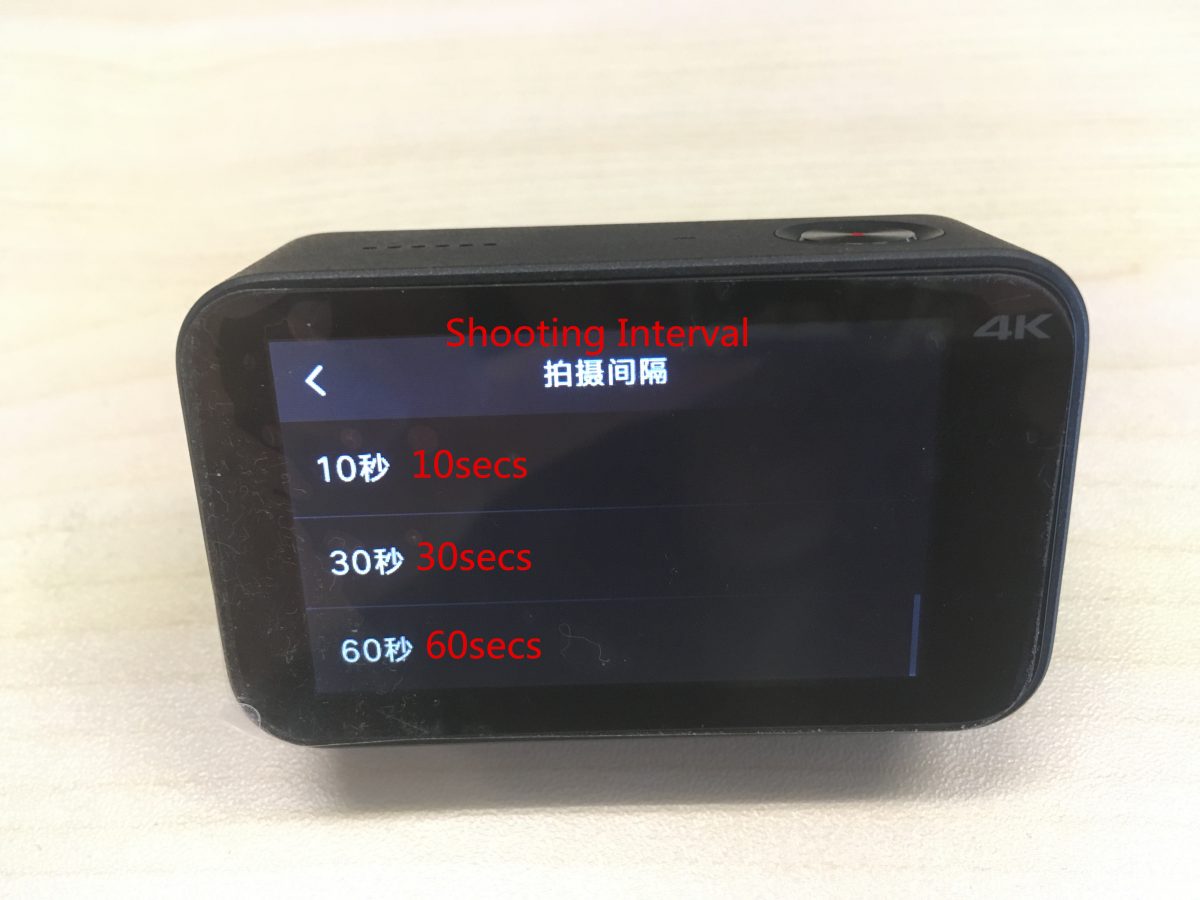
対応する撮影間隔設定は以下の通りです。: 0.5 秒, 1 秒, 2 秒, 5 秒, 10 秒, 30 秒, 60 秒.
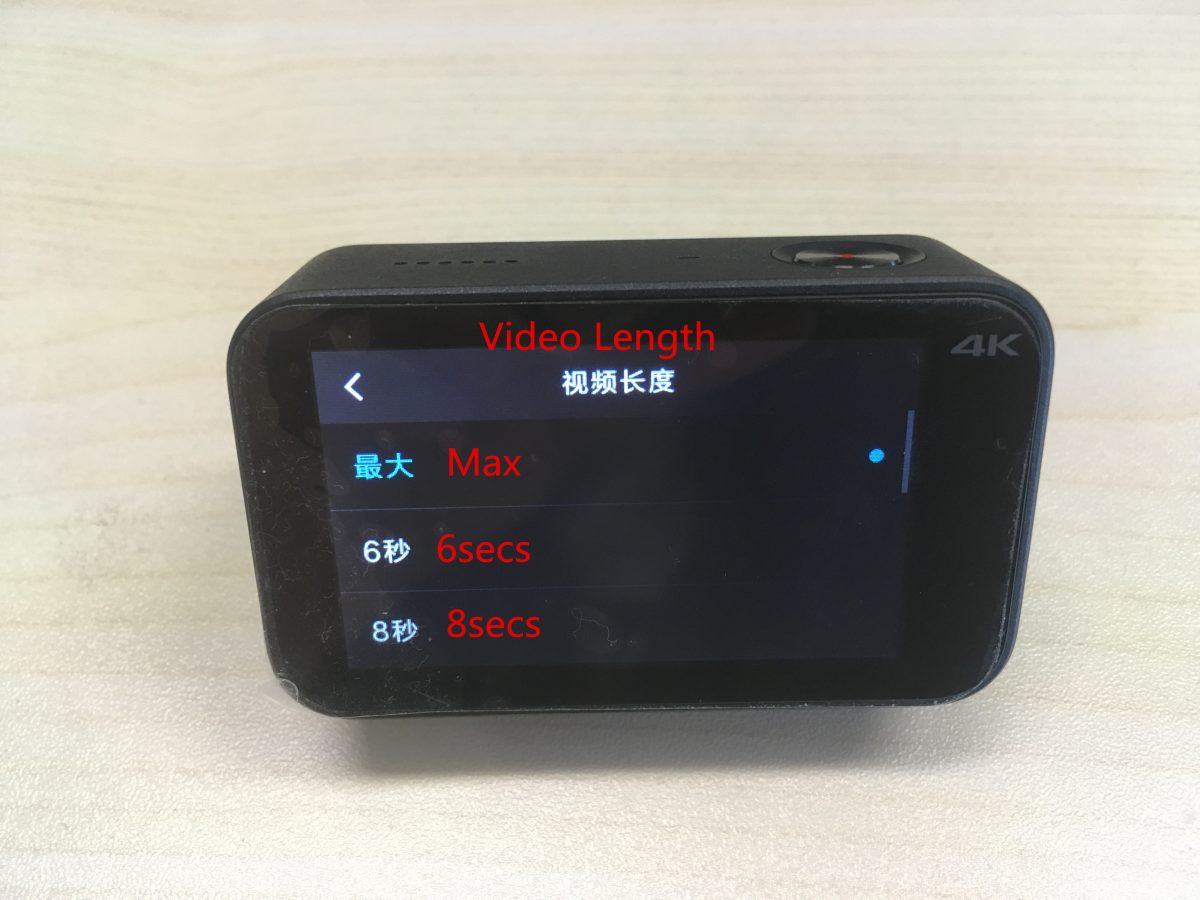
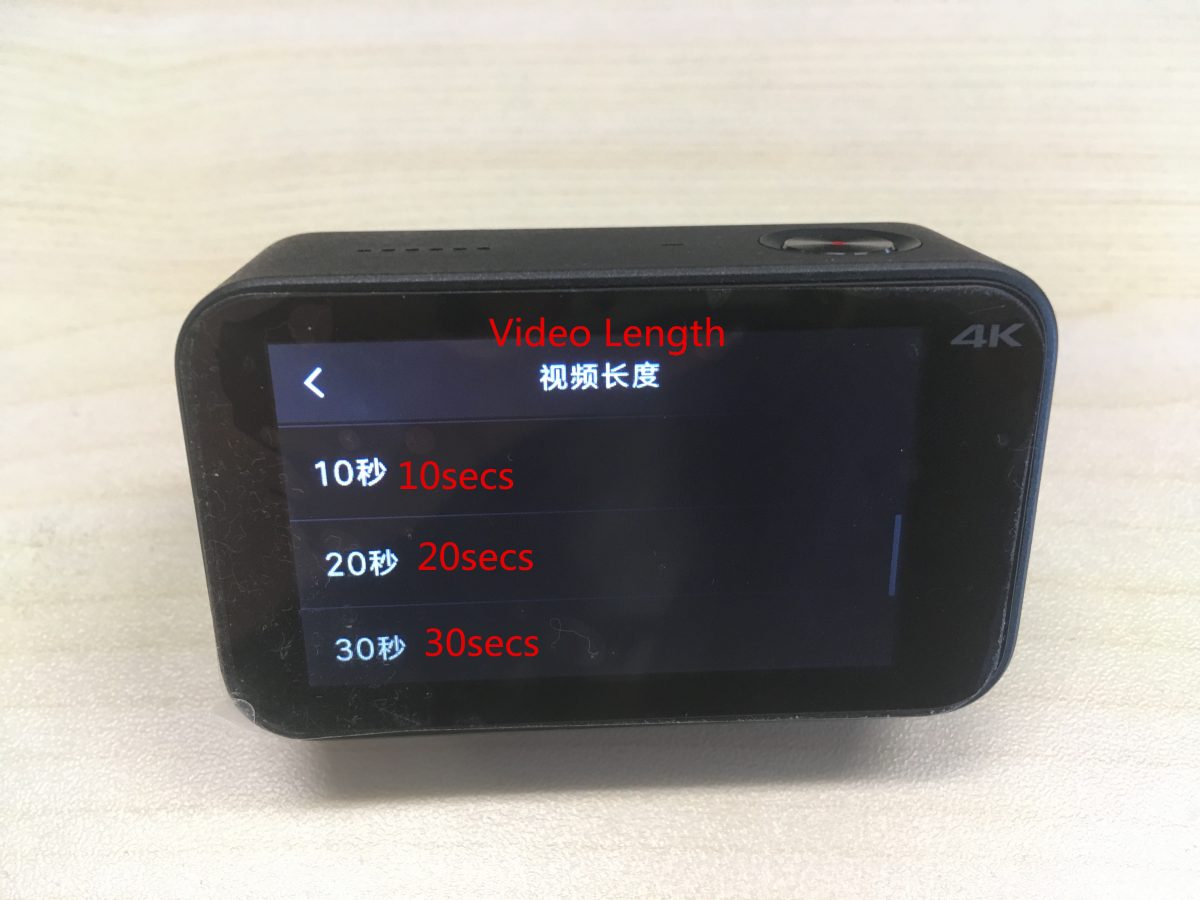
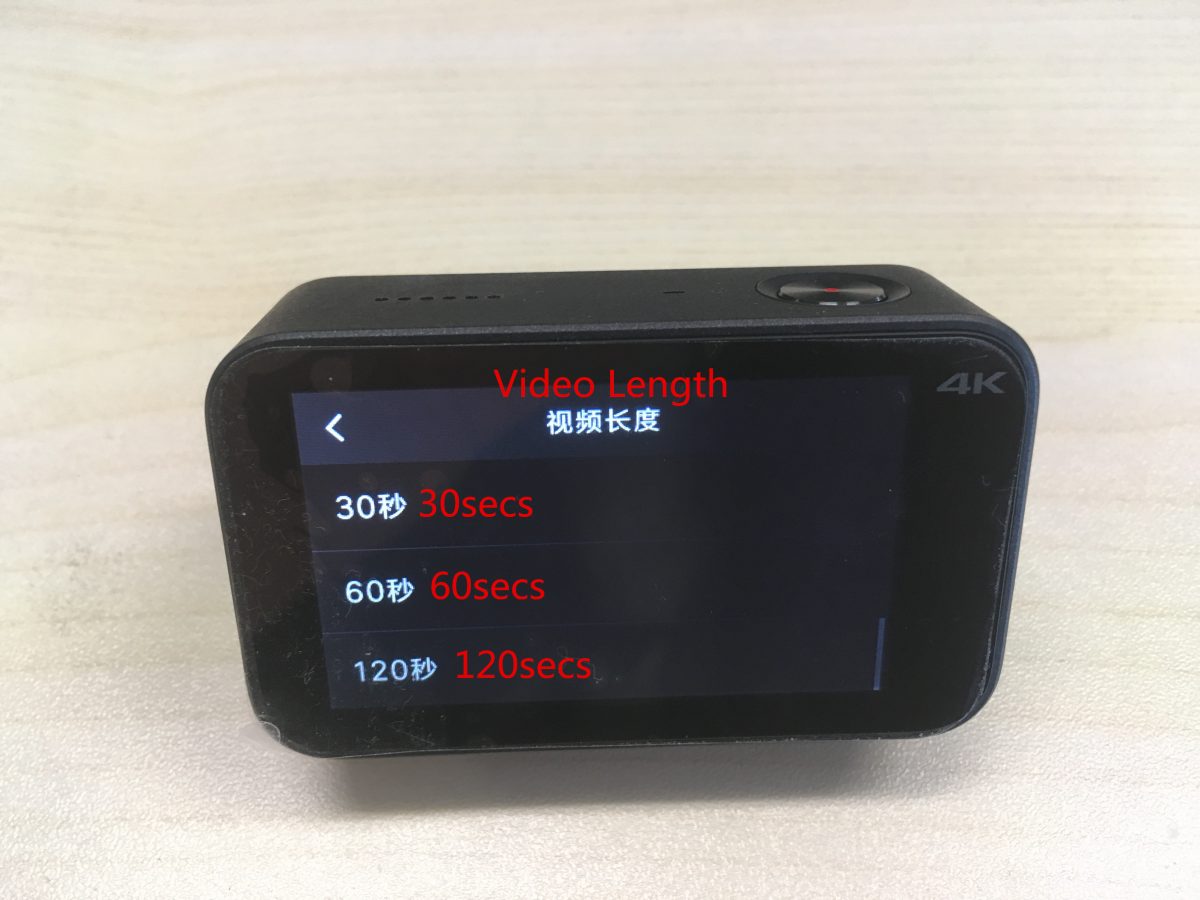
対応するビデオの長さ設定は次のとおりです。: 最大, 6 秒, 8秒, 10 秒, 20 秒, 30 秒, 60 秒, 120 秒.
タイムスタンプを設定する: の上 / オフ, 日付, 時間, 日付 / 時間.
測光モードを設定する: ポイント測光, 中央測光, 平均測光.
ホワイトバランスの設定: 自動, 白熱灯, 晴れた日, 曇り.
(3) スローモーション設定:
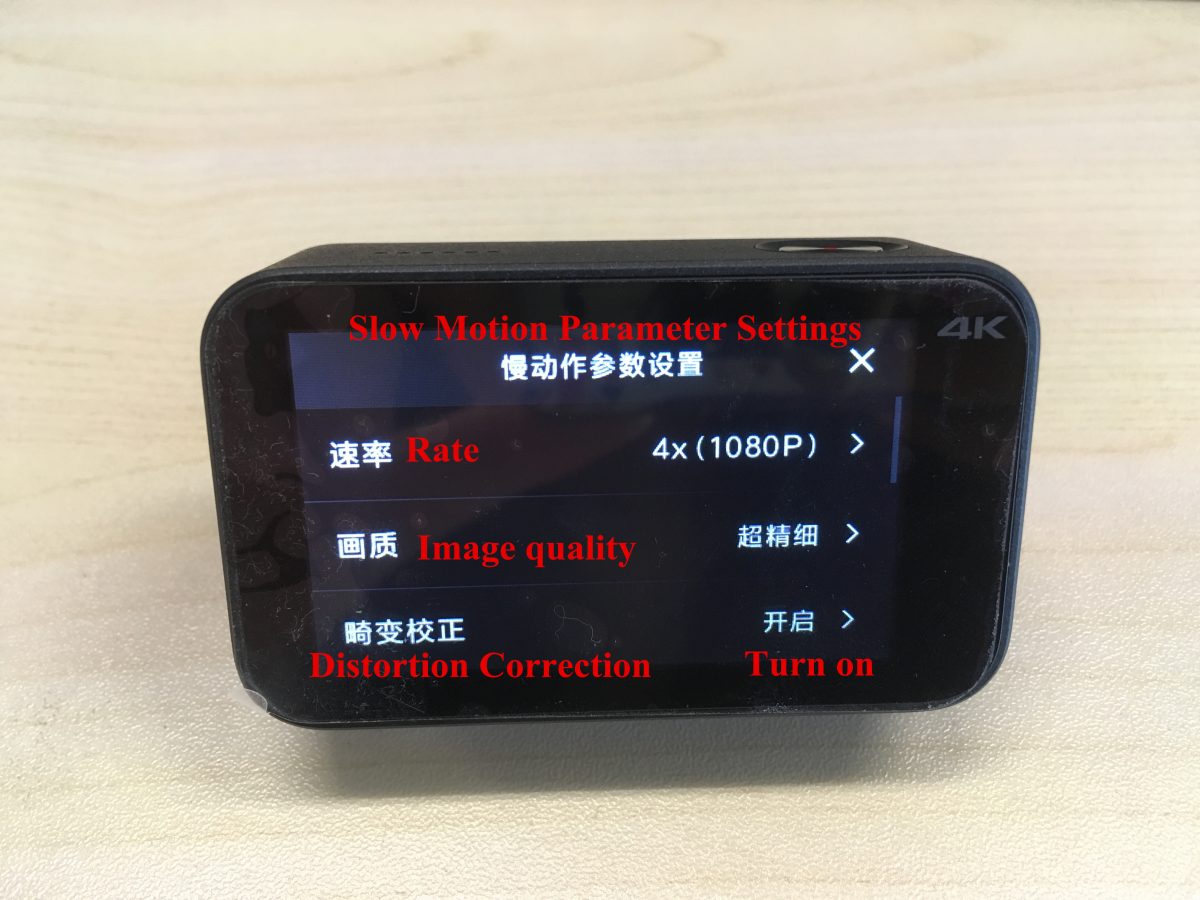
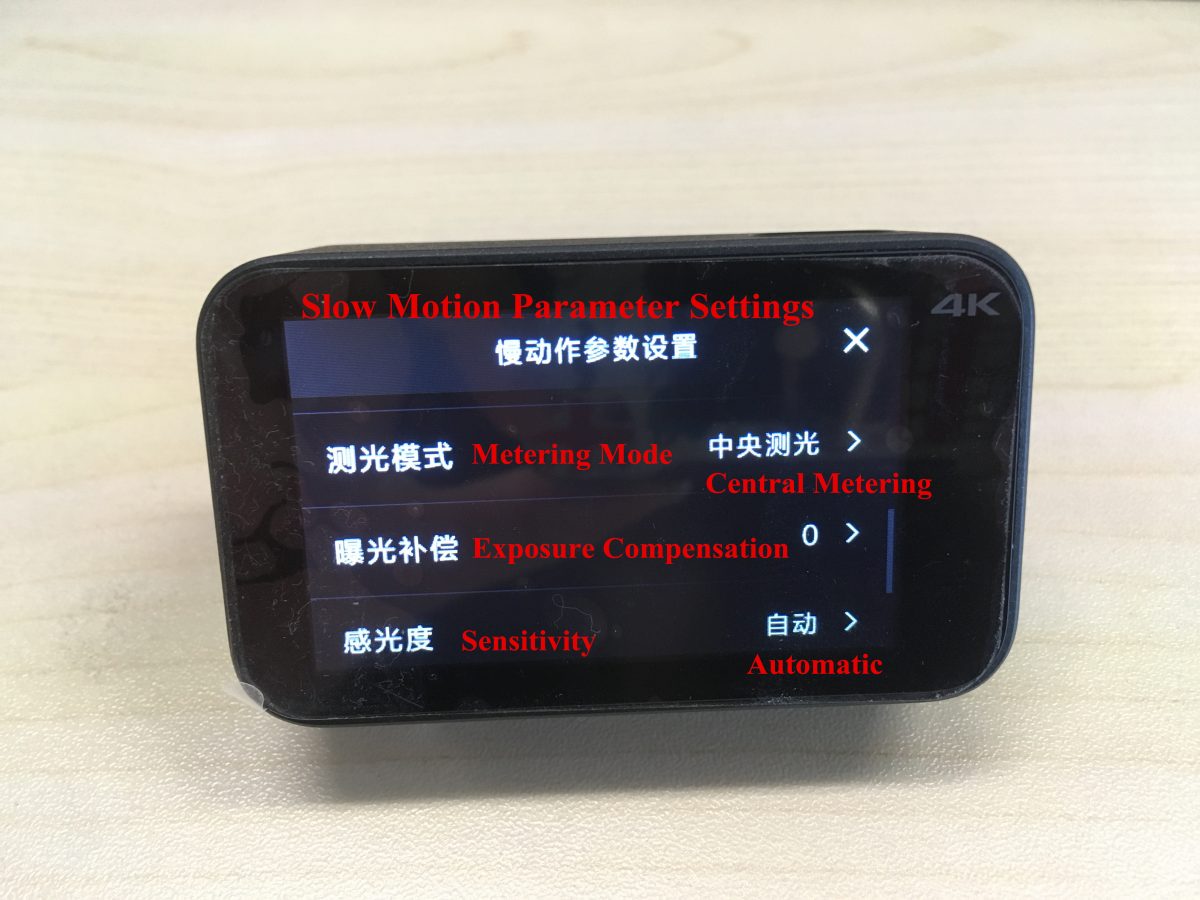
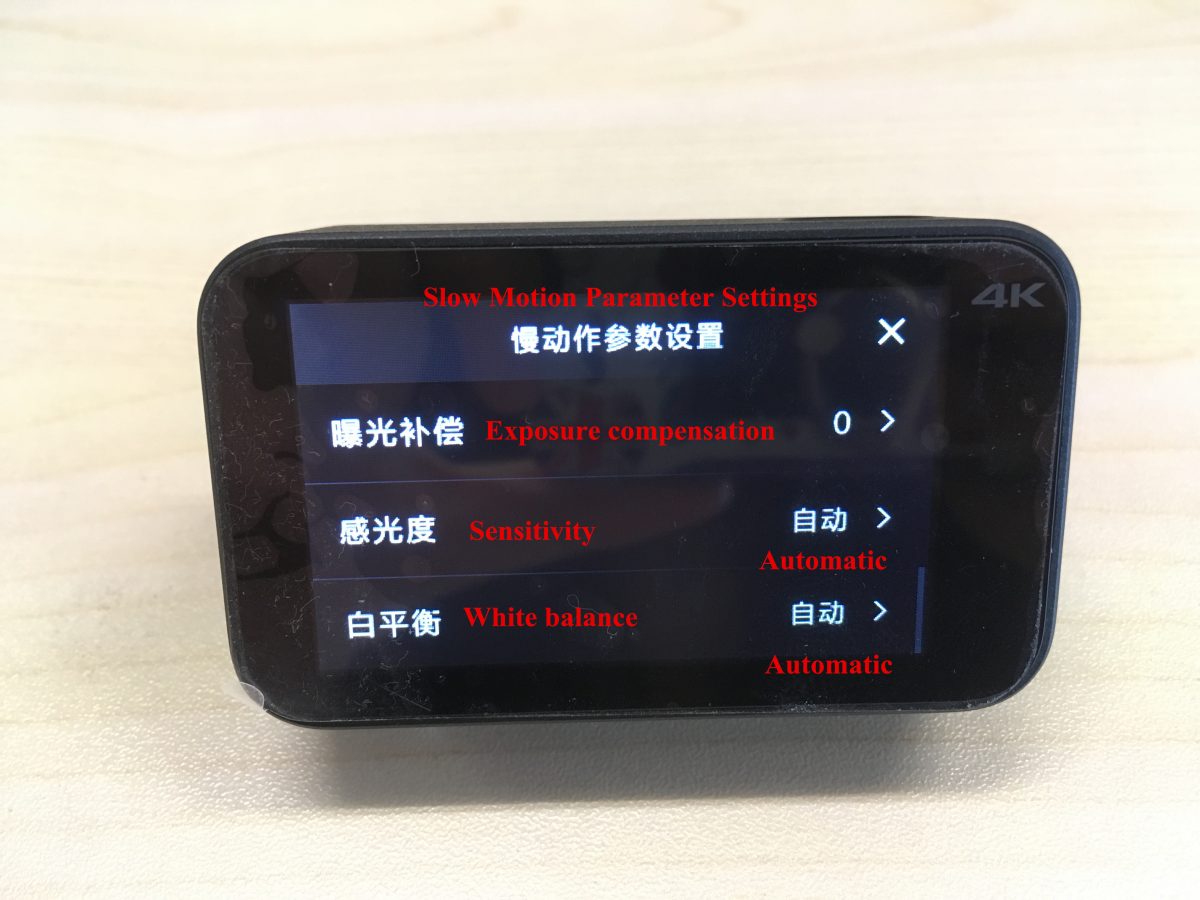
上から下に対応する設定は次のとおりです:
レート, 画質, 歪み補正, 測光モード, 露出補正, 感度, ホワイトバランス.
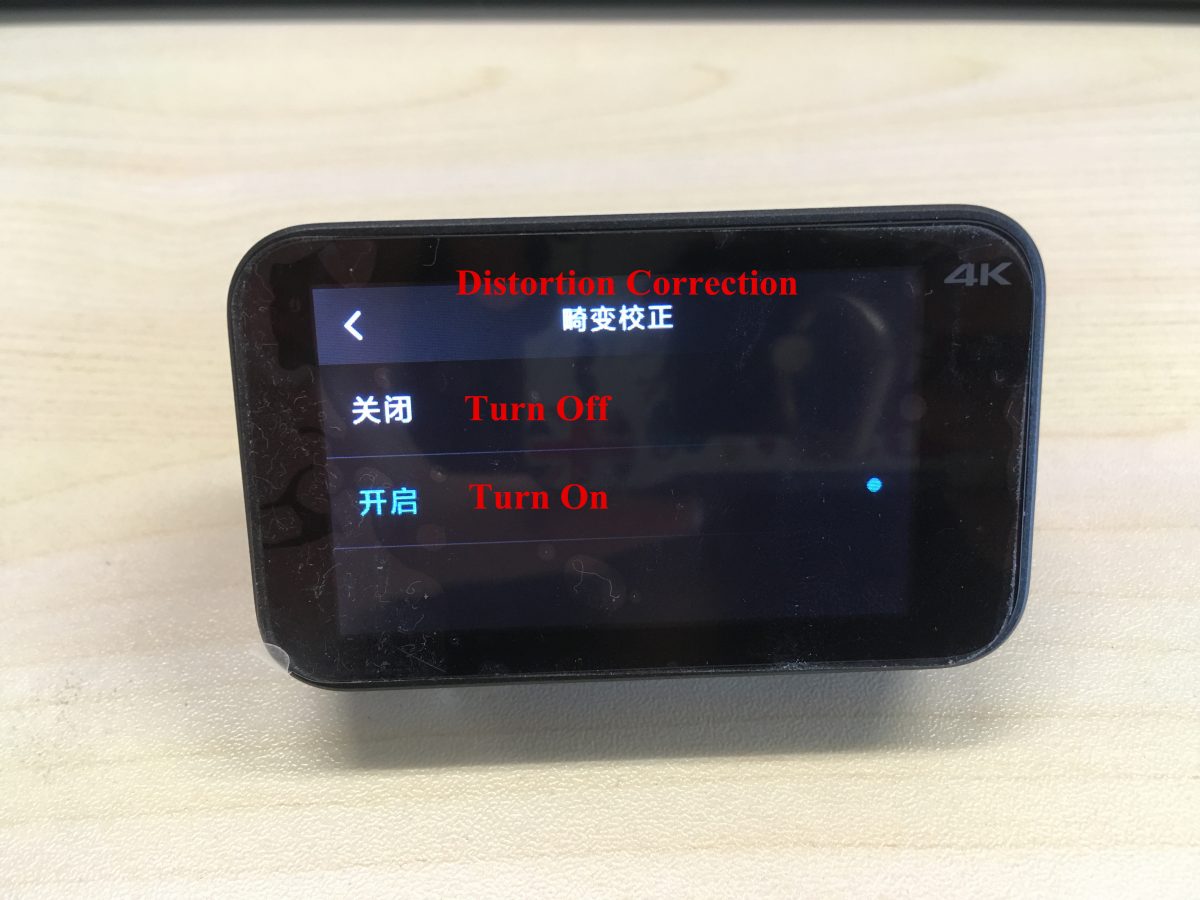
オンにする / ここからは歪み補正をオフにします.
測光モードを設定する: ポイント測光, 中央測光, 平均測光.
ホワイトバランスの設定: 自動, 白熱灯, 晴れた日, 曇り.
(4) ループビデオ設定:
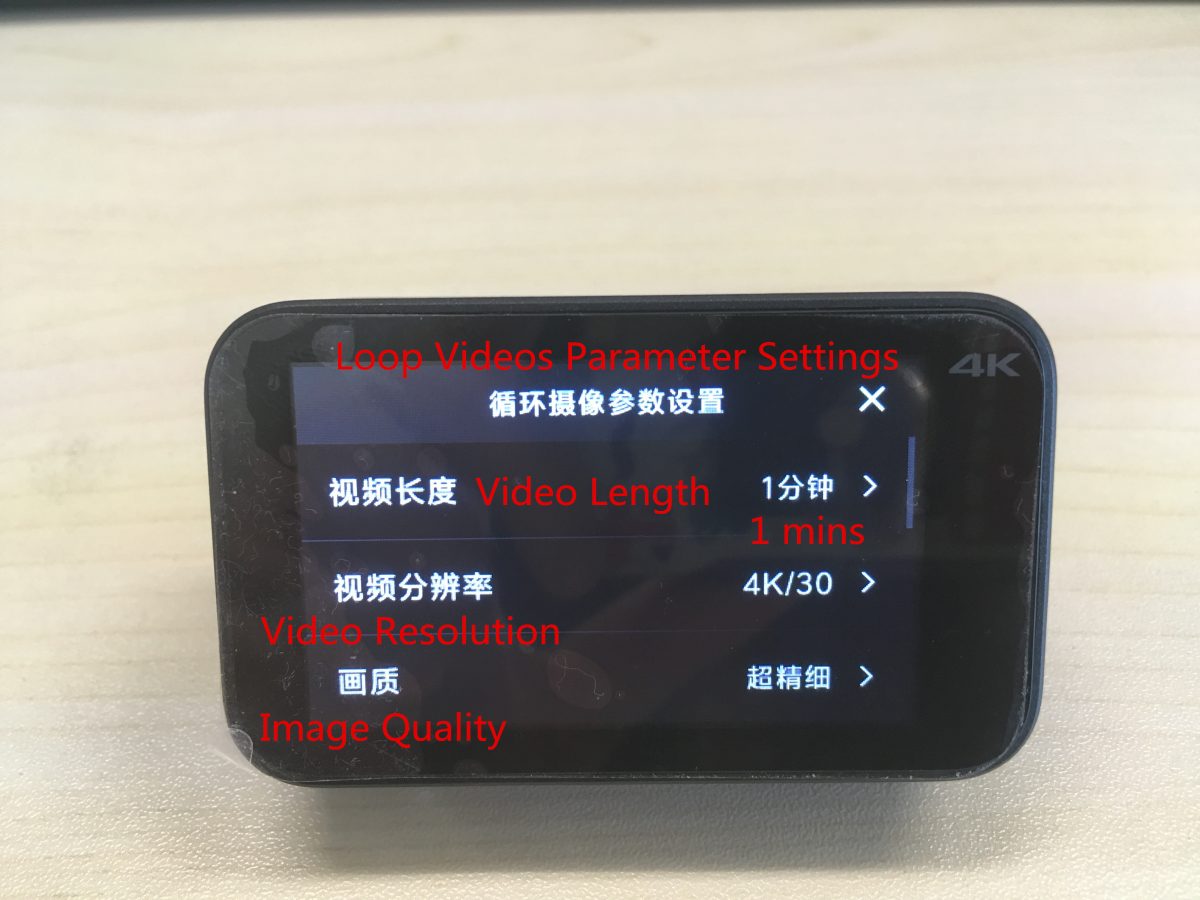
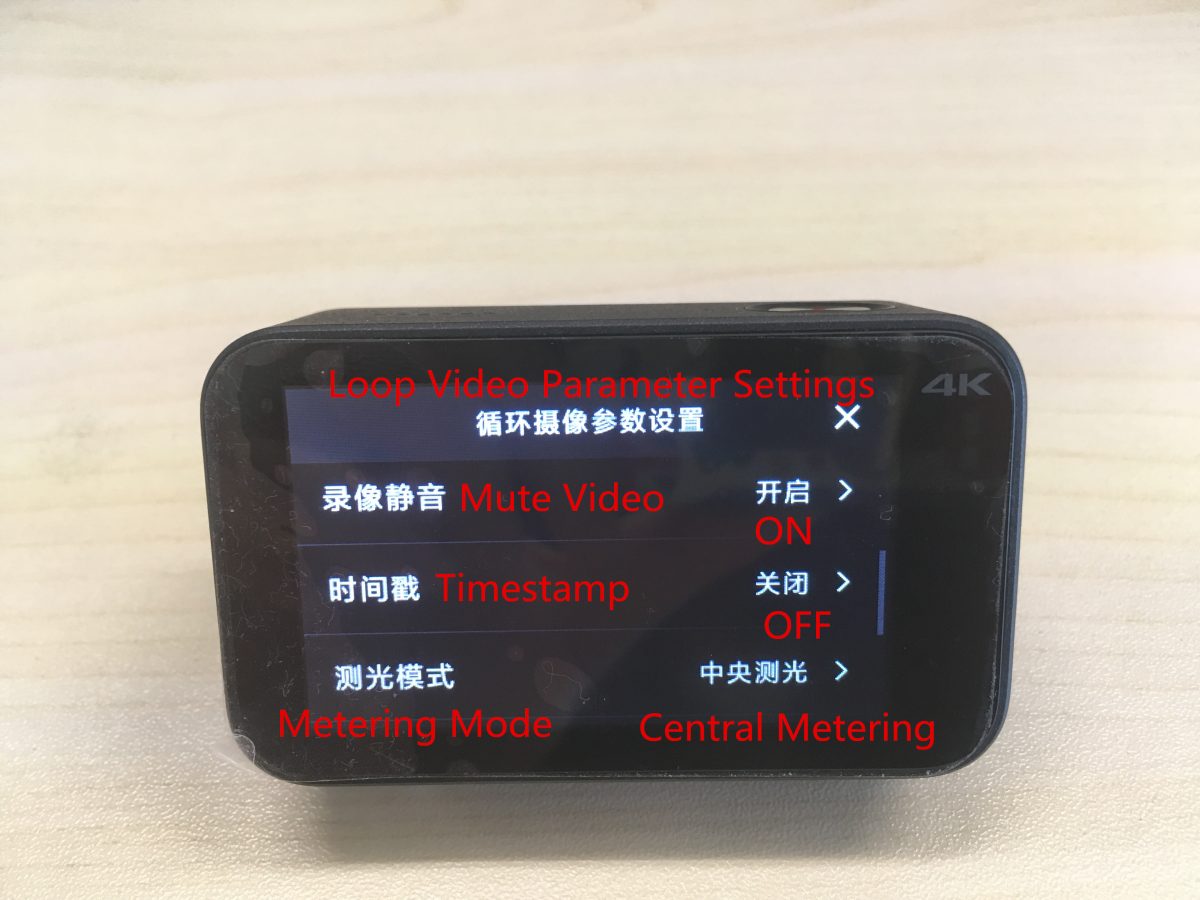
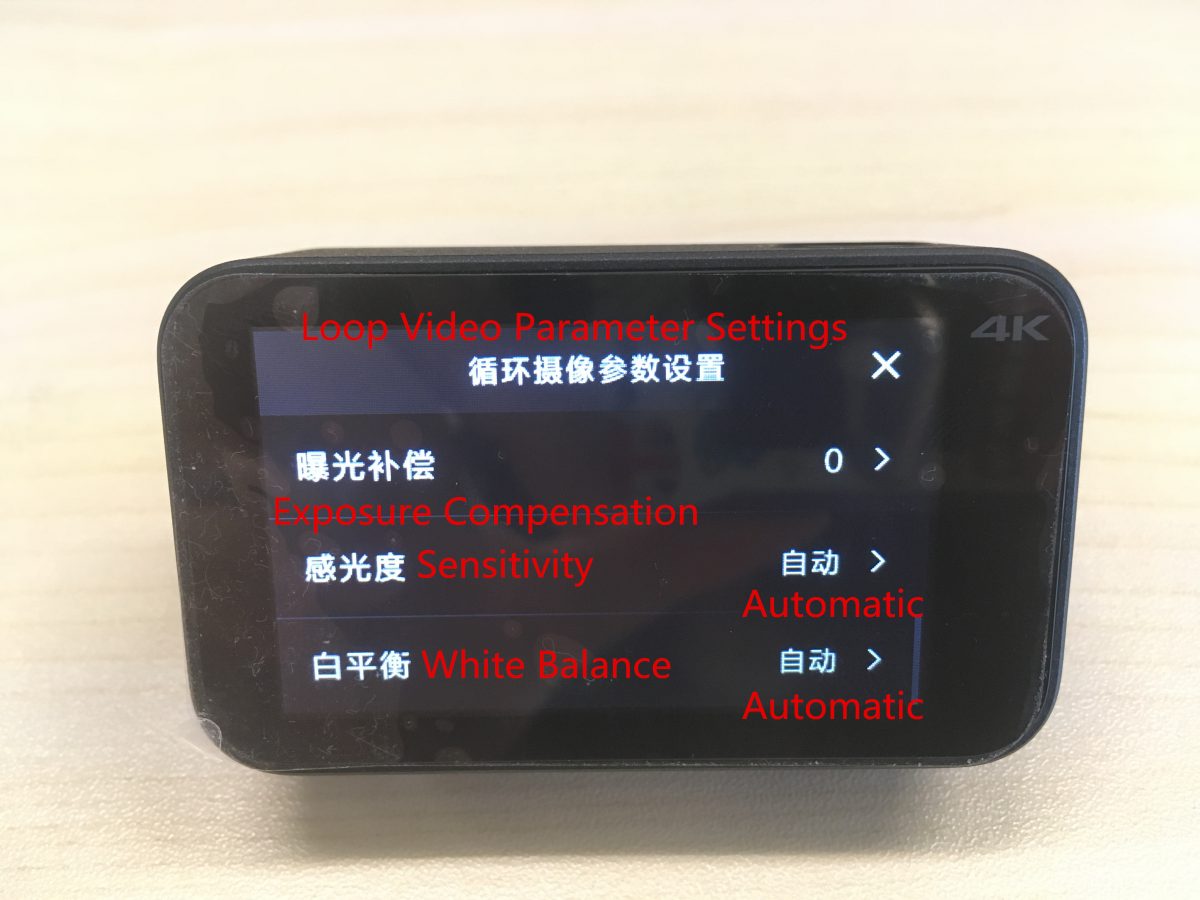
上から下に対応する設定は次のとおりです:
動画の長さ, ビデオ解像度, 画質, ビデオをミュートする, タイムスタンプ, 測光モード, 露出補正, 感度, ホワイトバランス.
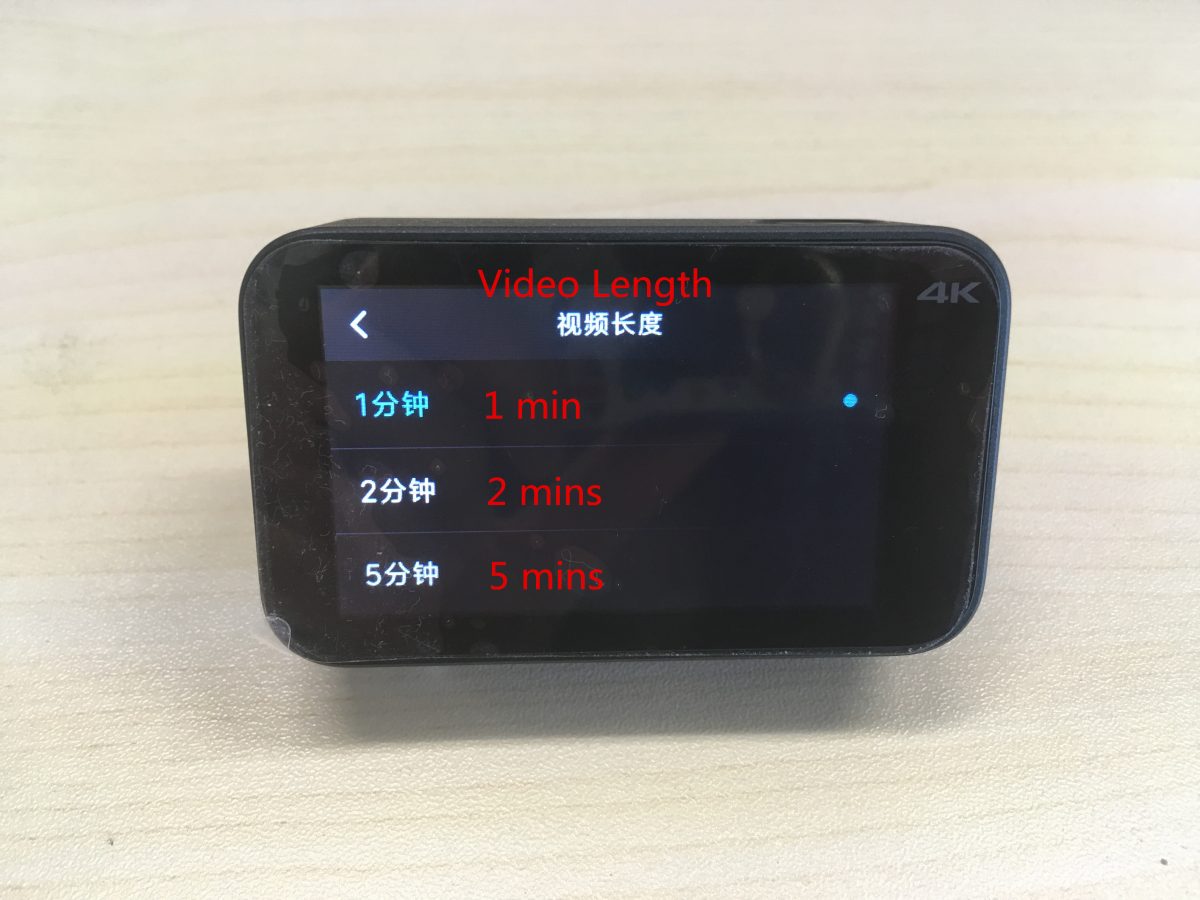
動画の長さは次のように分割できます。: 1 分, 2 分, 3 分.
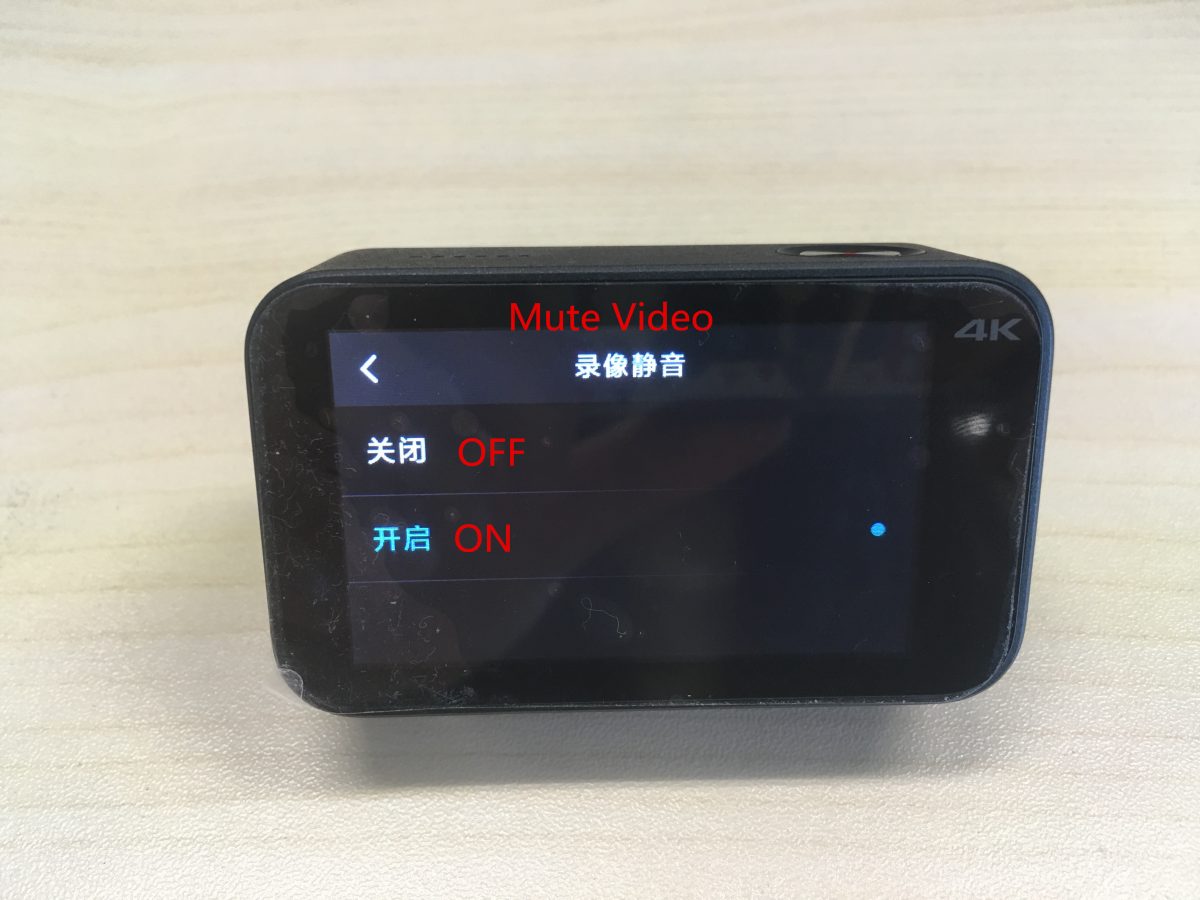
オンにする / 「ビデオのミュート」をオフにする.
タイムスタンプを設定する: の上 / オフ, 日付, 時間, 日付 / 時間.
測光モードを設定する: ポイント測光, 中央測光, 平均測光.
ホワイトバランスの設定: 自動, 白熱灯, 晴れた日, 曇り.
(5) ビデオ + 写真設定:
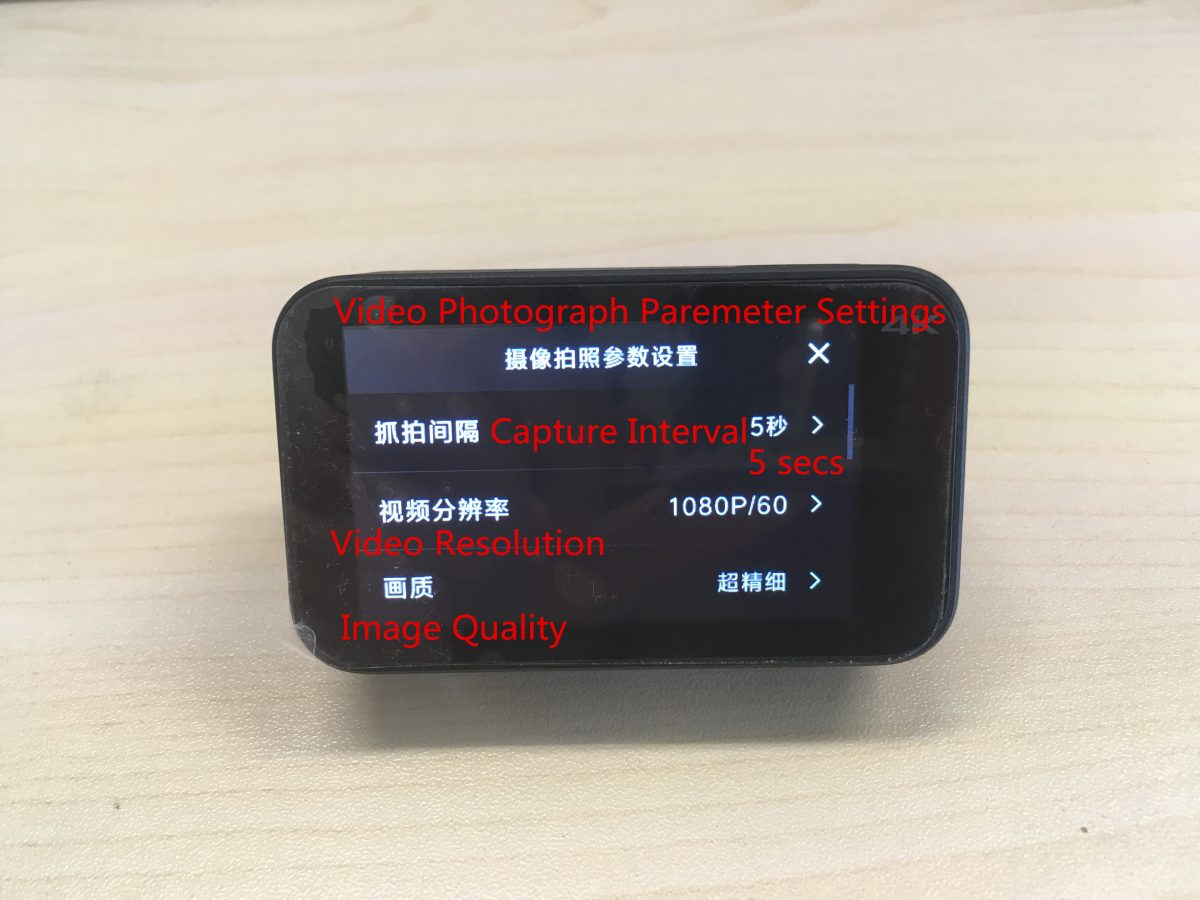
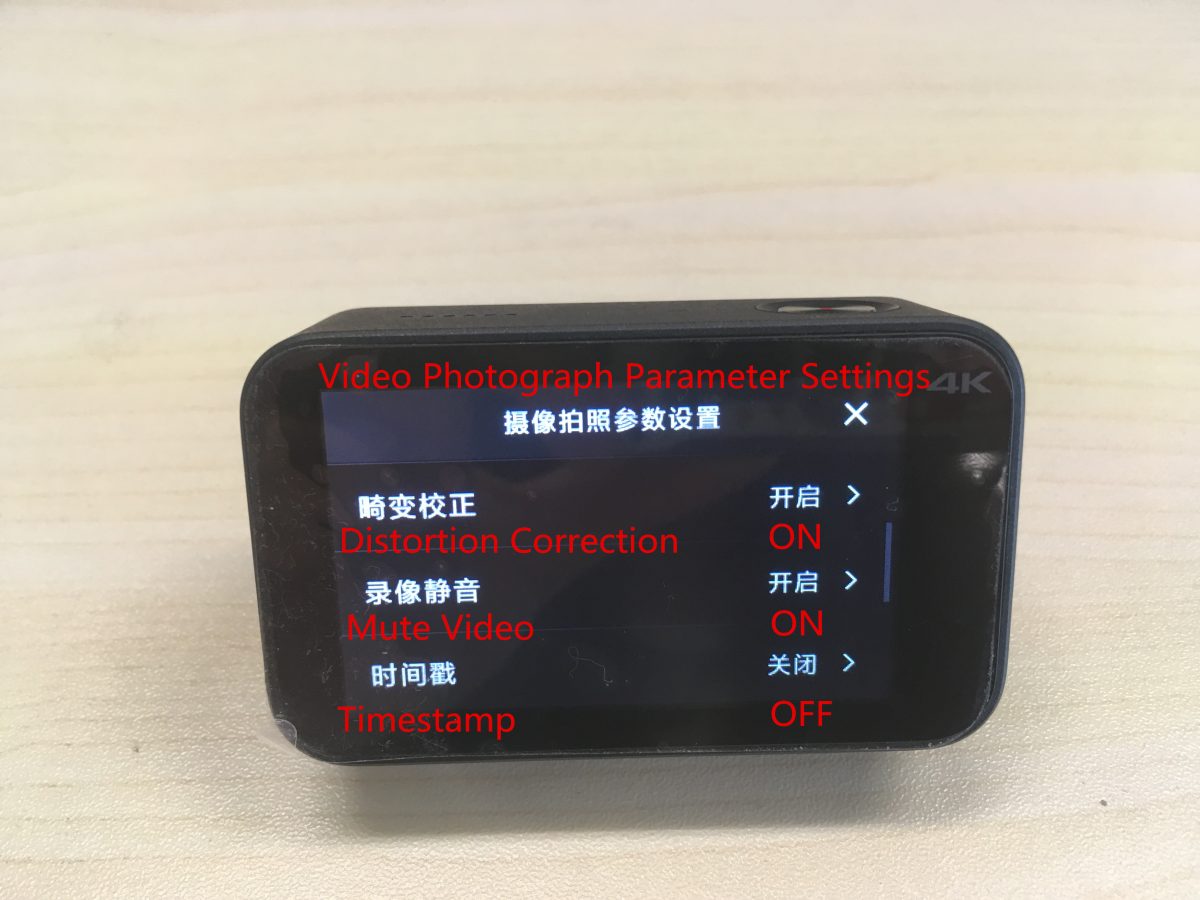
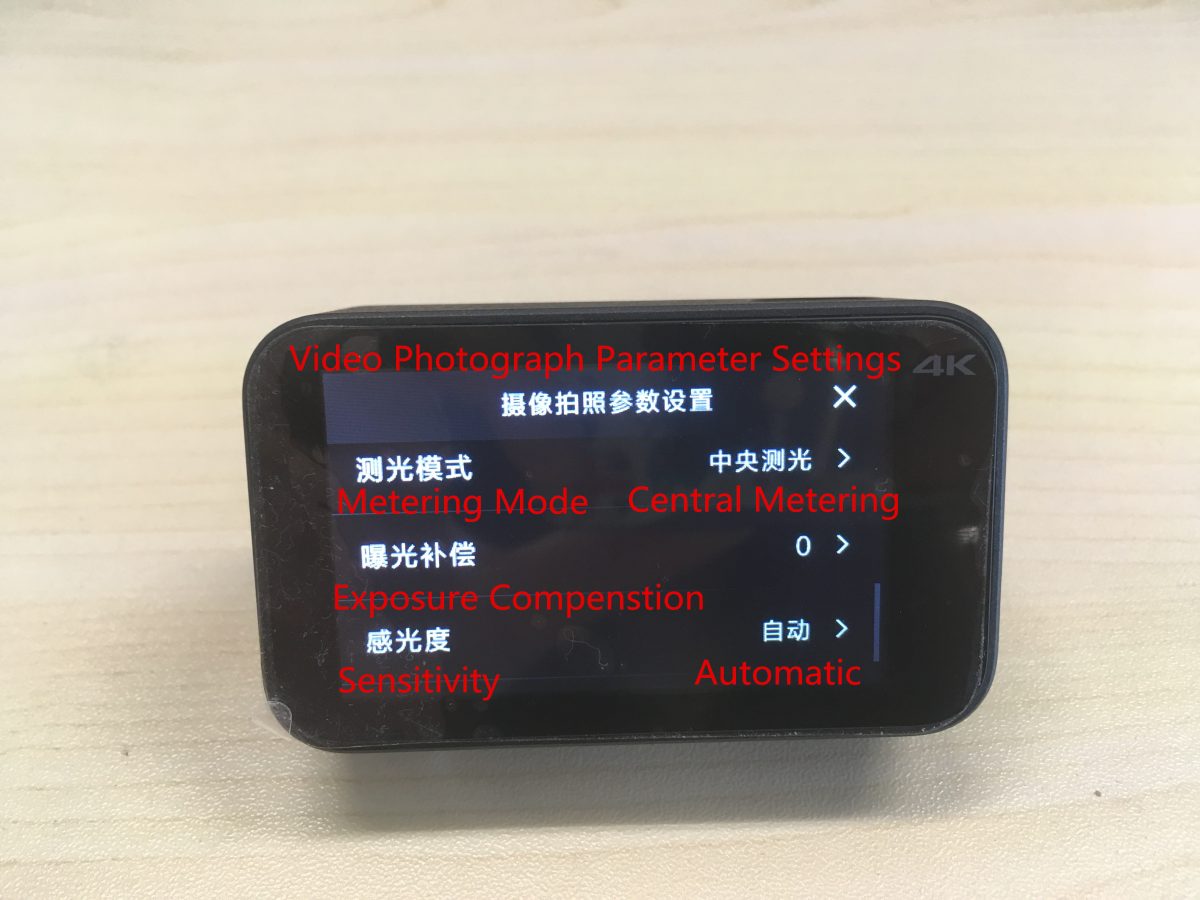
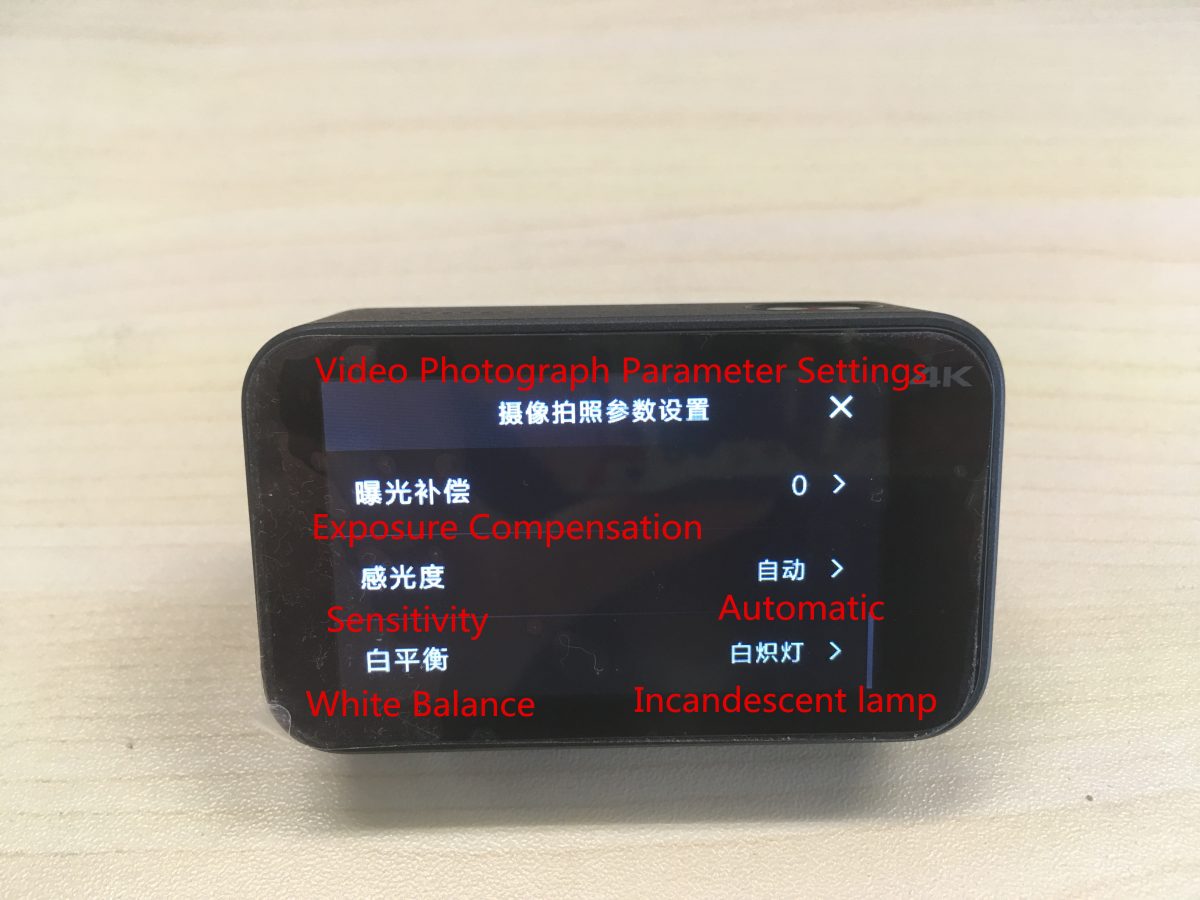
上から下に対応する設定は次のとおりです:
キャプチャ間隔, ビデオ解像度, 画質, 歪み補正, ビデオをミュートする, タイムスタンプ, 測光モード, 露出補正, 感度, ホワイトバランス.
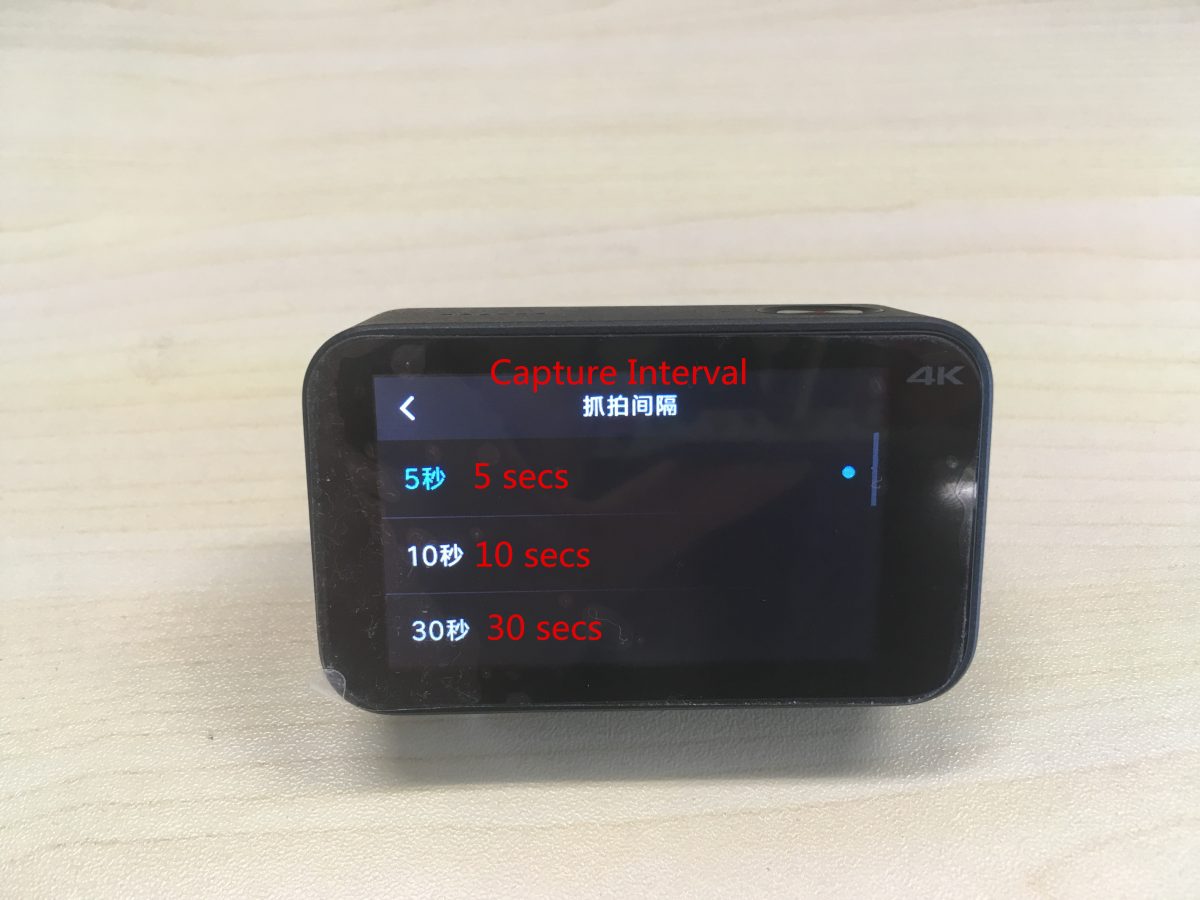
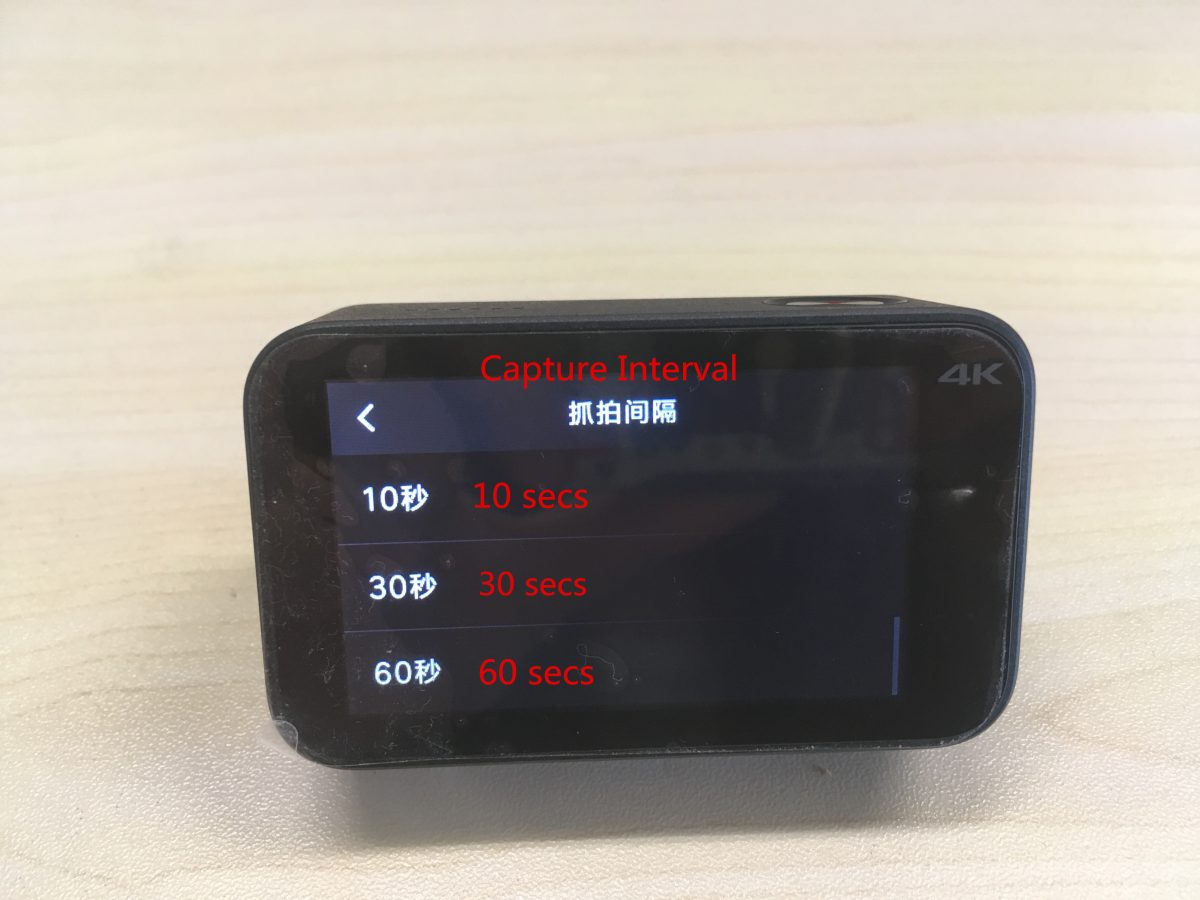
対応するキャプチャ間隔設定は次のとおりです。: 5 秒, 10 秒, 30 秒, 60 秒.
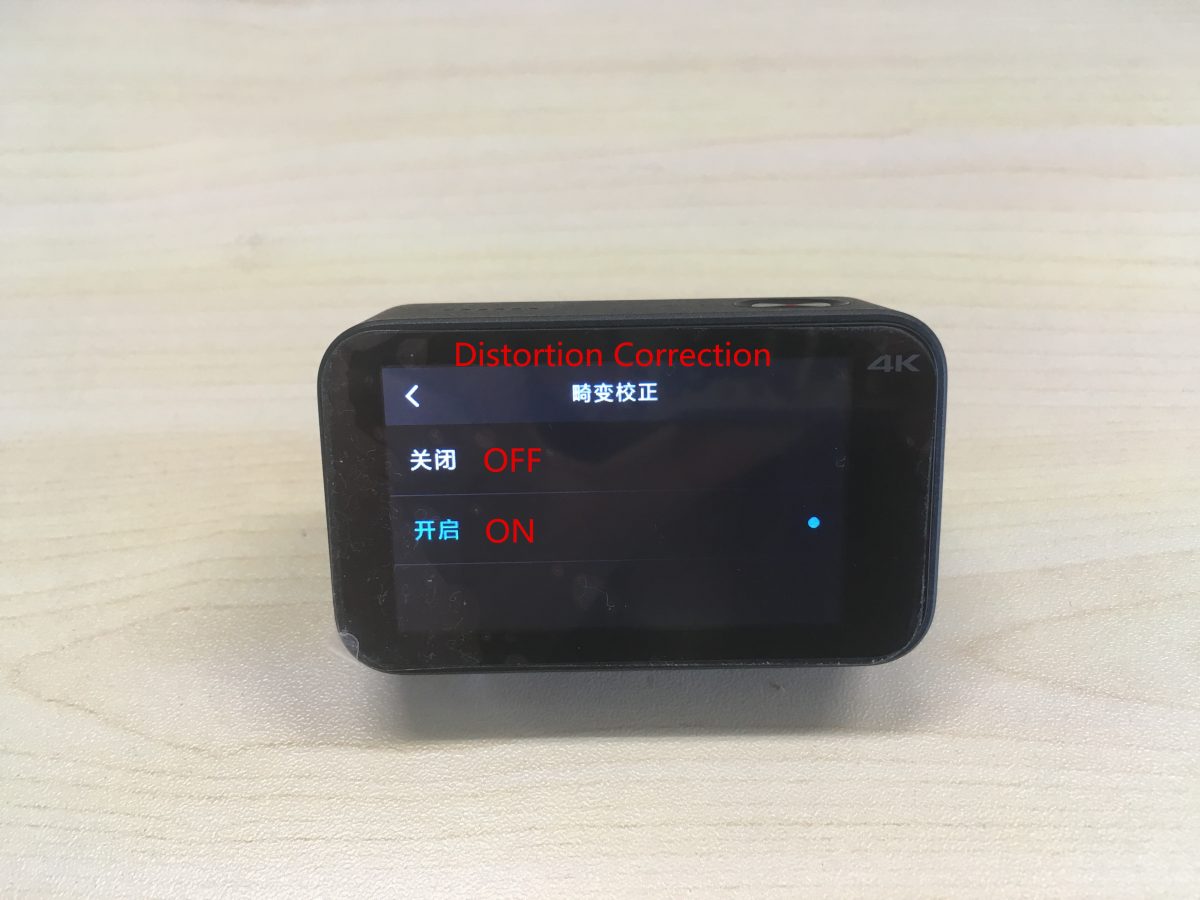
オンにする / オフ ディストーション補正.
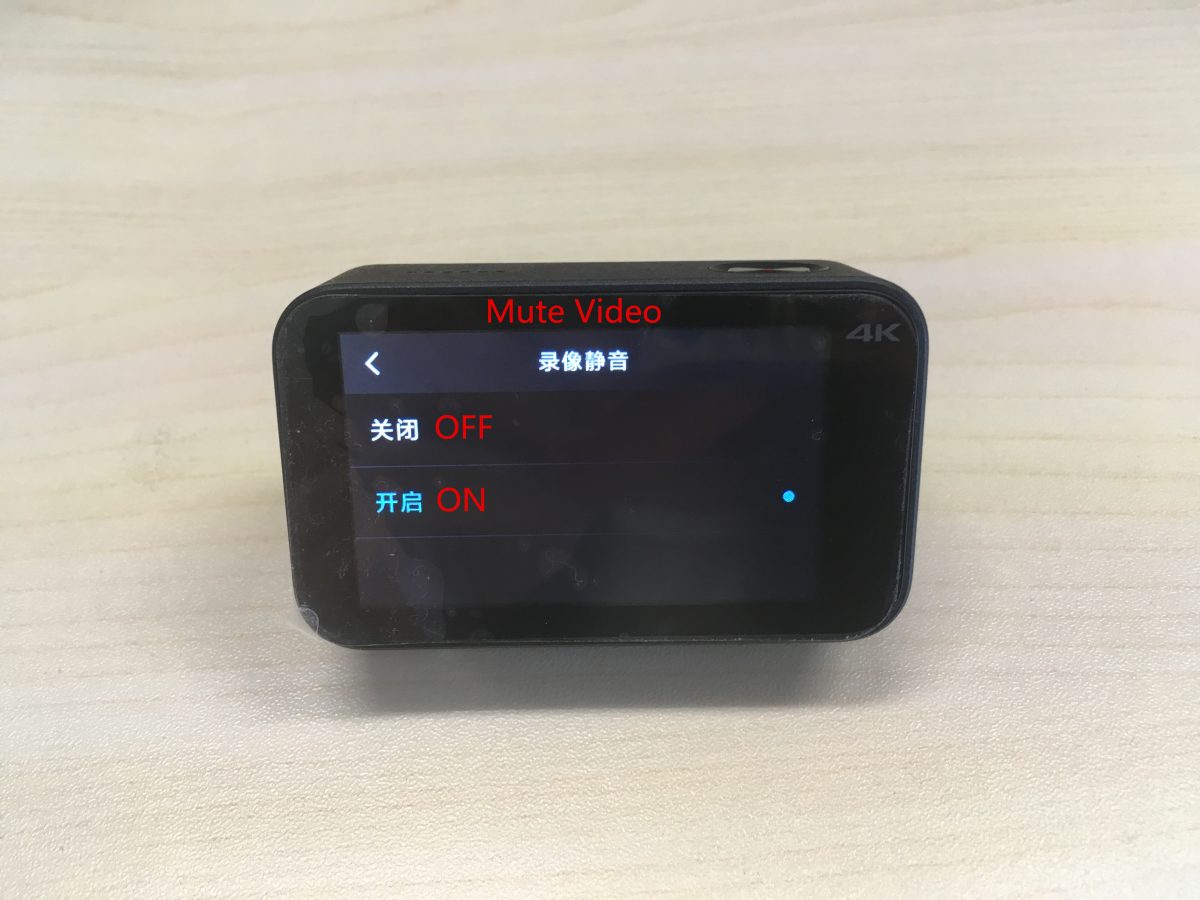
オンにする / オフ ビデオをミュート.
タイムスタンプを設定する: の上 / オフ, 日付, 時間, 日付 / 時間.
測光モードを設定する: ポイント測光, 中央測光, 平均測光.
ホワイトバランスの設定: 自動, 白熱灯, 晴れた日, 曇り.
(6) 通常の写真設定:
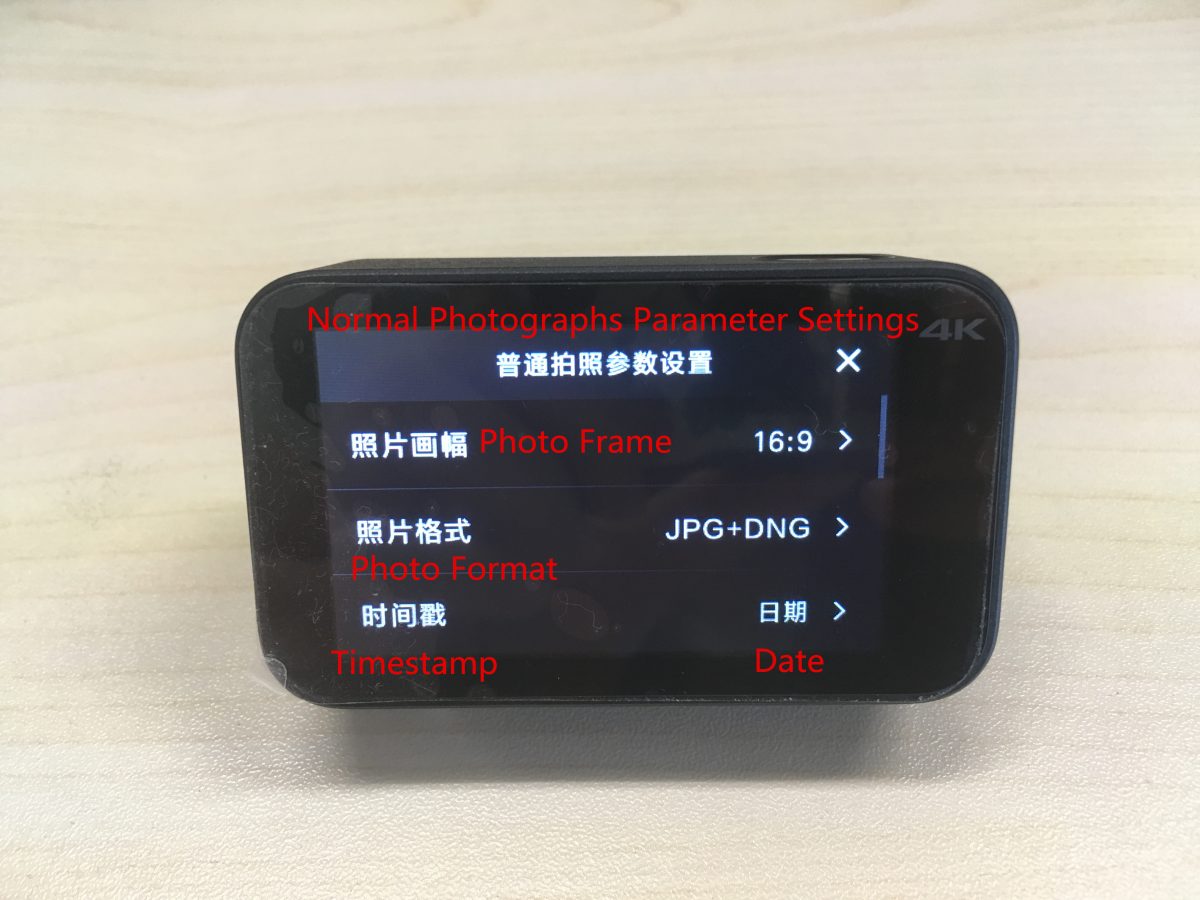
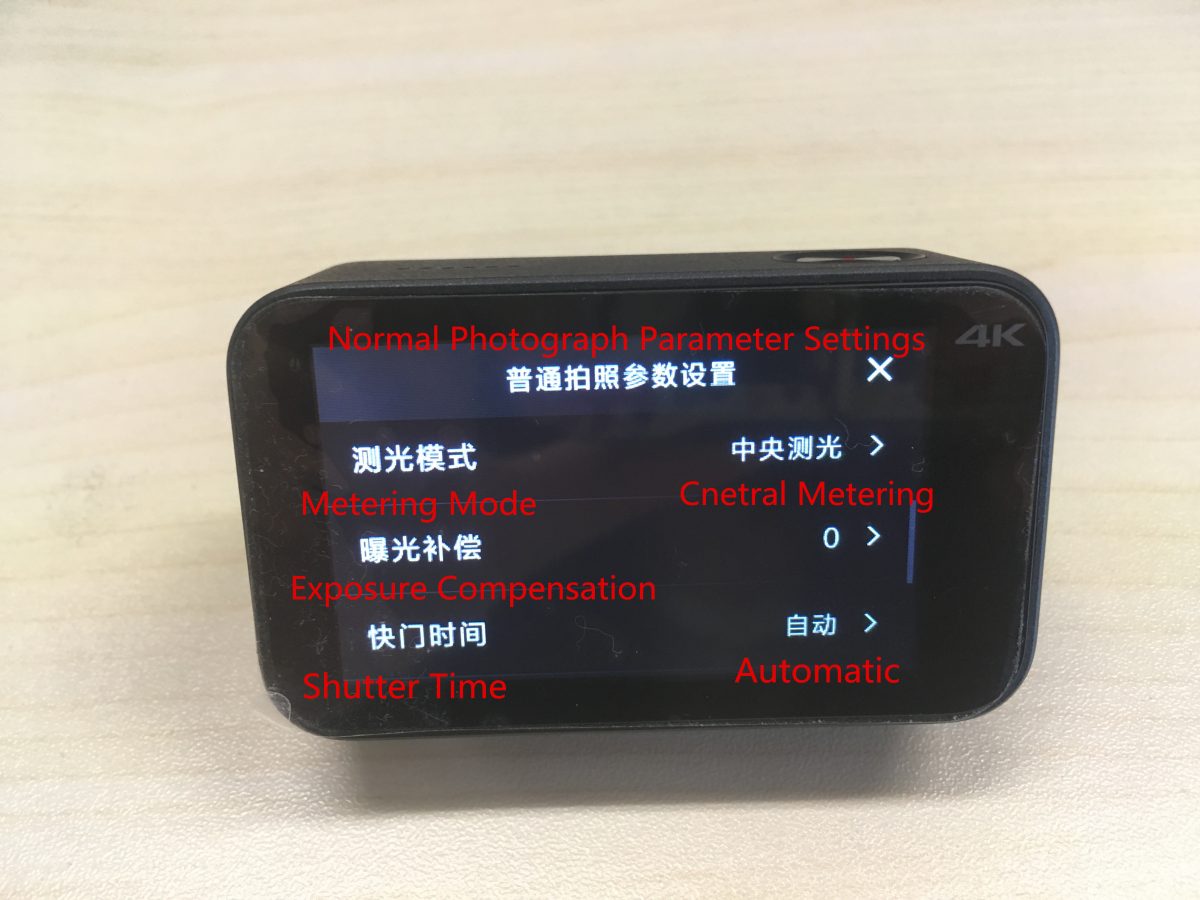
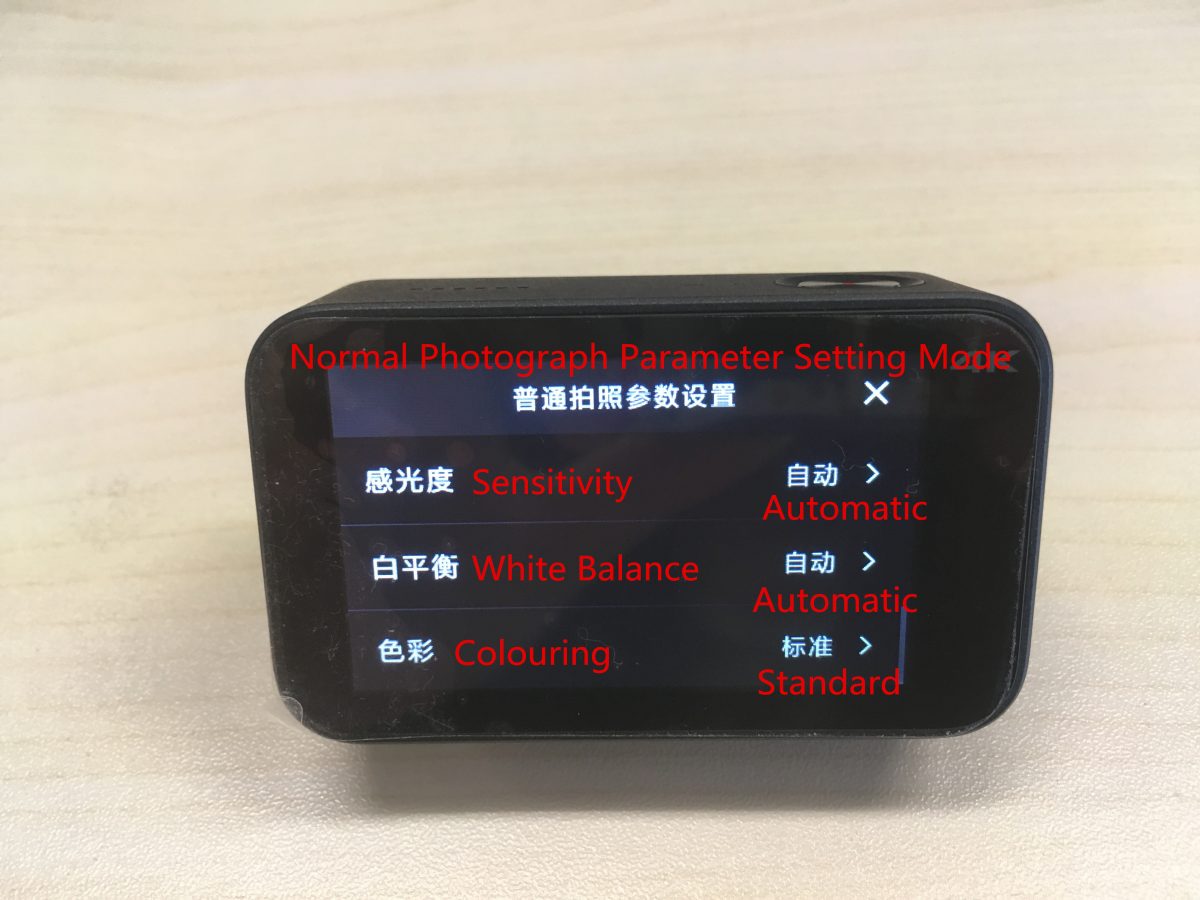
上から下に対応する設定は次のとおりです:
フォトフレーム, 写真フォーマット, タイムスタンプ, 測光モード, 露出補正, シャッター時間, 感度, ホワイトバランス, 着色.
タイムスタンプを設定する: の上 / オフ, 日付, 時間, 日付 / 時間.
測光モードを設定する: ポイント測光, 中央測光, 平均測光.
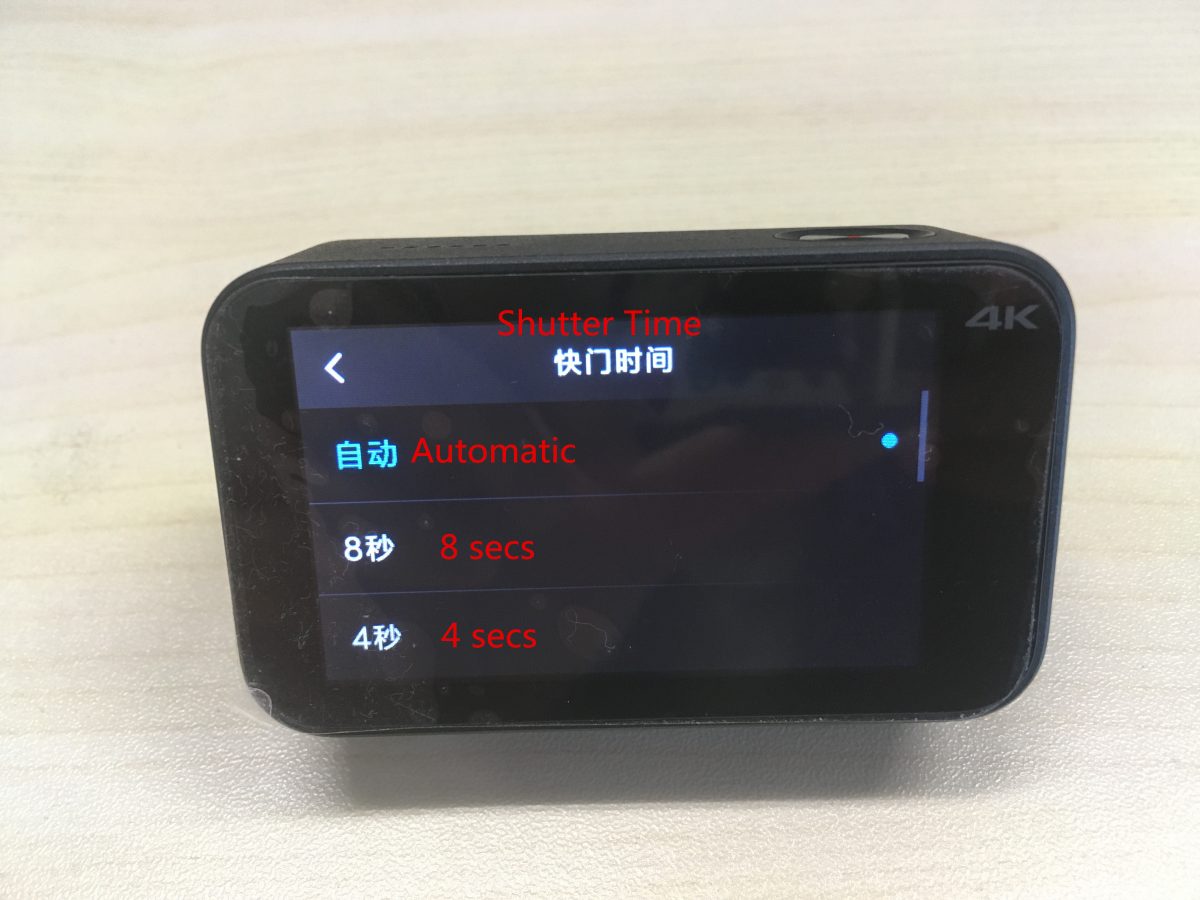
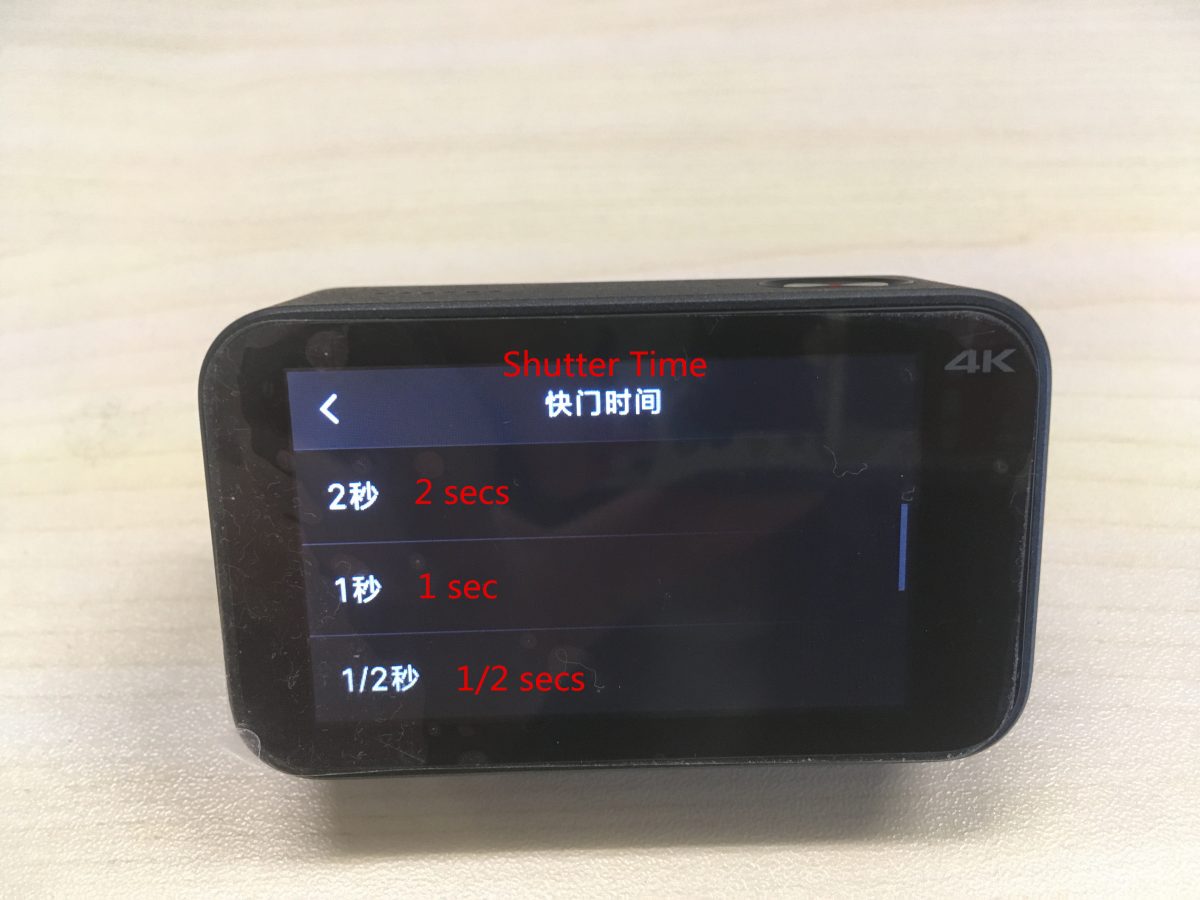
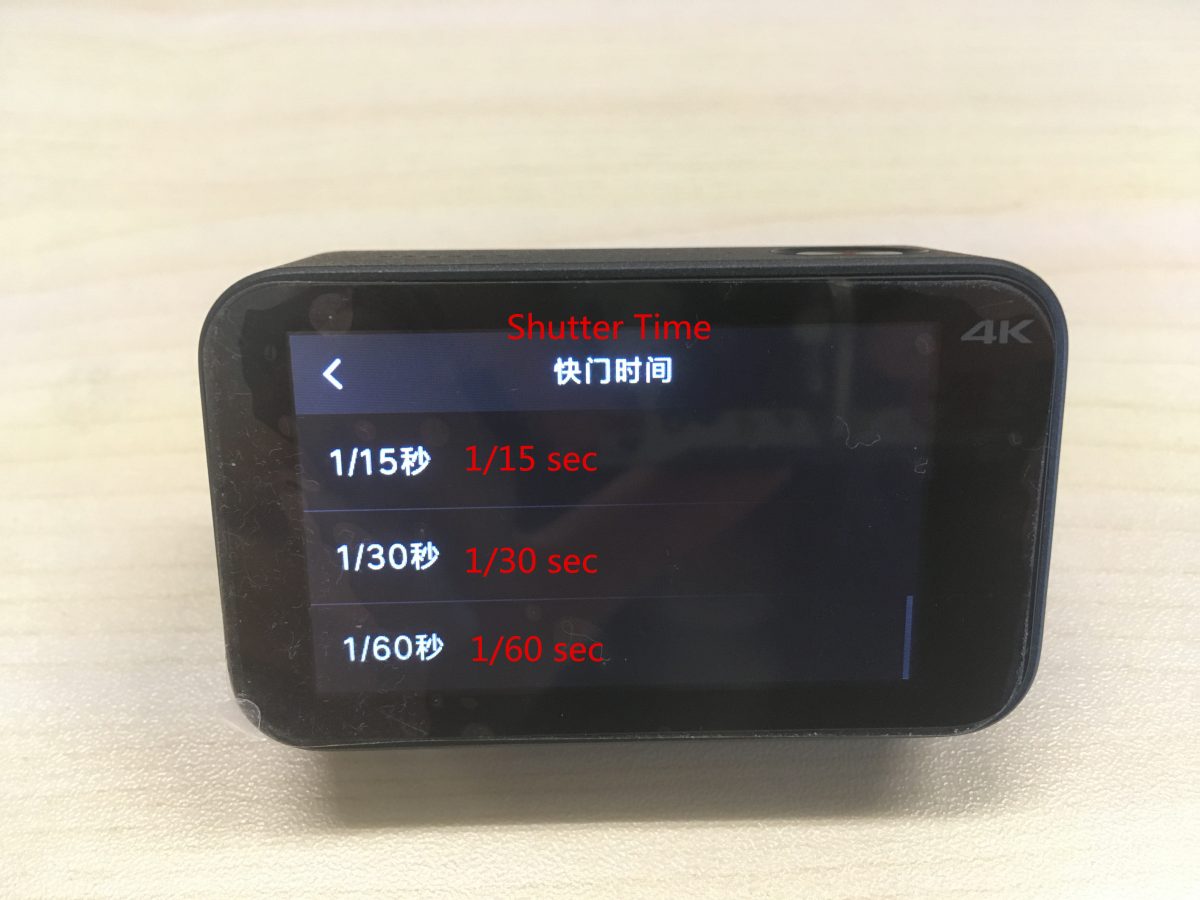
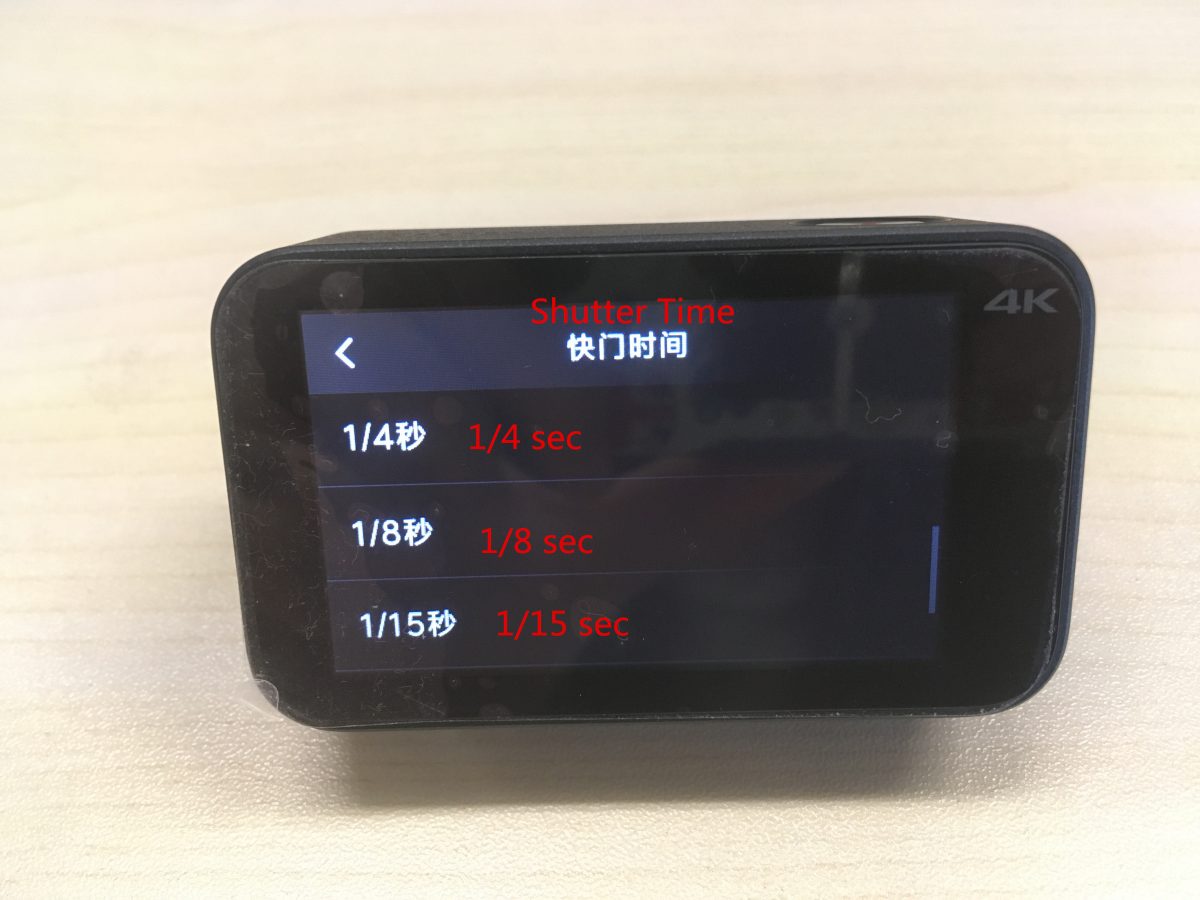
対応するシャッター時間は上から下まで以下の通りです。: 自動, 8 秒, 4 秒, 2 秒, 1 秒, 1/2 秒, 1/15 秒, 1/30 秒, 1/60 秒, 1/4 秒, 1/8 秒, 1/15 秒.
ホワイトバランスの設定: 自動, 白熱灯, 晴れた日, 曇り.
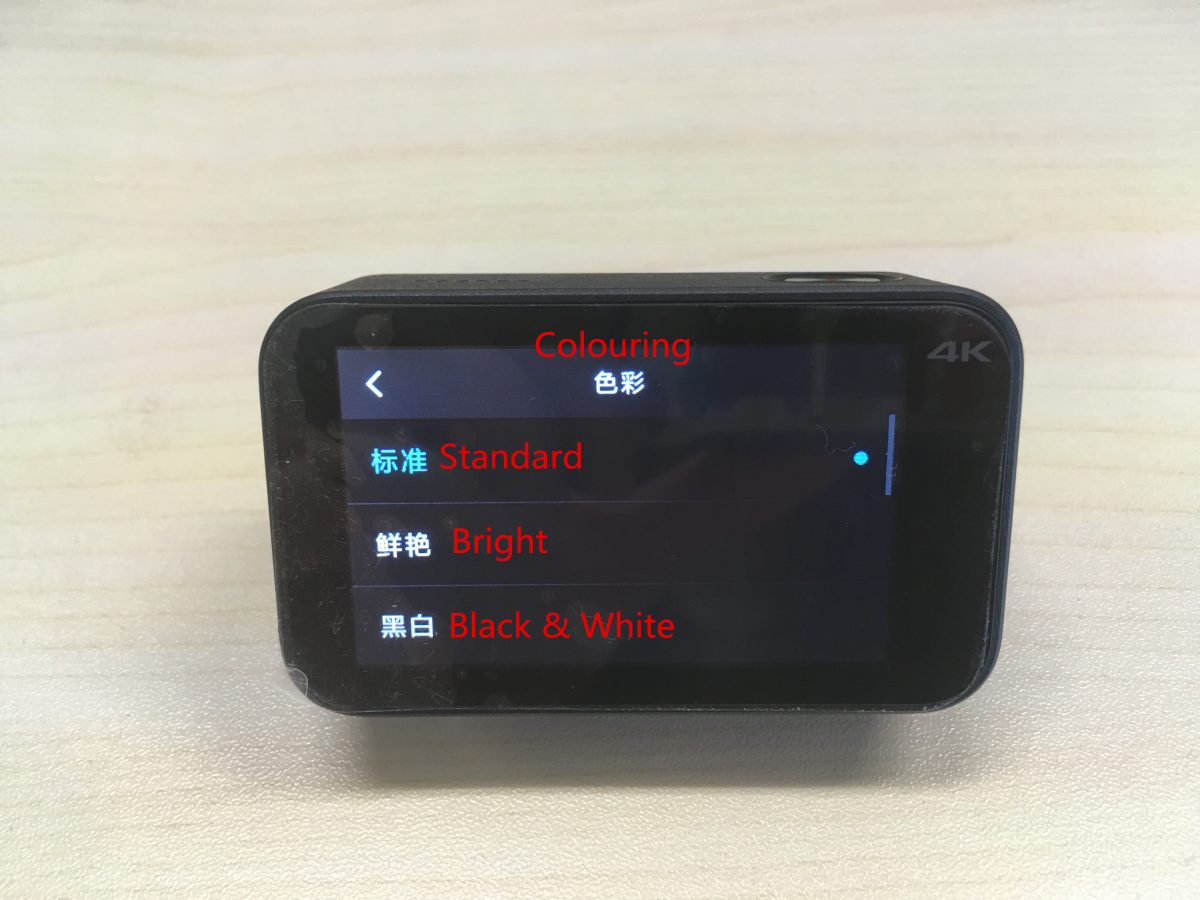
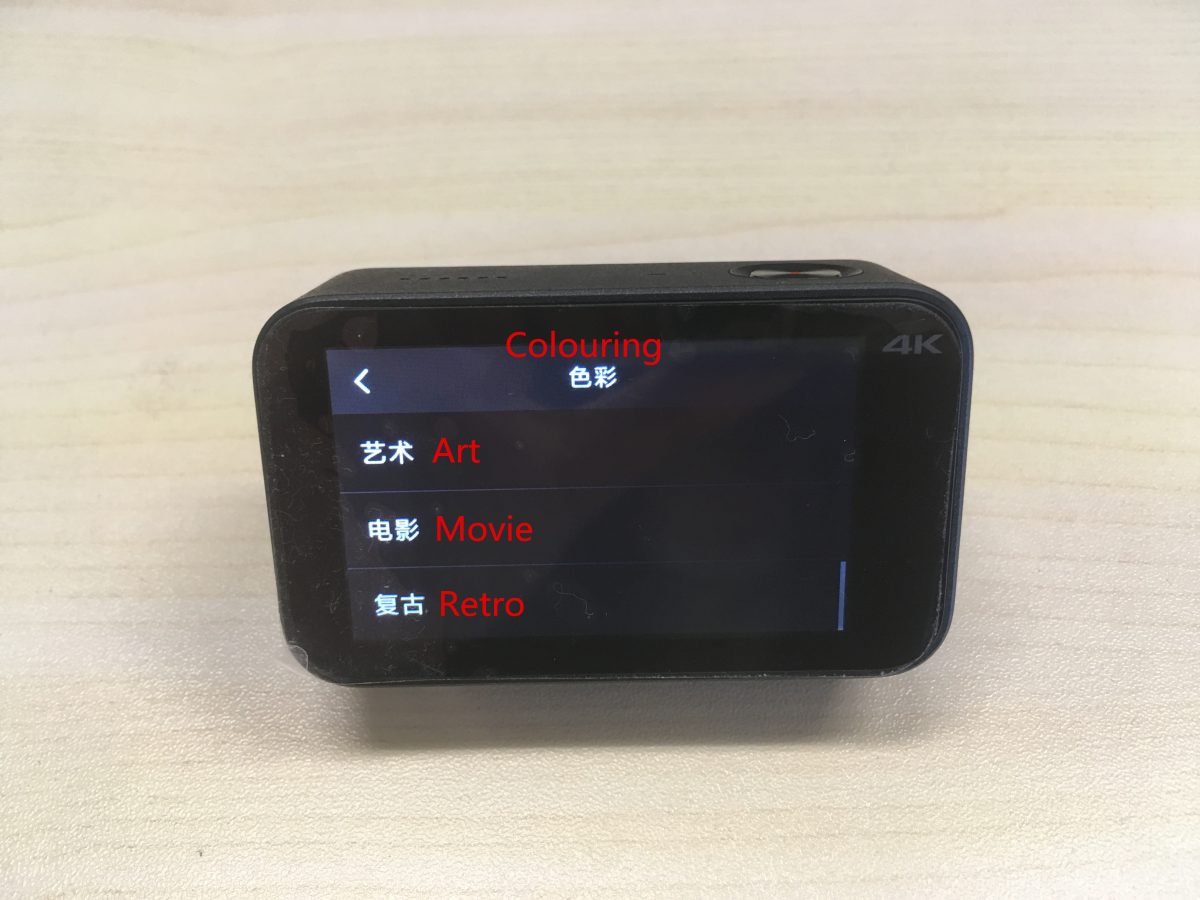
上から順に対応するカラーリングは以下の通りです: 標準, 明るい, 黒& 白, 美術, 映画, レトロ.
(7) タイミングフォト設定:
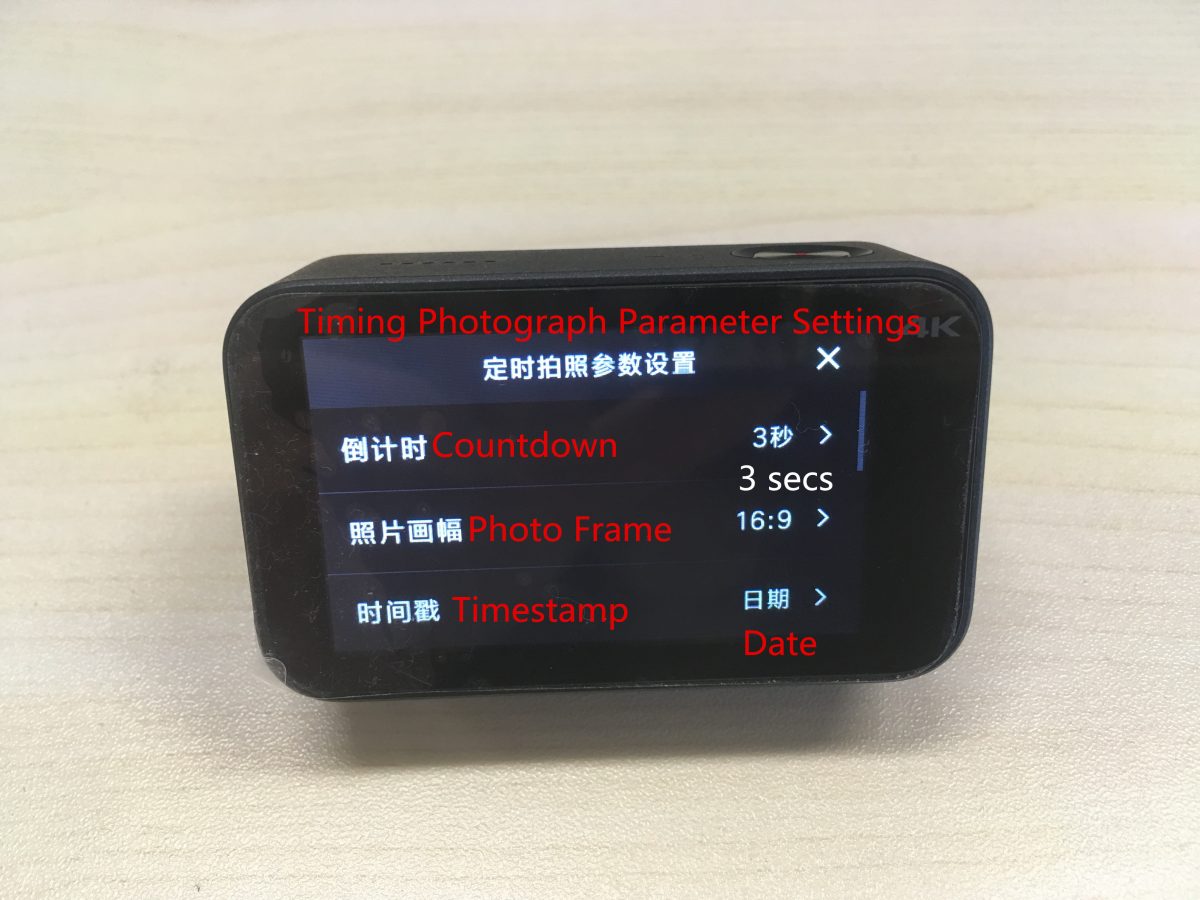
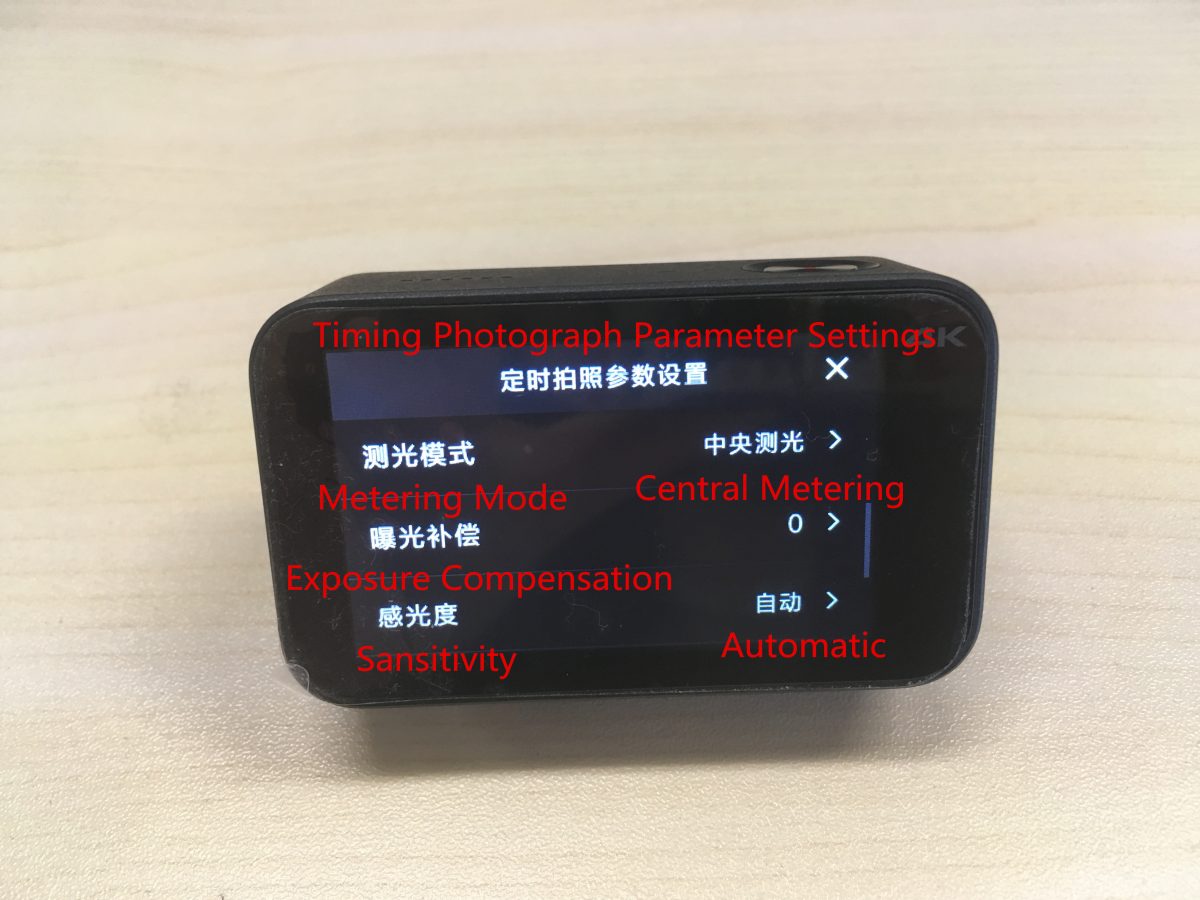
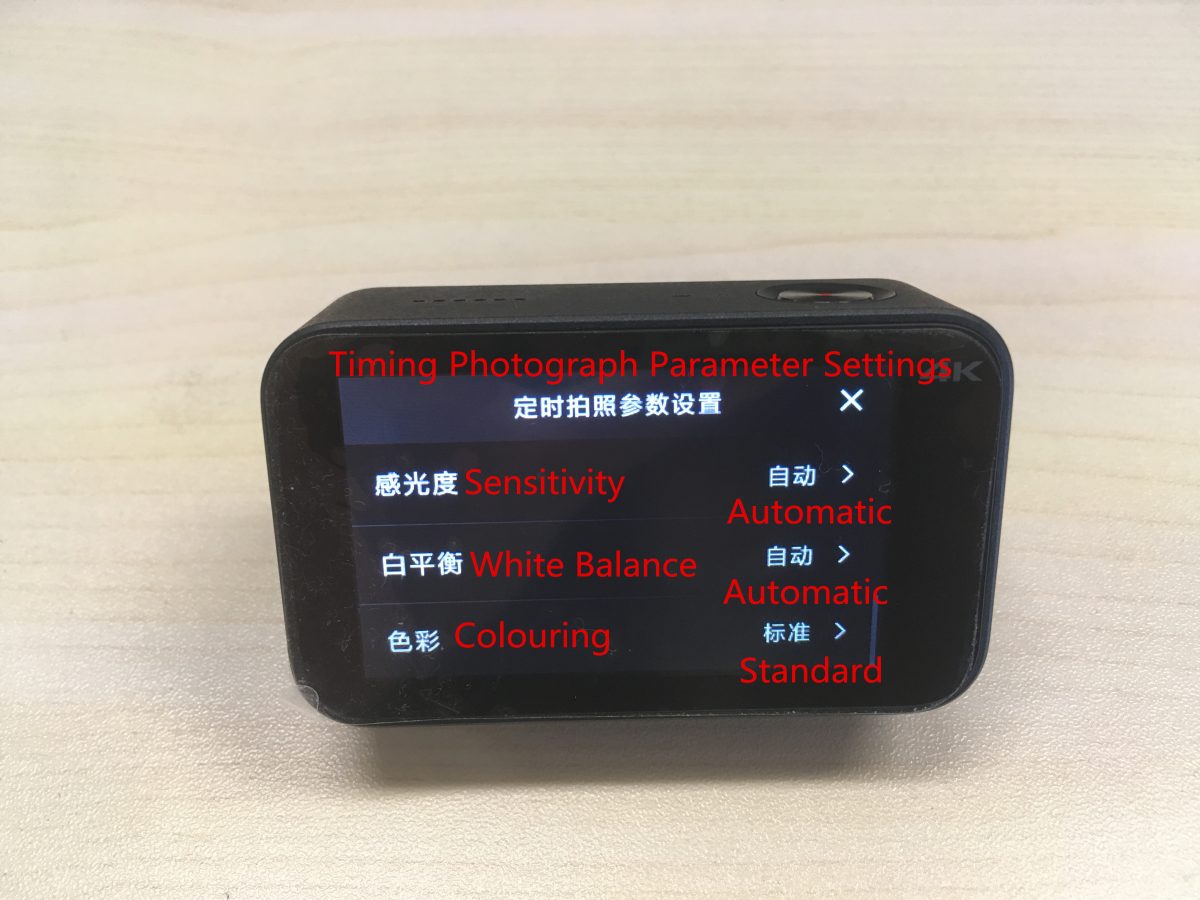
上から下に対応する設定は次のとおりです:
カウントダウン, フォトフレーム, タイムスタンプ, 測光モード, 露出補正, 感度, ホワイトバランスと発色.
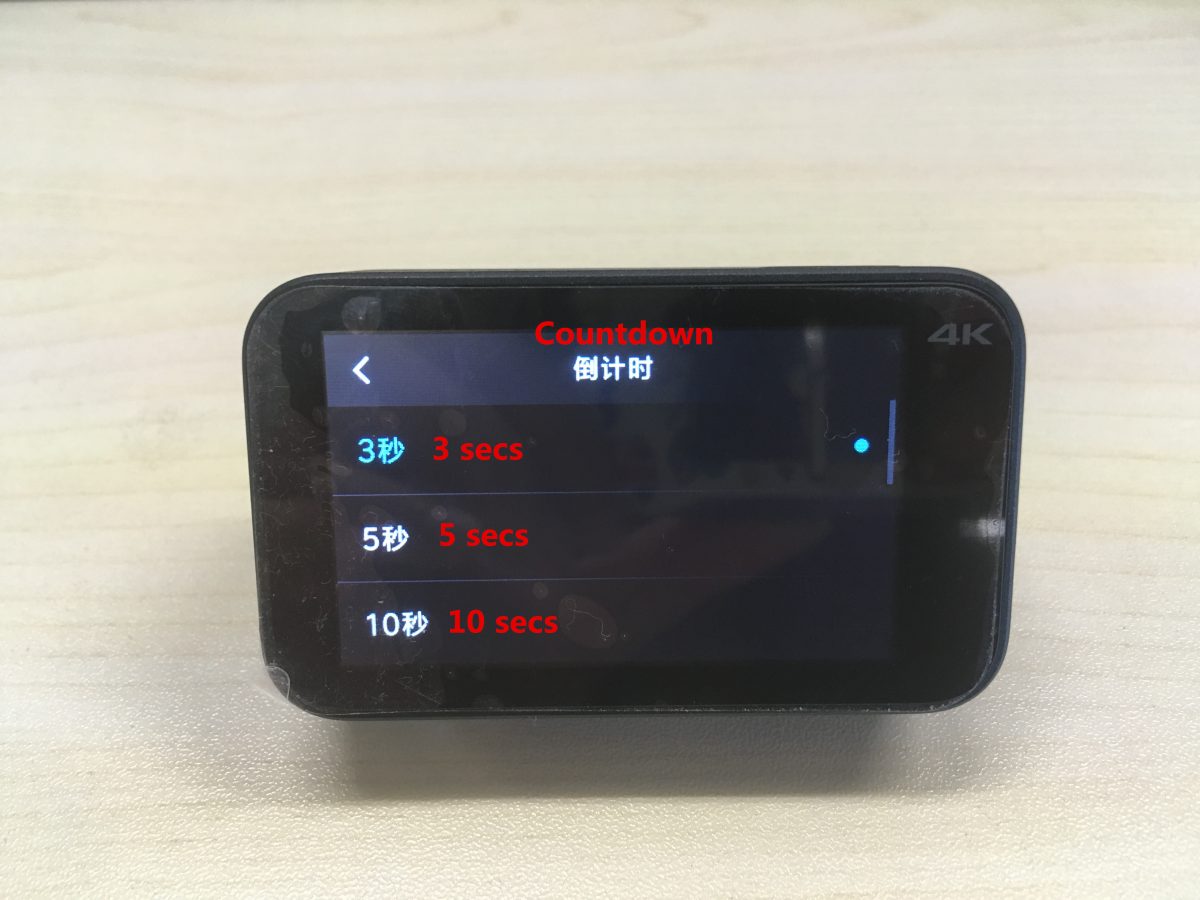
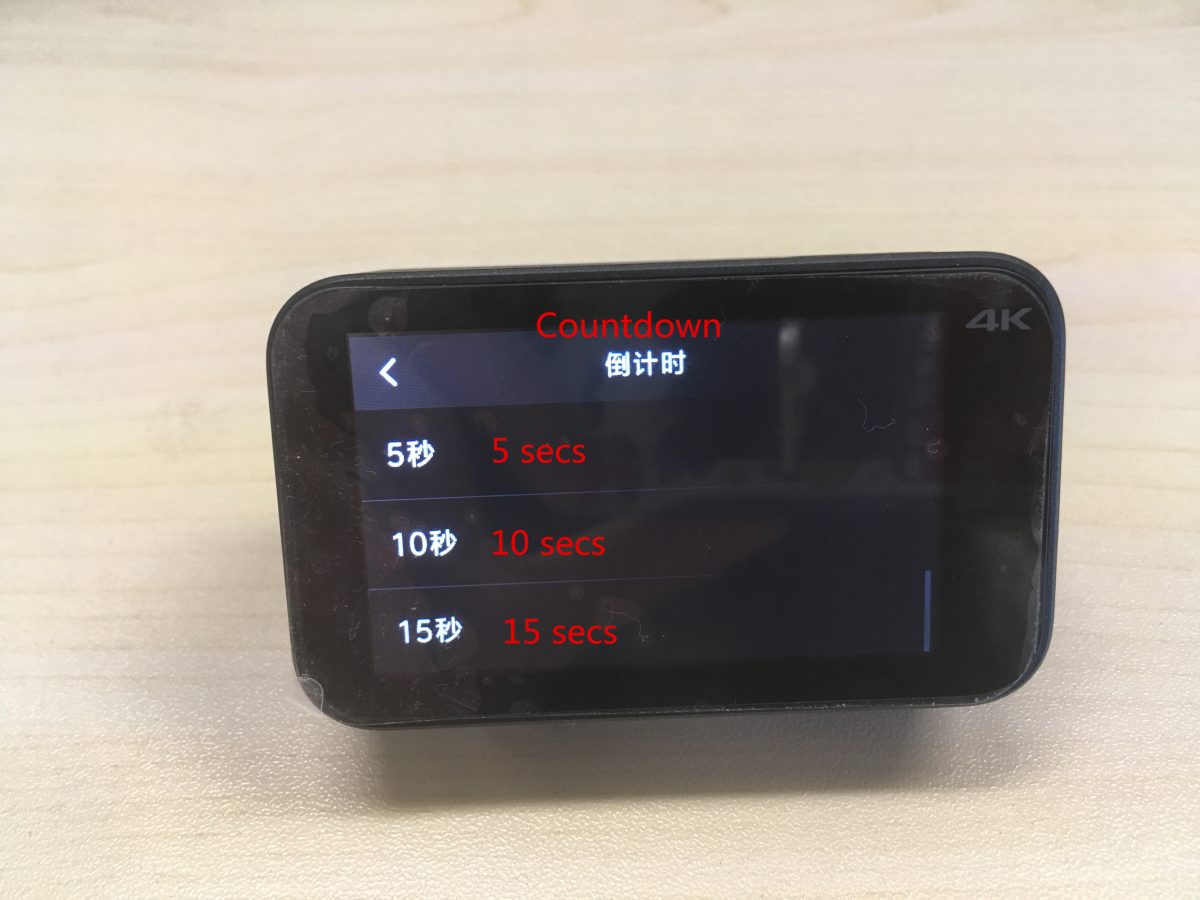
対応するカウントダウン設定は次のとおりです。: 0.3 秒, 5 秒, 10 秒, 15 秒.
タイムスタンプを設定する: の上 / オフ, 日付, 時間, 日付 / 時間.
測光モードを設定する: ポイント測光, 中央測光, 平均測光.
ホワイトバランスの設定: 自動, 白熱灯, 晴れた日, 曇り.
上から順に対応するカラーリングは以下の通りです: 標準, 明るい, 黒& 白, 美術, 映画, レトロ.
(8) 連続写真設定:
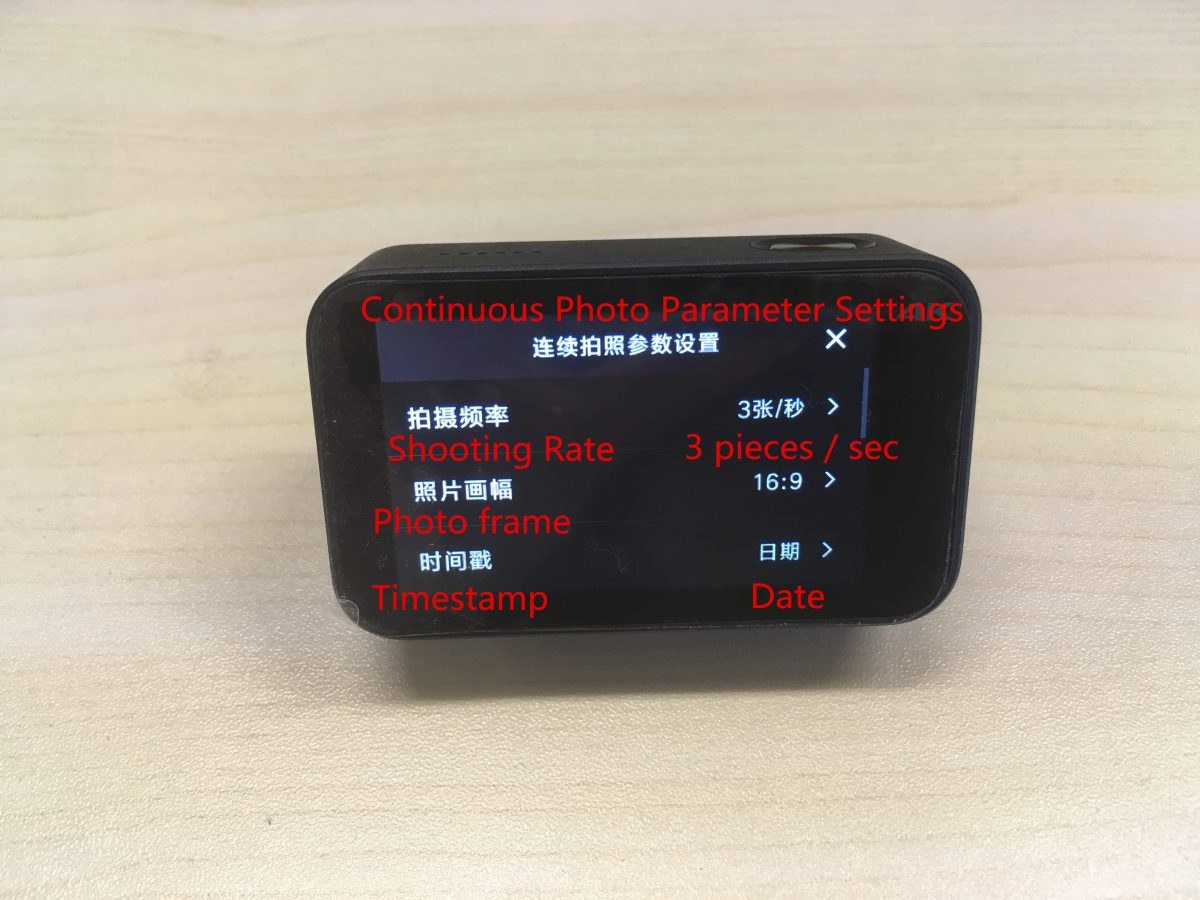
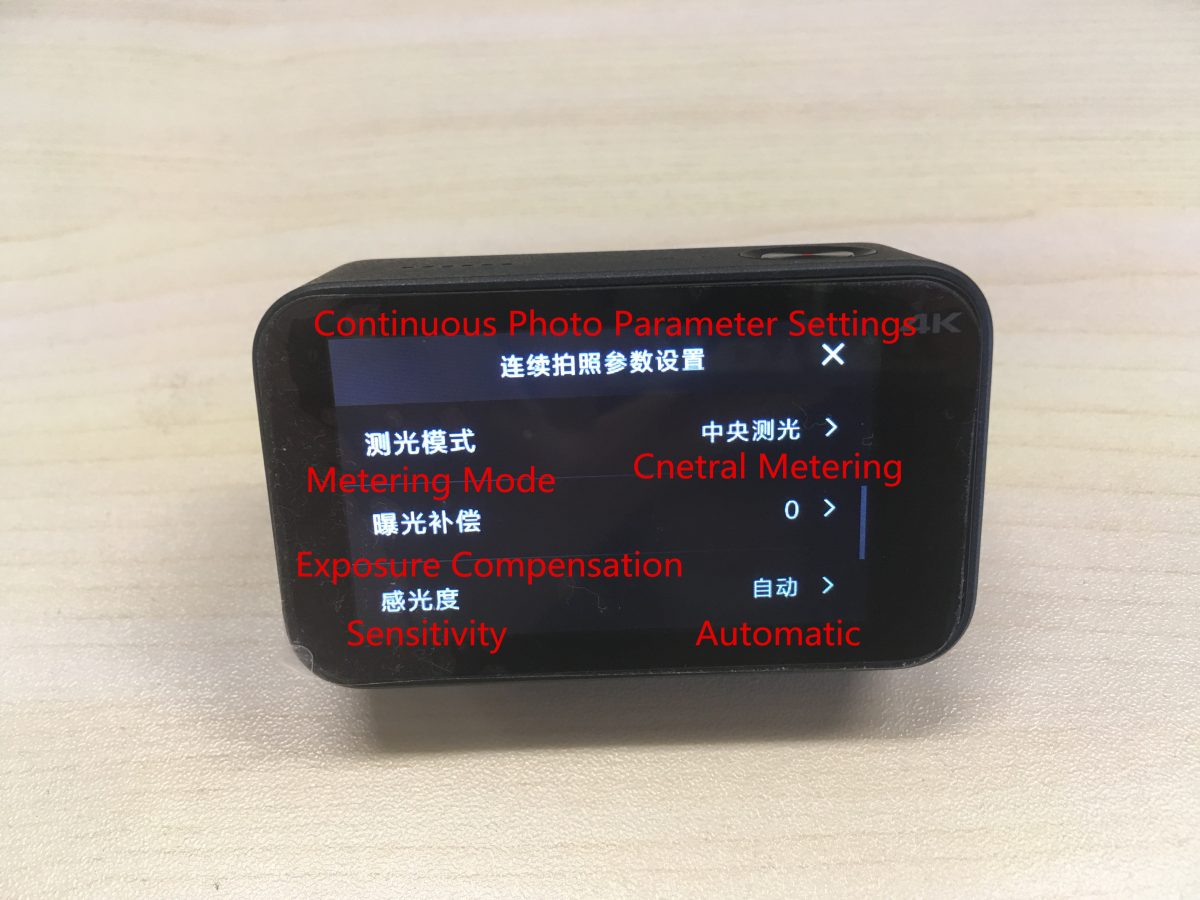
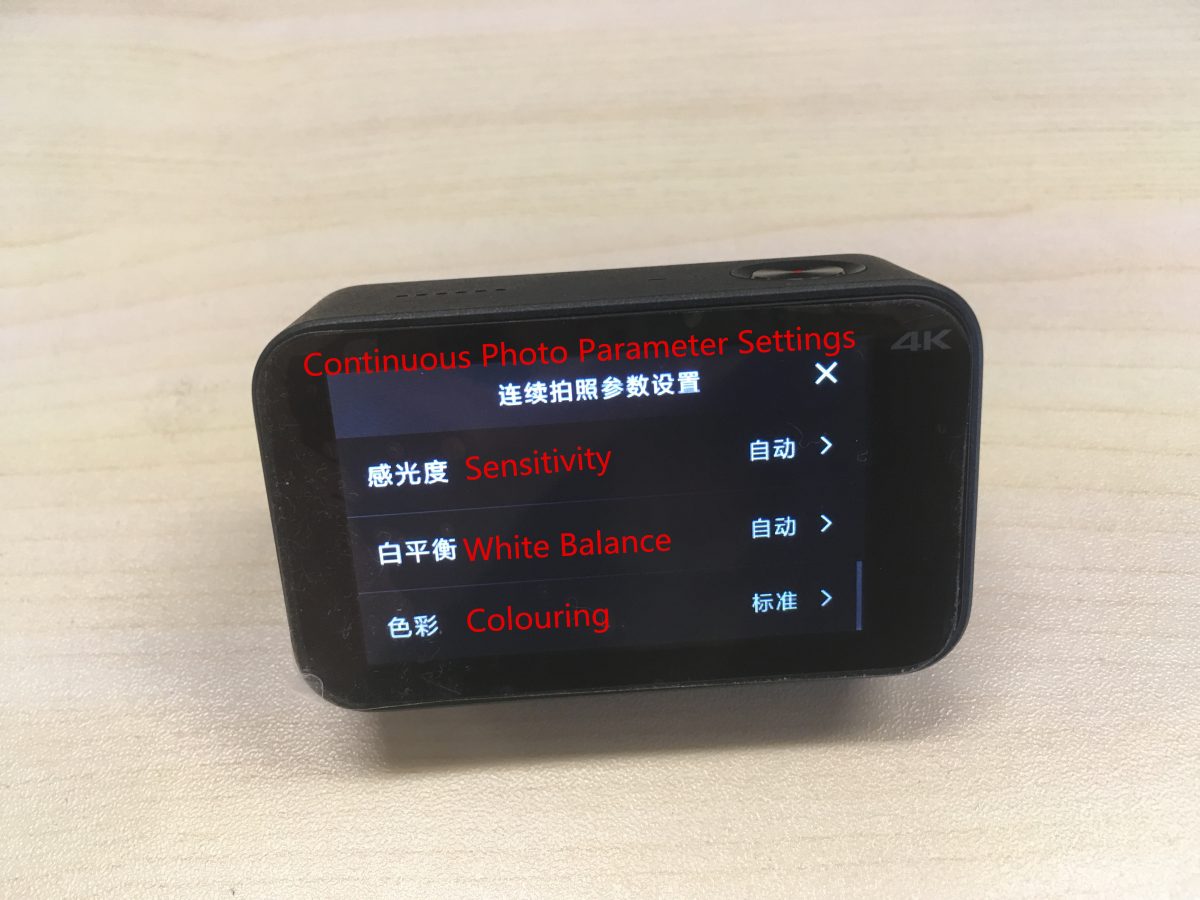
上から下に対応する設定は次のとおりです:
シュートレート, フォトフレーム, タイムスタンプ, 測光モード, 露出補正, 感度, ホワイトバランス, 着色.
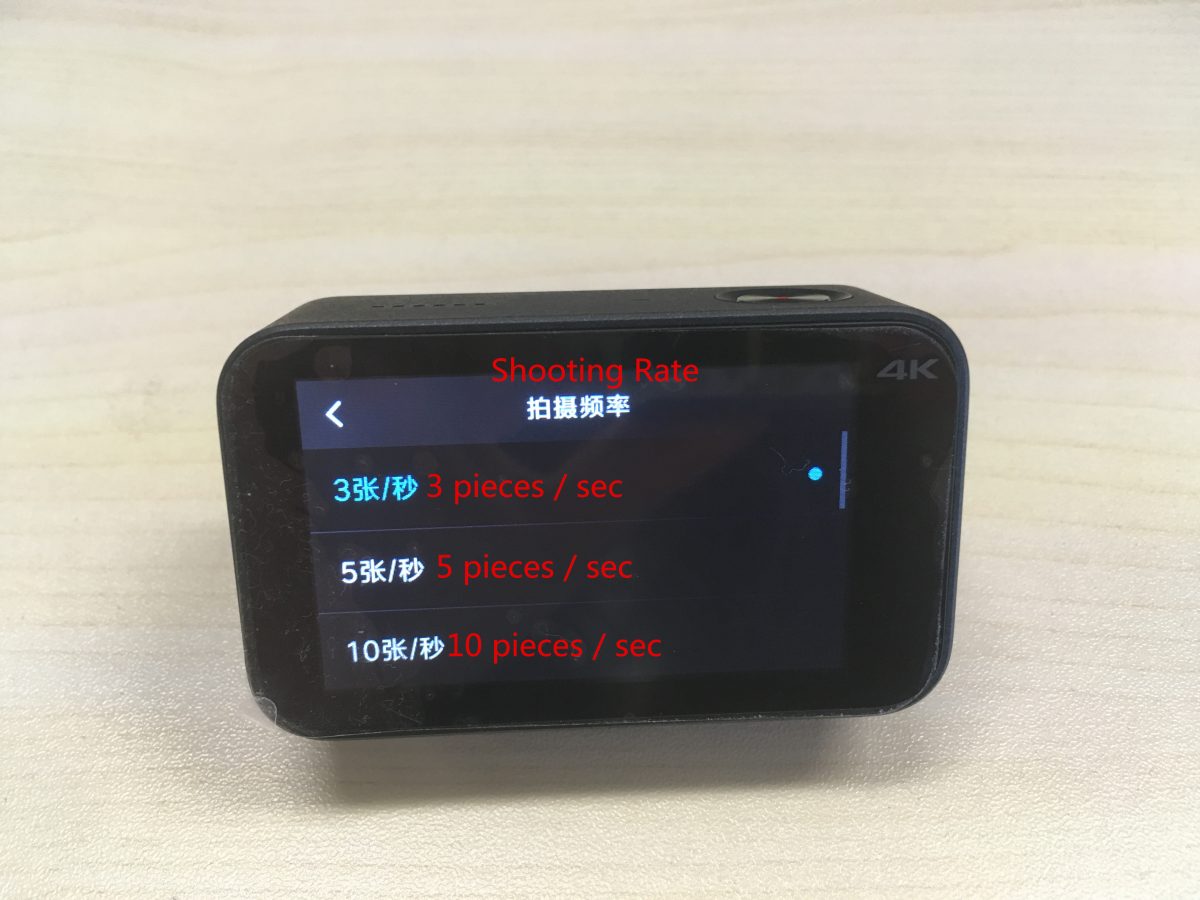
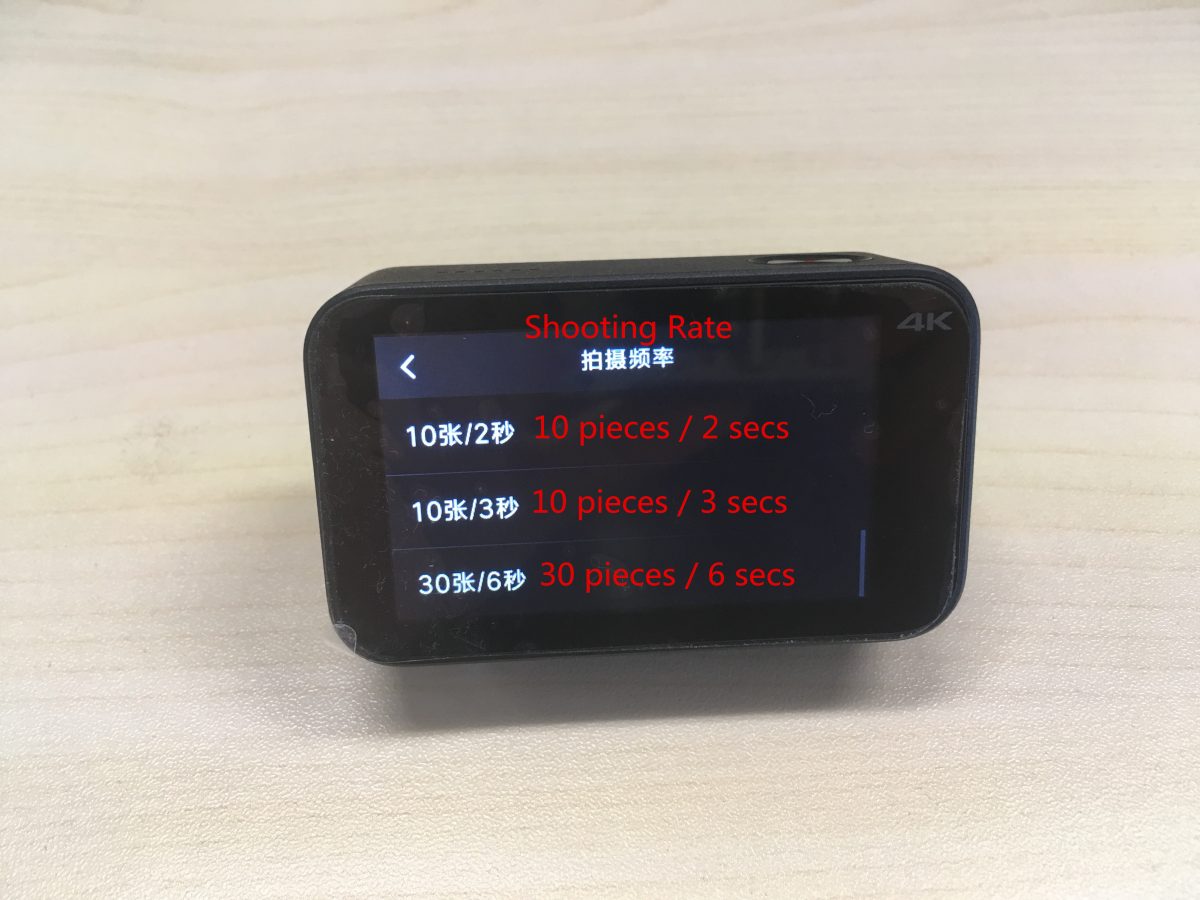
対応する撮影レート設定は上から順に以下の通りです。:
3 個 / 秒, 5 個 / 秒, 10 個 / 秒, 10 個 / 2 秒, 10 個 / 3 秒, 30 個 / 6 秒.
タイムスタンプを設定する: の上 / オフ, 日付, 時間, 日付 / 時間.
測光モードを設定する: ポイント測光, 中央測光, 平均測光.
ホワイトバランスの設定: 自動, 白熱灯, 晴れた日, 曇り.
上から順に対応するカラーリングは以下の通りです: 標準, 明るい, 黒& 白, 美術, 映画, レトロ.
(9) タイムラプス写真の設定:
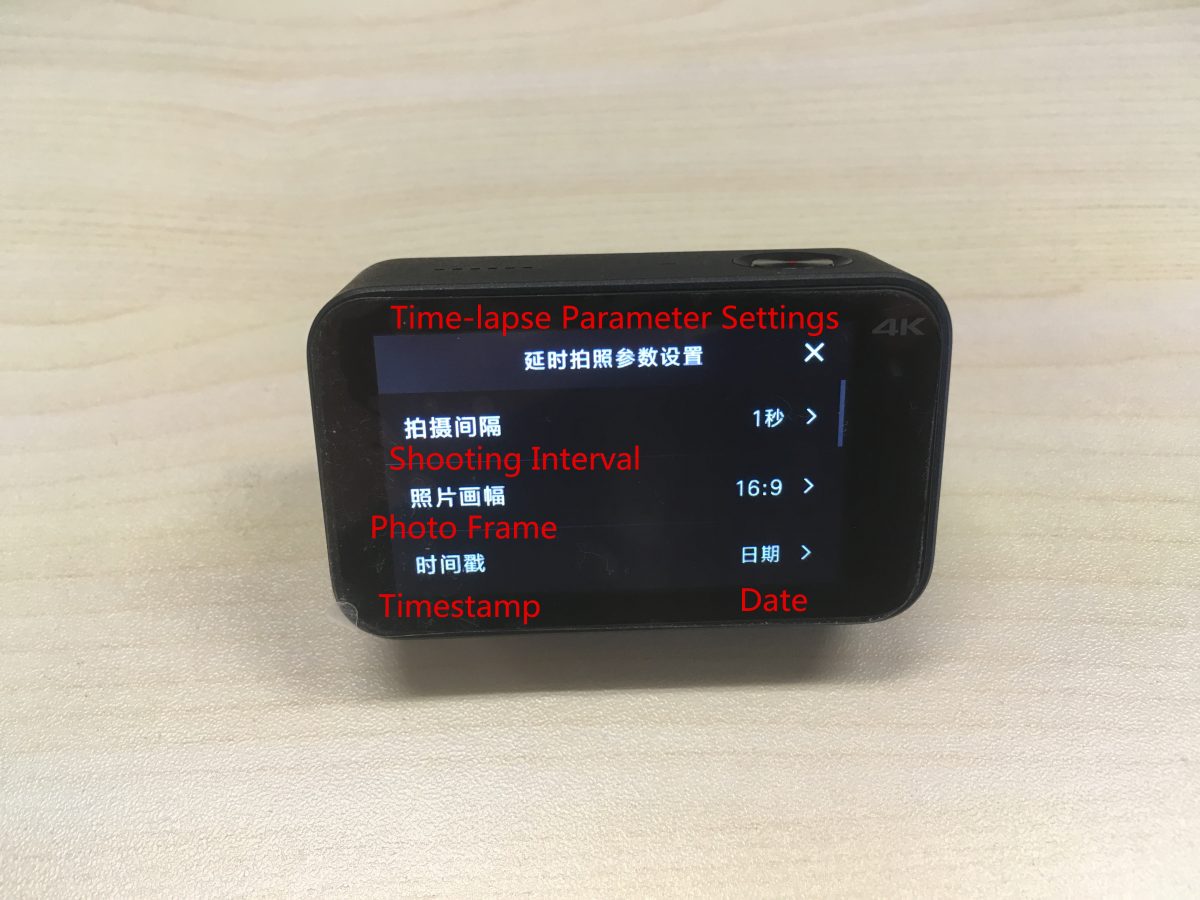
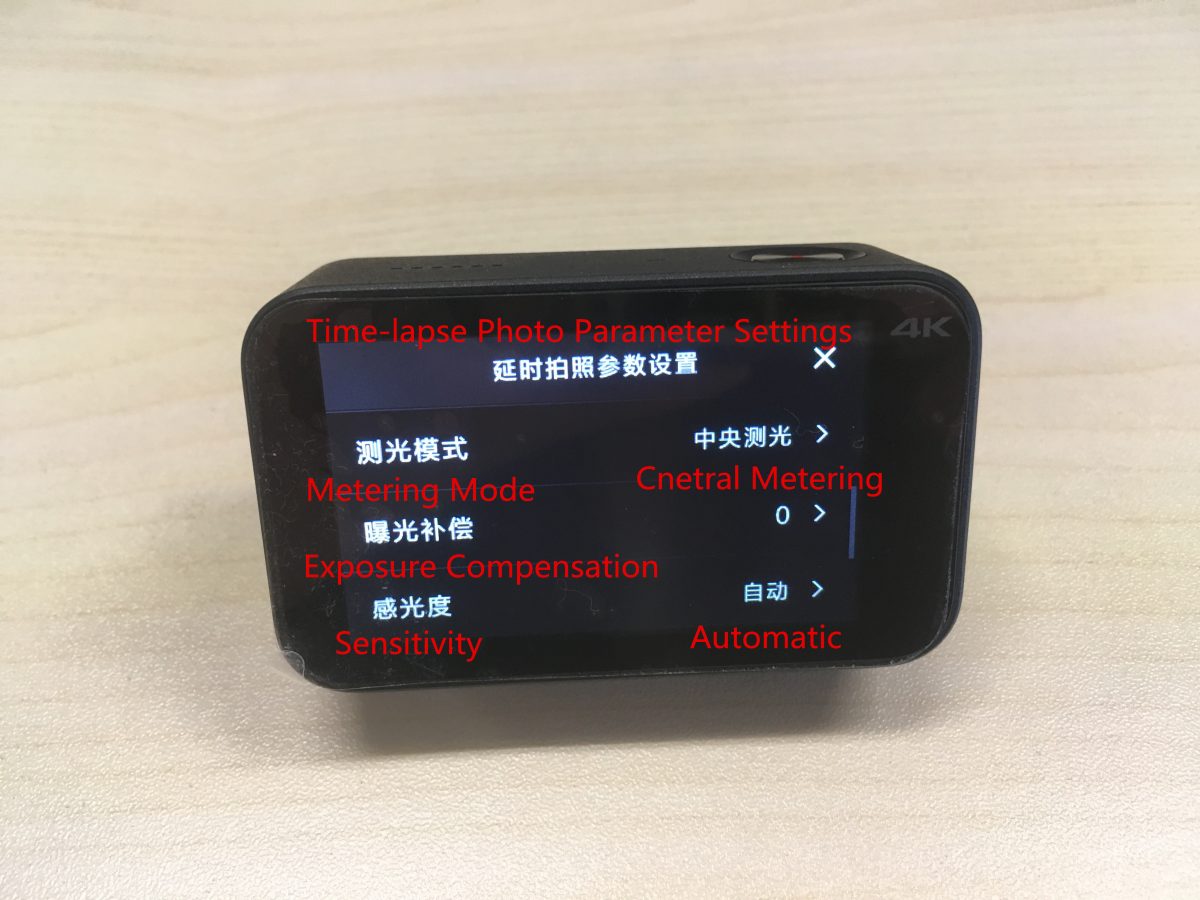
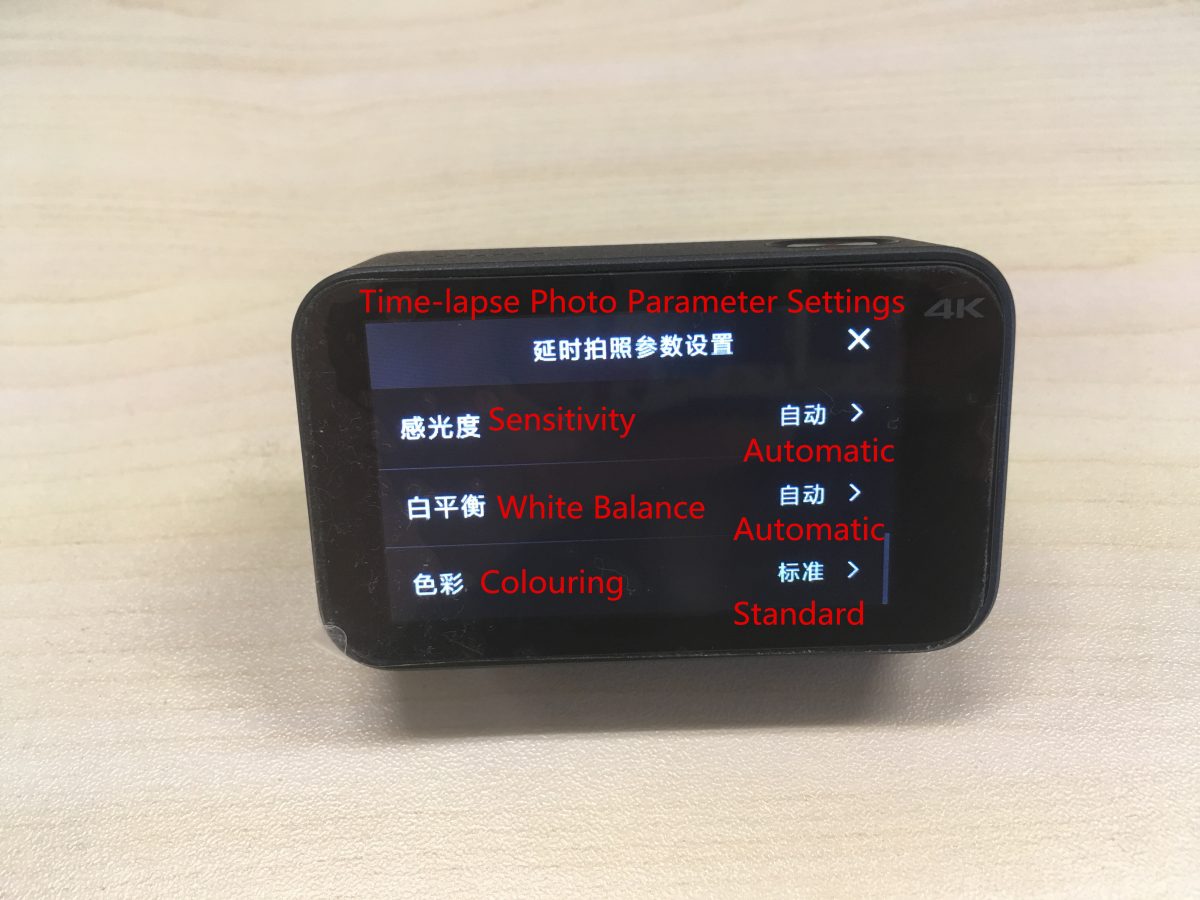
上から下に対応する設定は次のとおりです:
撮影間隔, フォトフレーム, タイムスタンプ, 測光モード, 露出補正, 感度, ホワイトバランス, 着色.
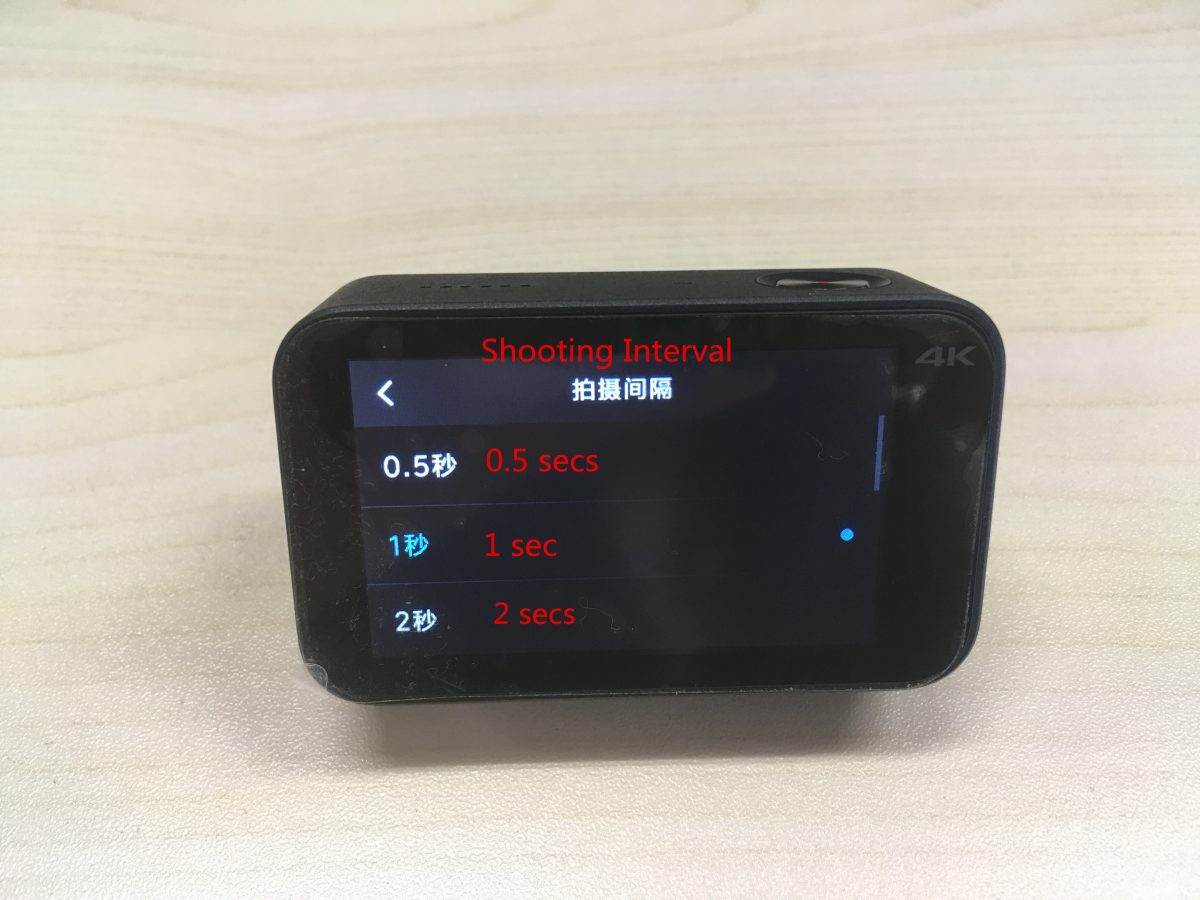
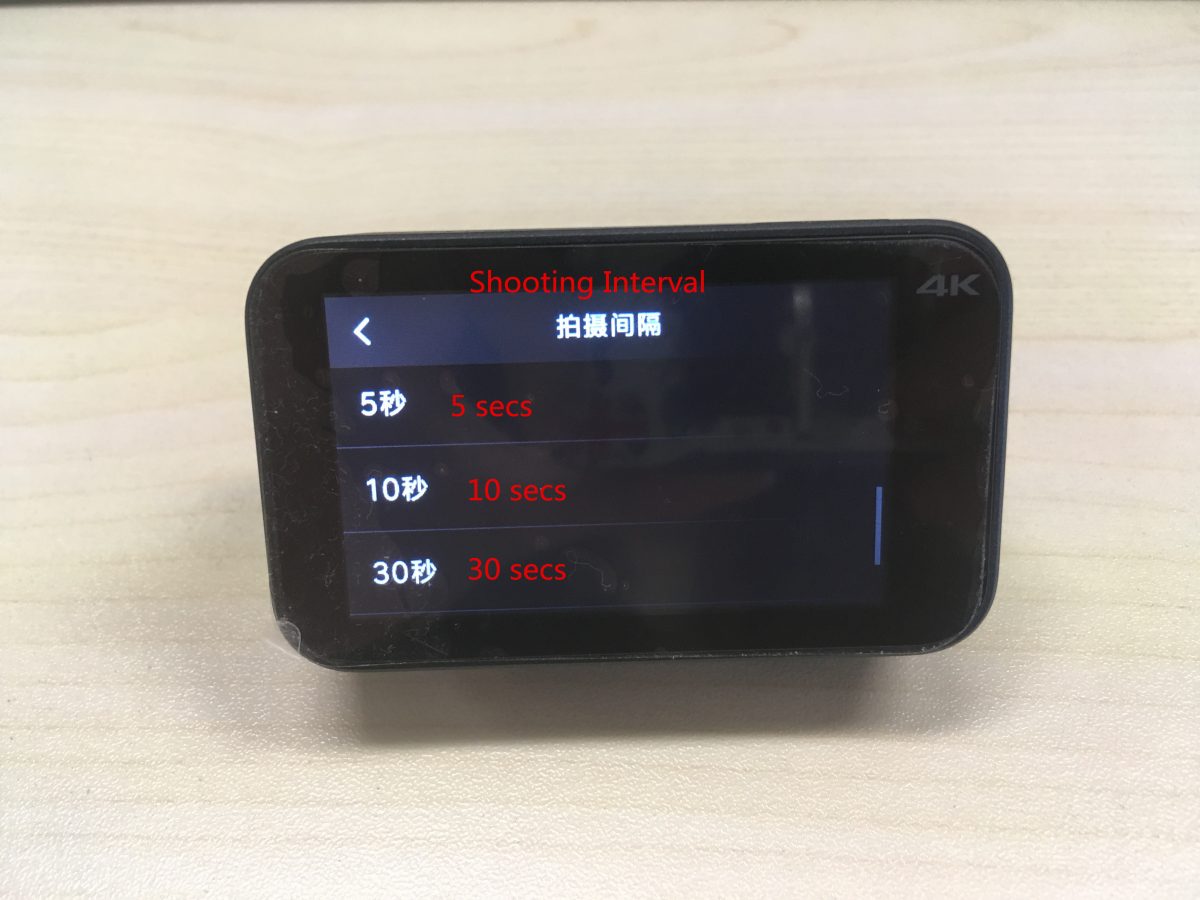
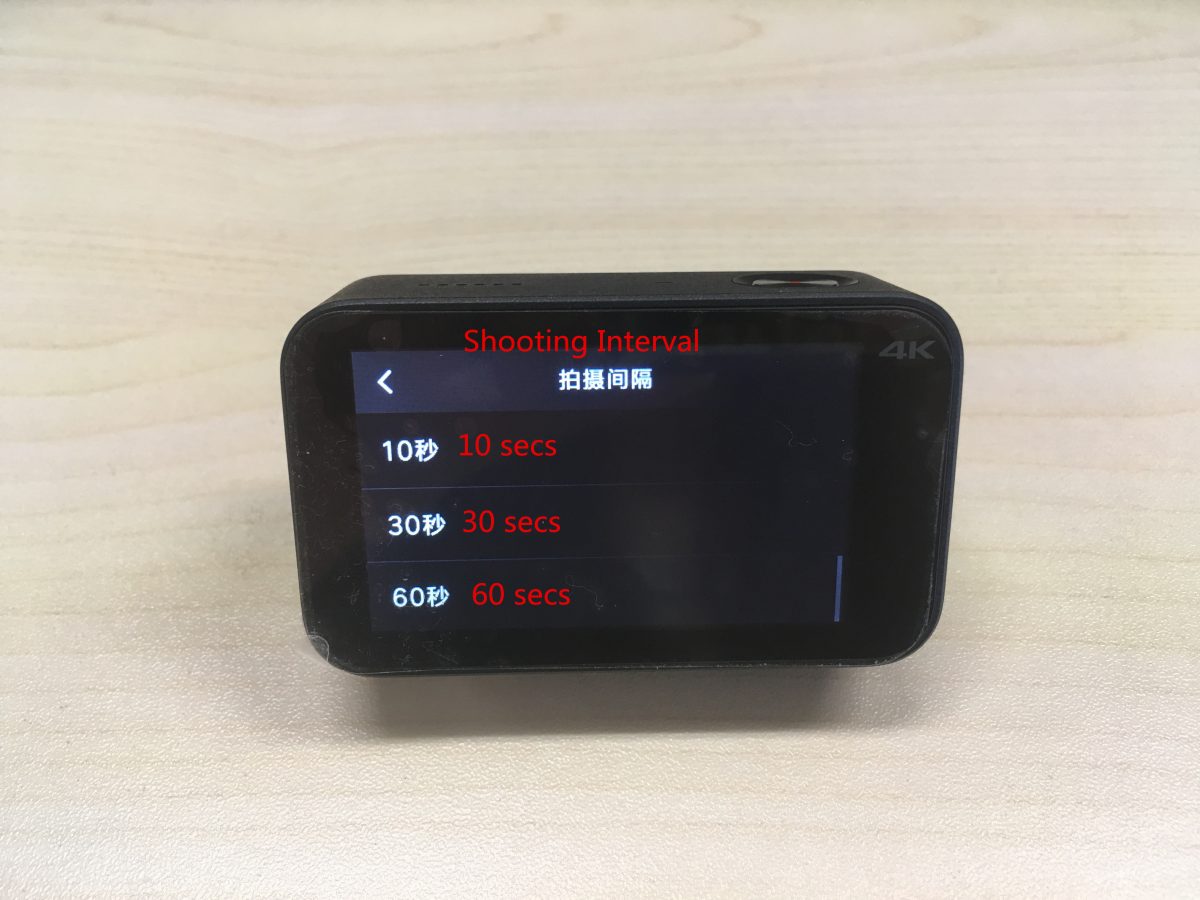
対応する撮影間隔設定は上から順に以下の通りです。:
0.5 秒, 1 秒, 2 秒, 5 秒, 10 秒, 30 秒, 60 秒.
タイムスタンプを設定する: の上 / オフ, 日付, 時間, 日付 / 時間.
測光モードを設定する: ポイント測光, 中央測光, 平均測光.
ホワイトバランスの設定: 自動, 白熱灯, 晴れた日, 曇り.
上から順に対応するカラーリングは以下の通りです: 標準, 明るい, 黒& 白, 美術, 映画, レトロ.
3. 一般的な設定ガイド:
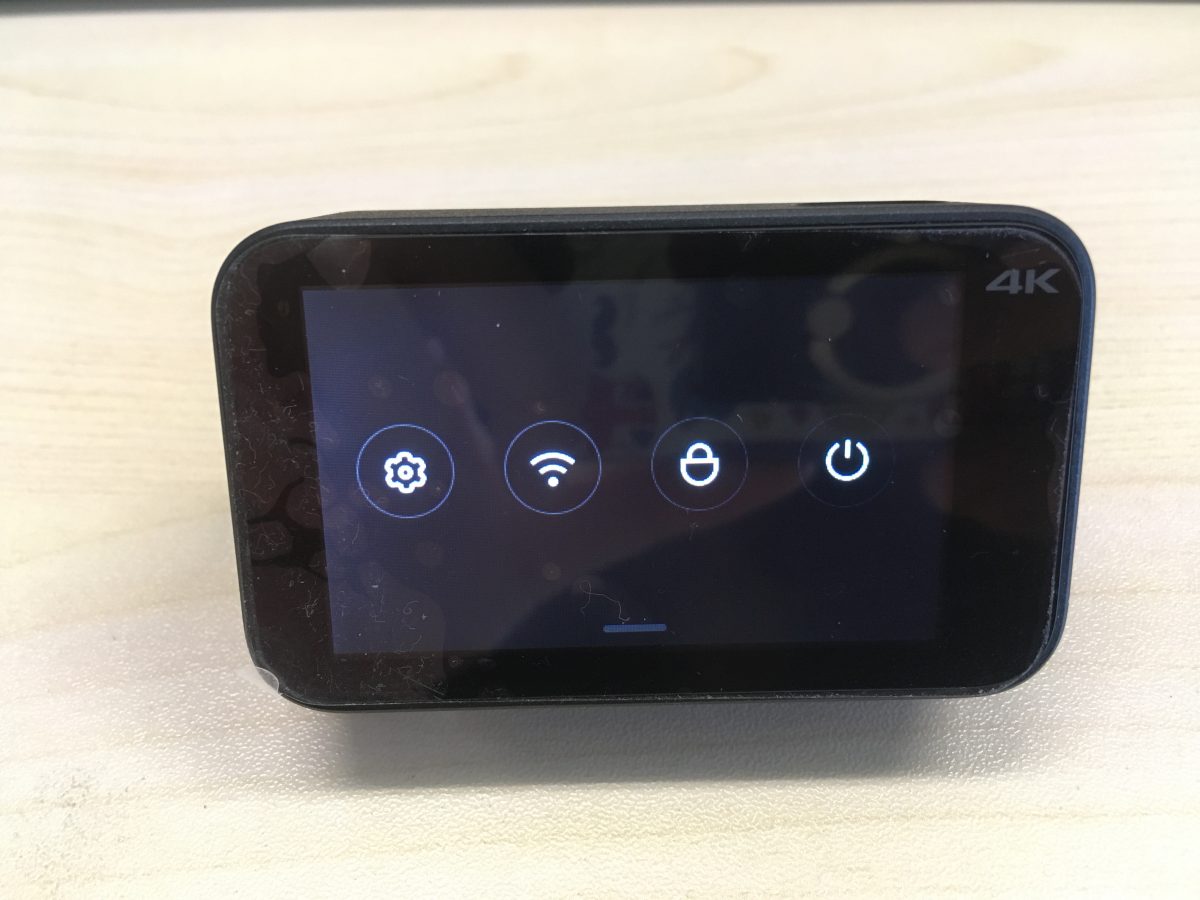
最初のボタンを押して一般設定に入ります.
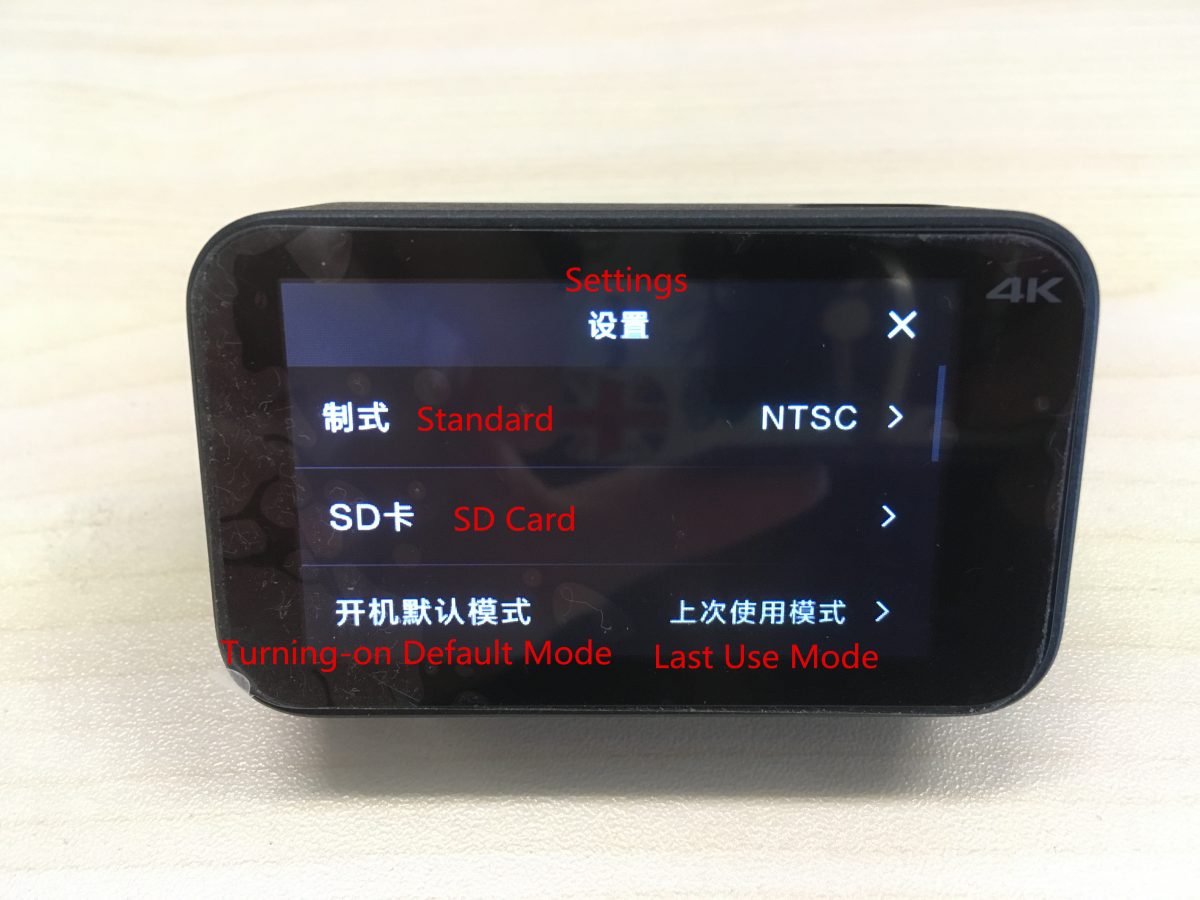
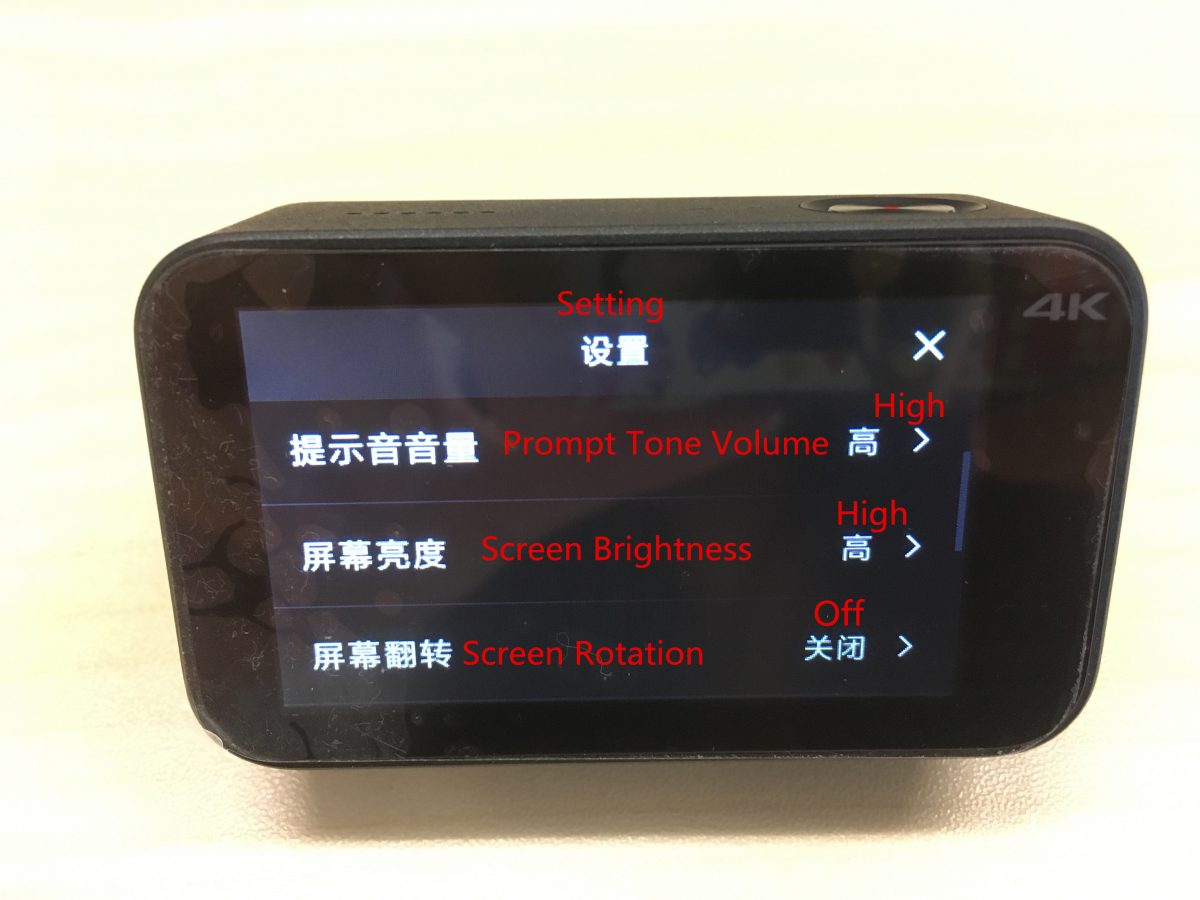
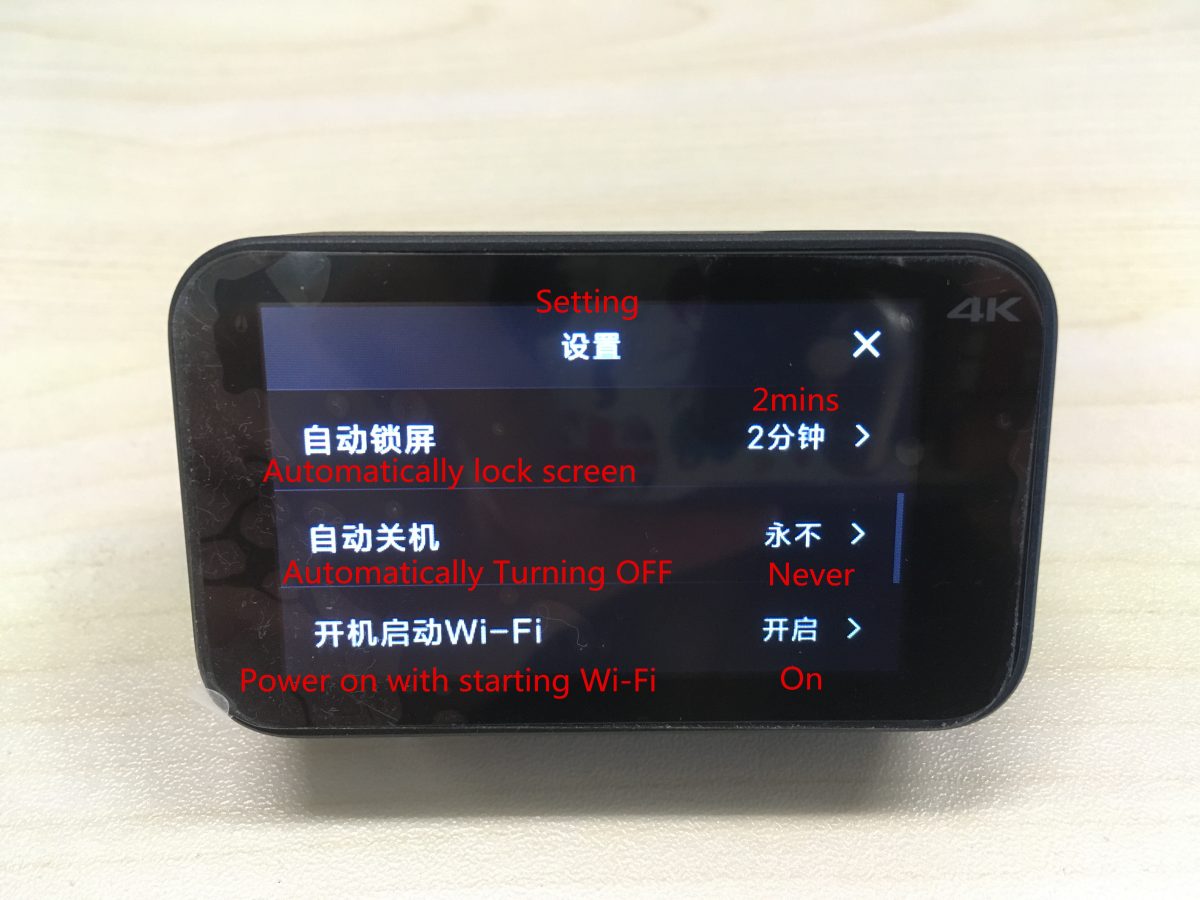
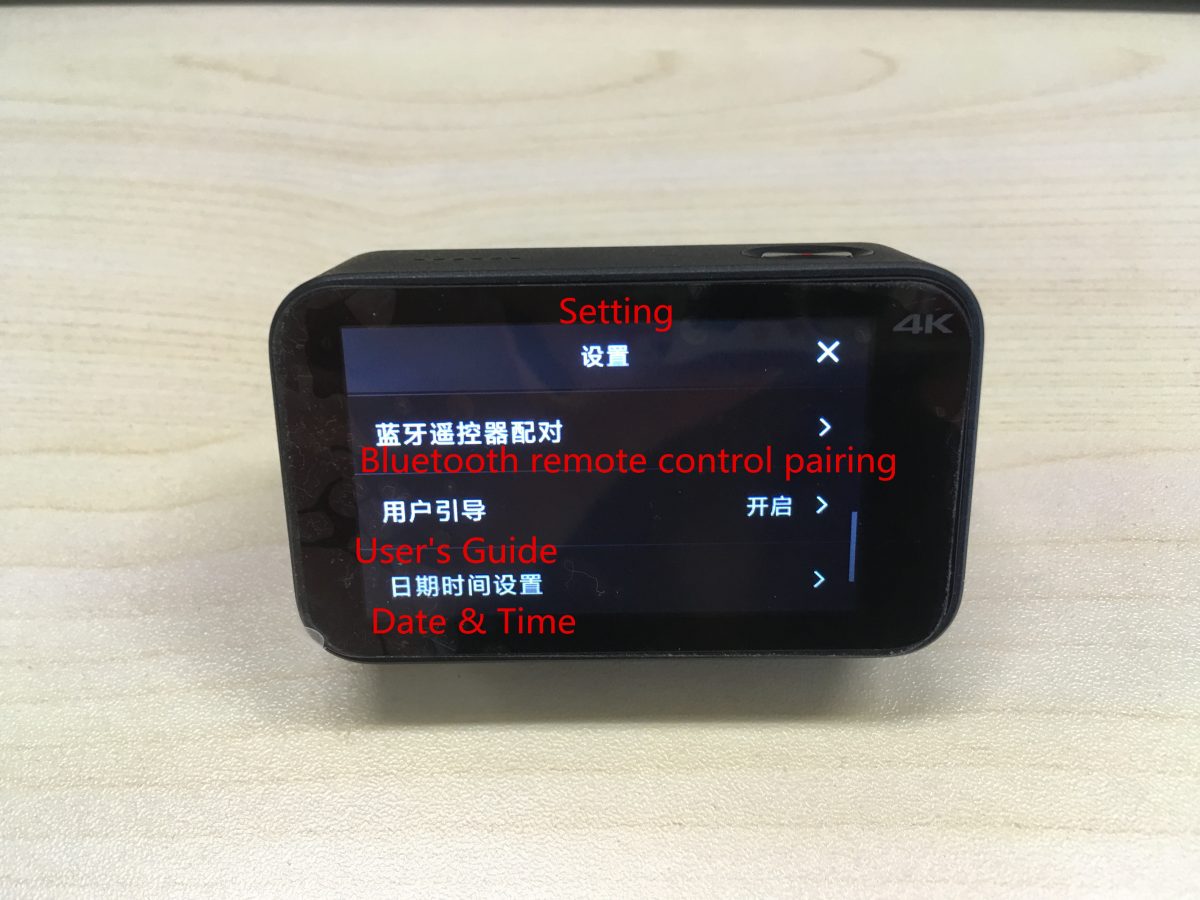
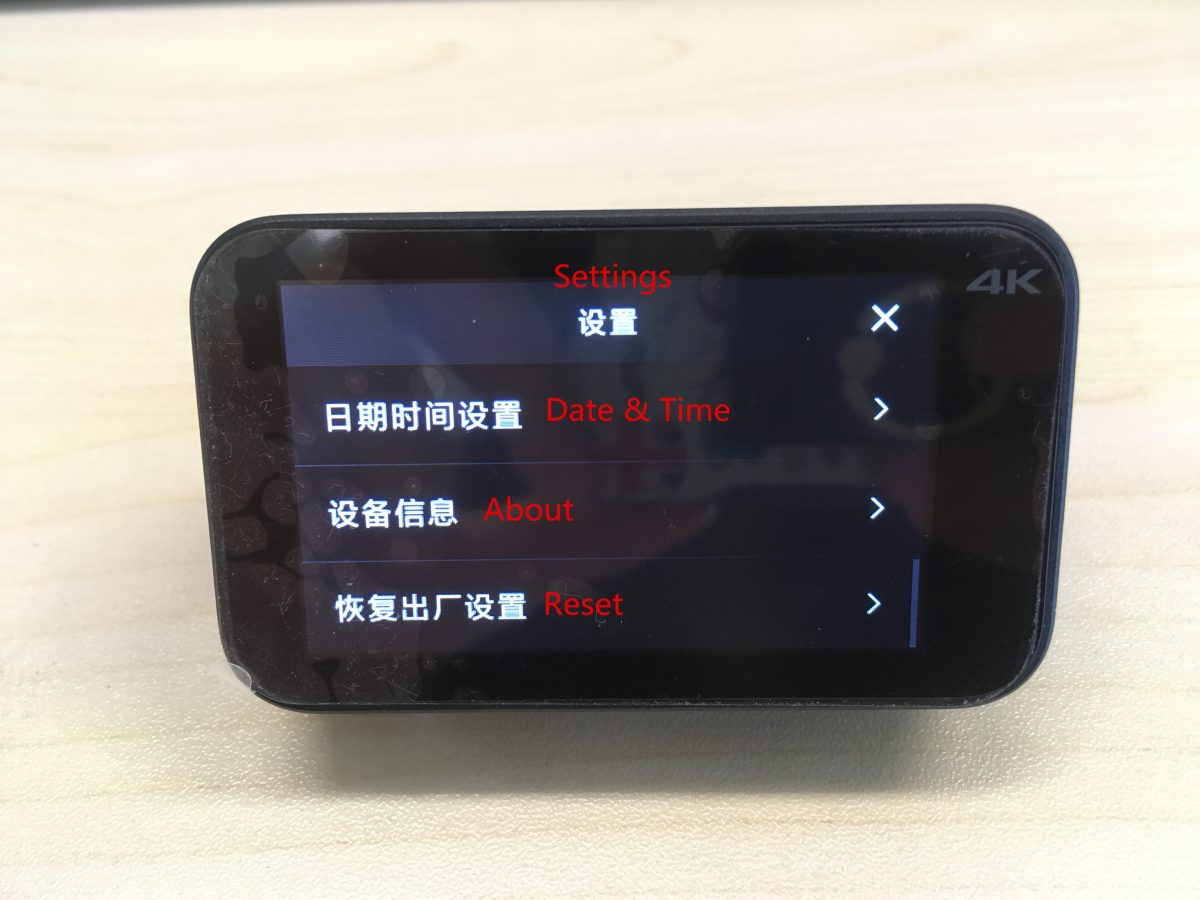
上から下に対応する設定は次のとおりです:
標準, SDカード, デフォルトモードをオンにする, プロンプト音量, 画面の明るさ, 画面の回転, 画面を自動的にロックする, 自動的に電源が切れます, Wi-Fi起動で電源オン, Bluetoothリモコンのペアリング, ユーザーガイド, 日付 & 時間, について, リセット.
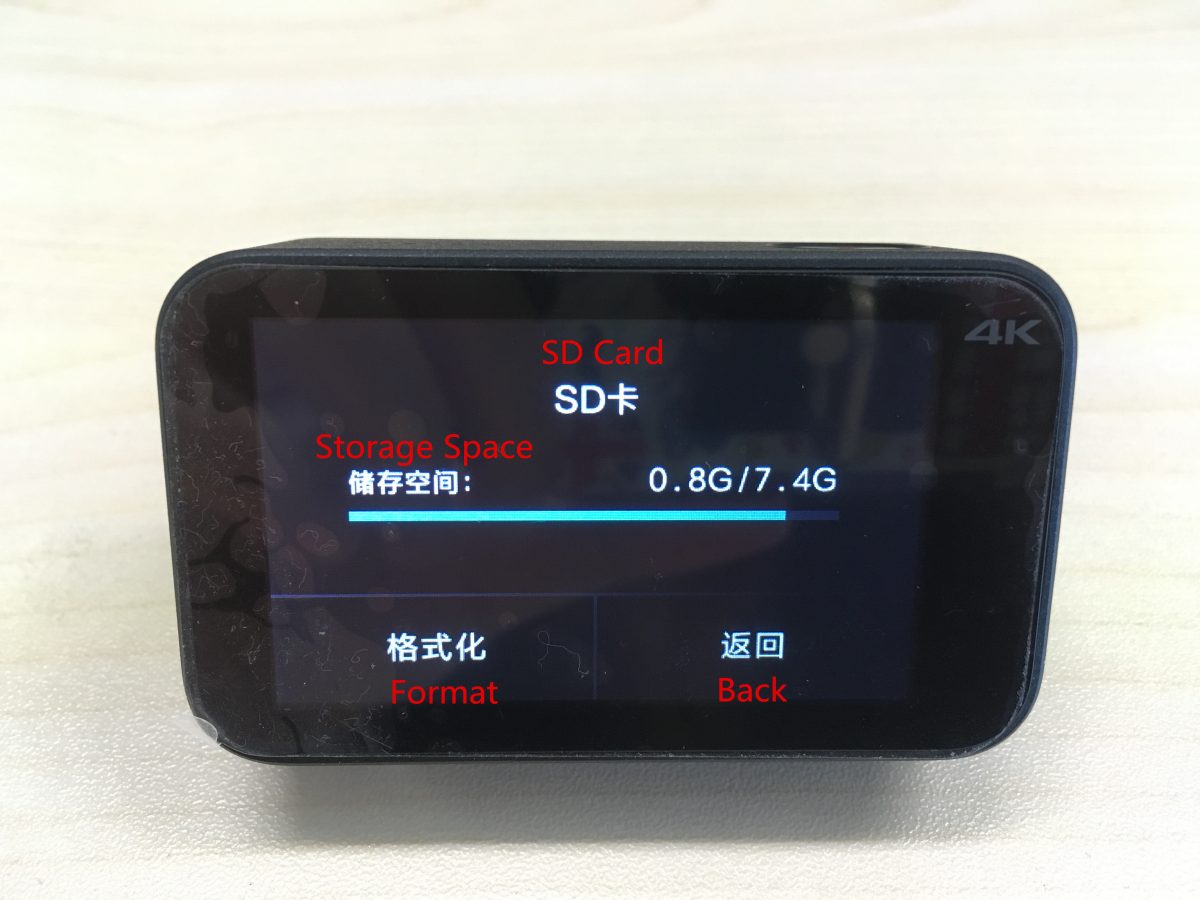
(1) SDカードに関する情報.
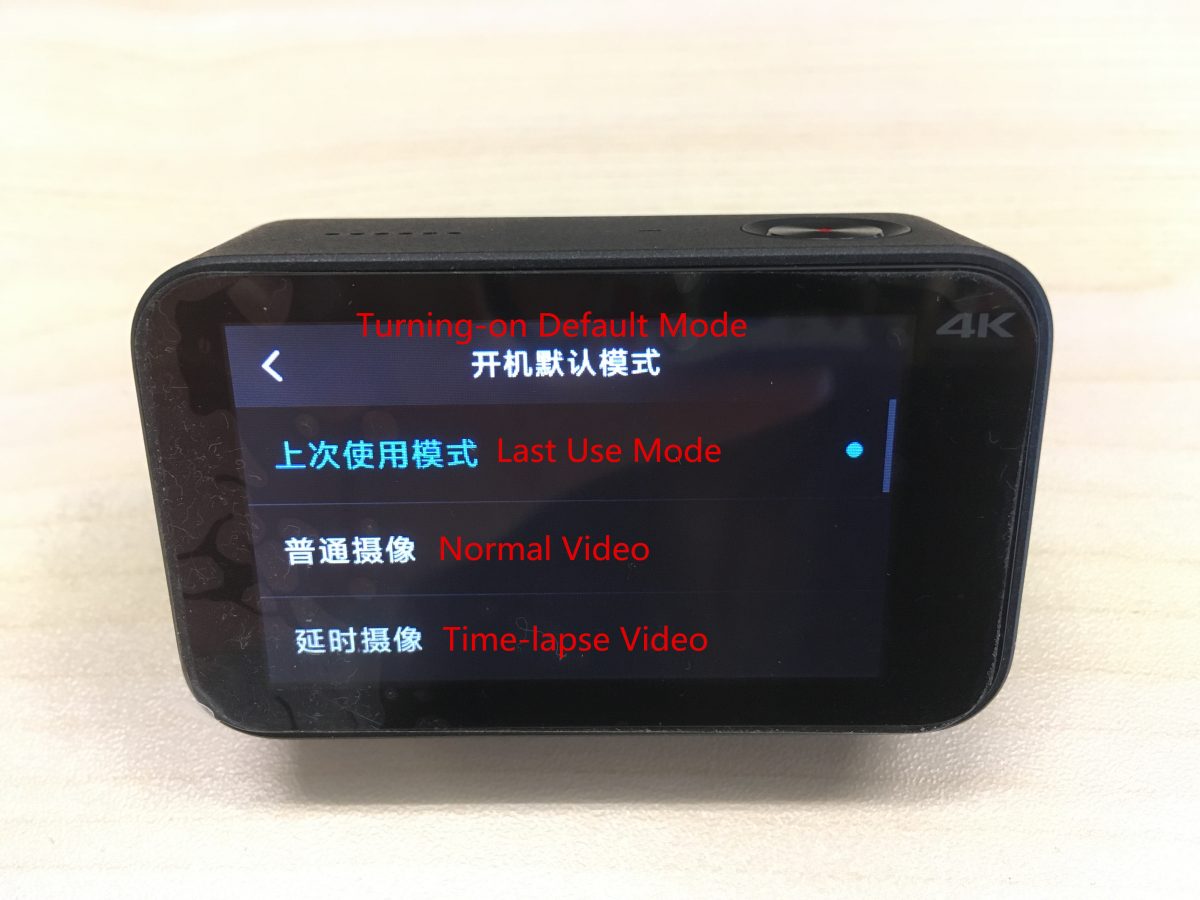
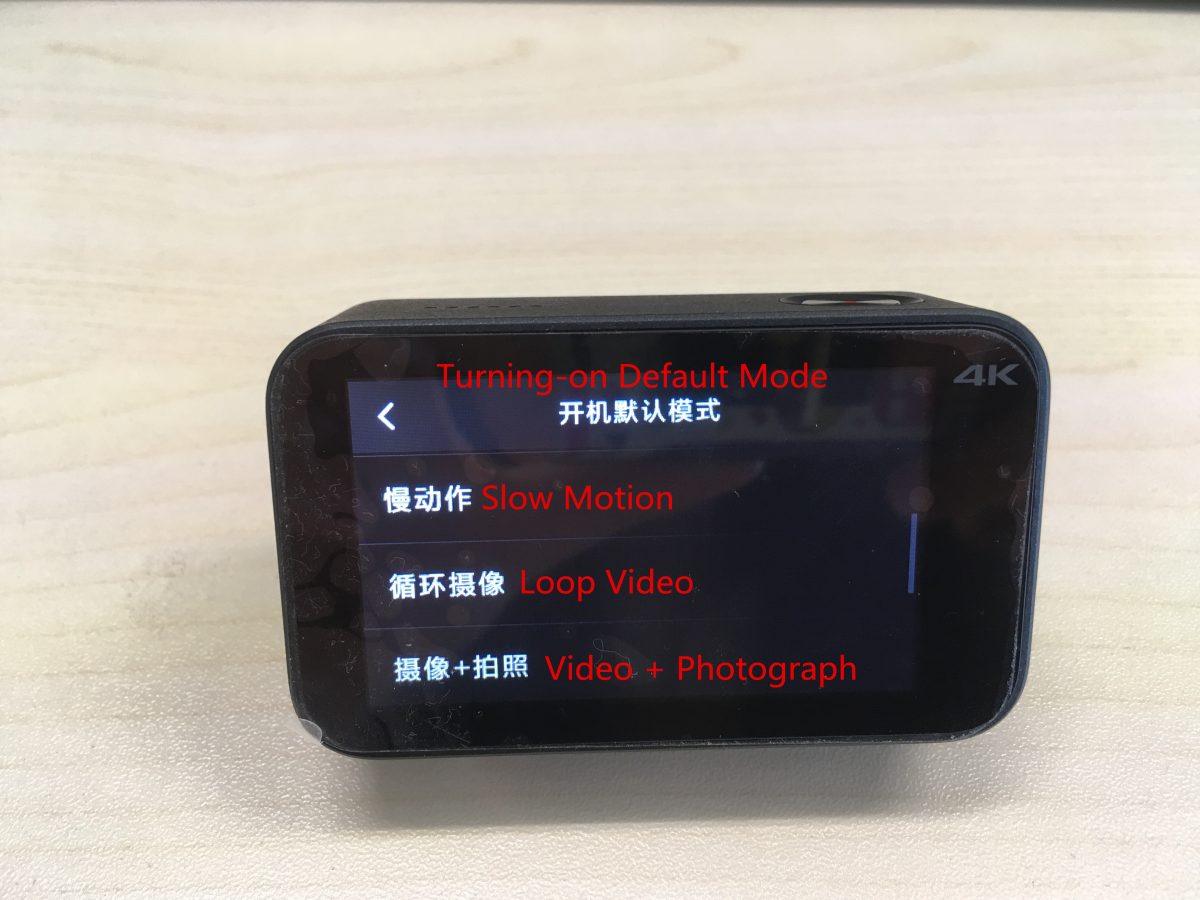
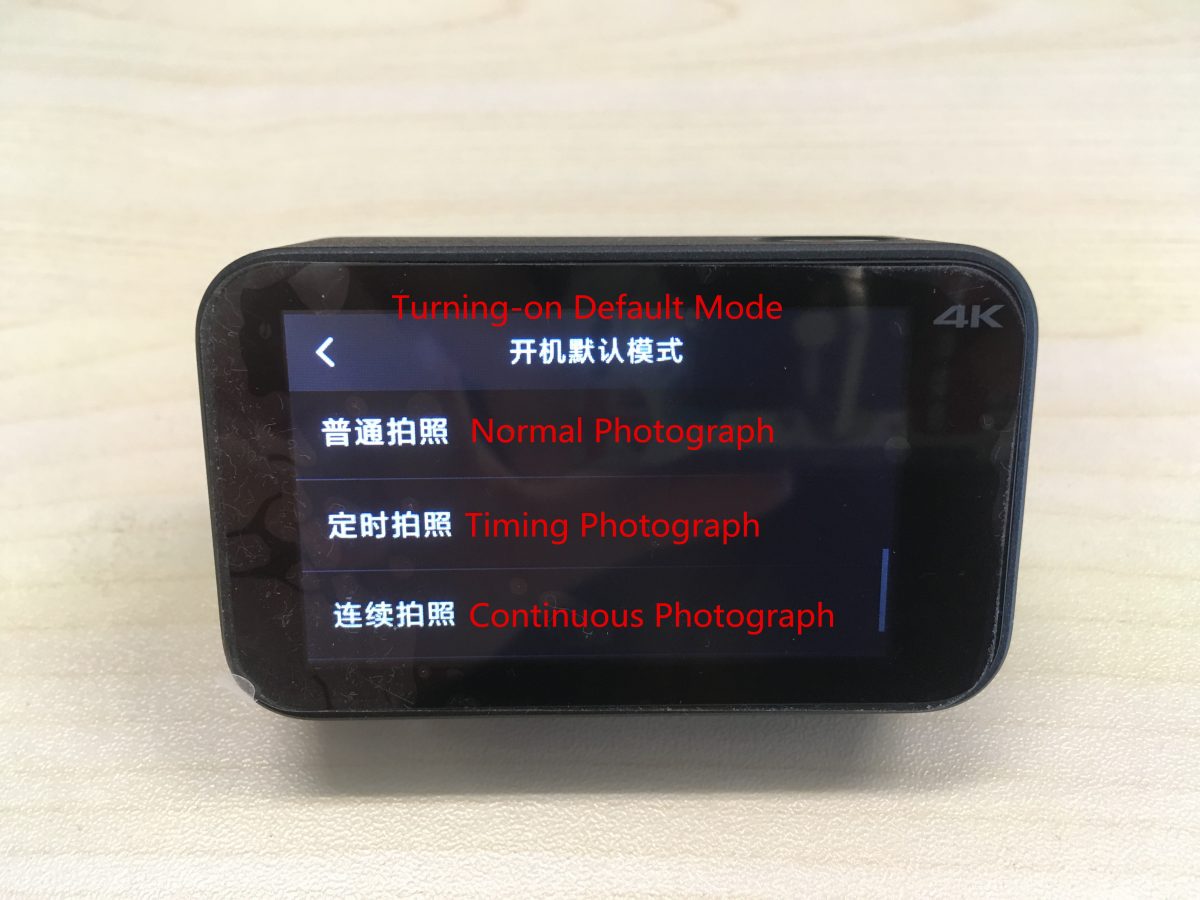
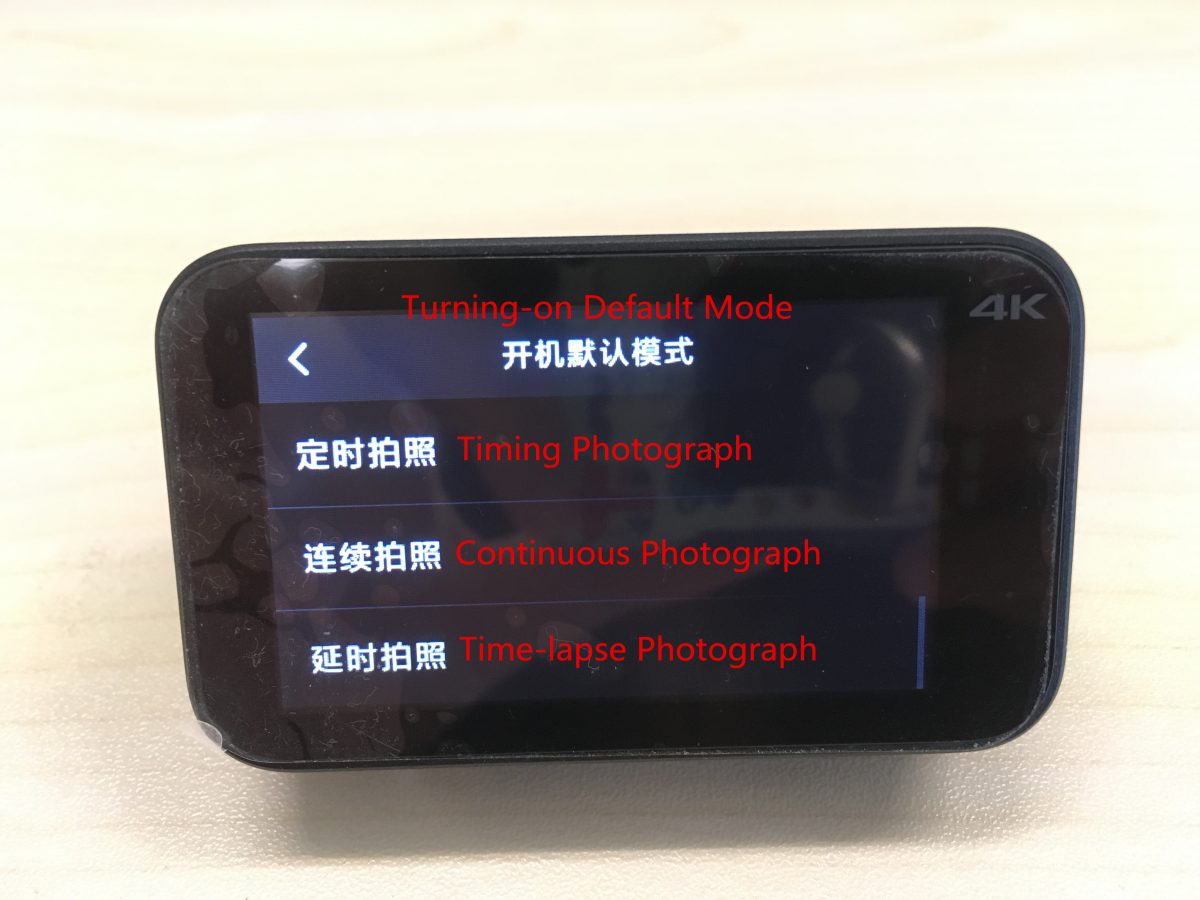
(2) 電源投入時の対応するデフォルトモードは上から下に以下の通りです。:
最終使用モード, 通常のビデオ, タイムラプスビデオ, スローモーション, ループビデオ, ビデオ + 写真, 普通の写真, タイミング写真, 連続写真, タイムラプス写真.
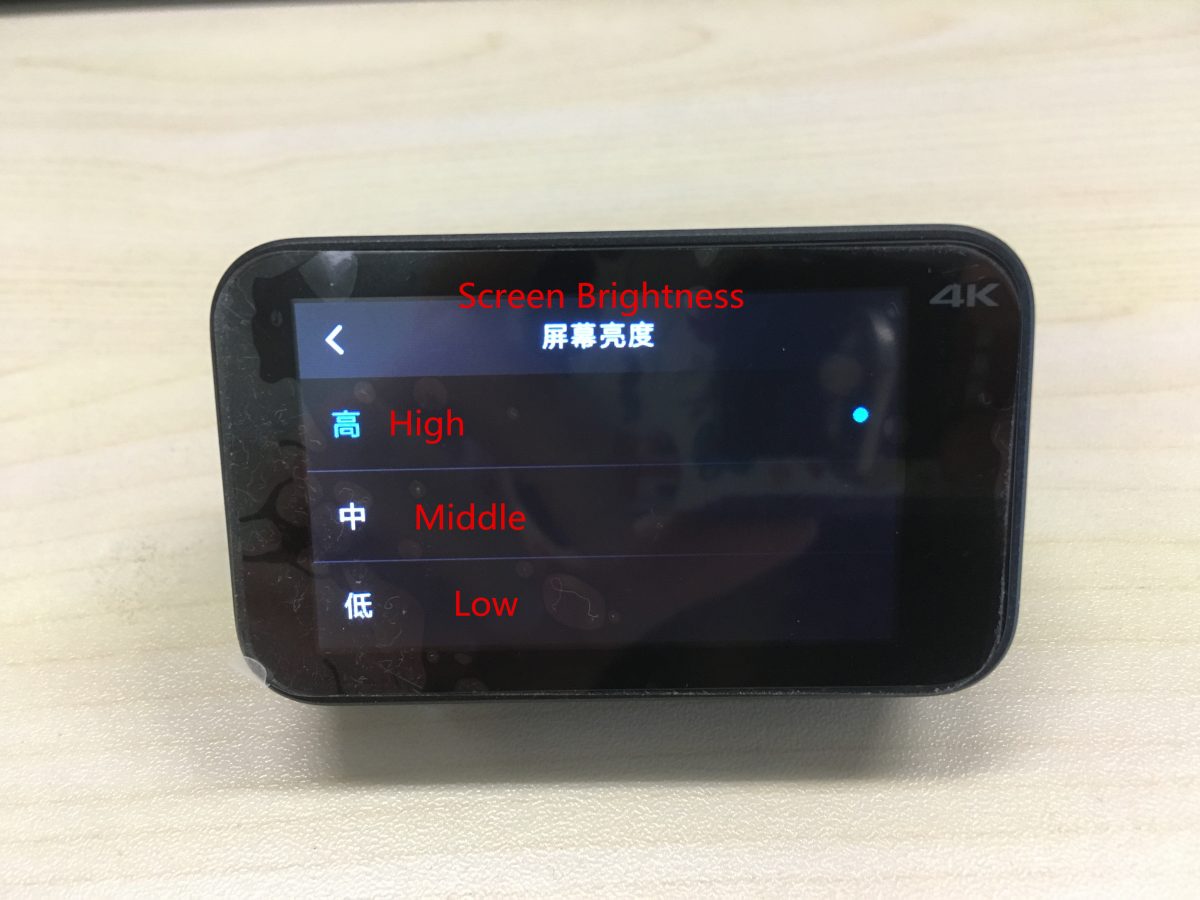
(3) 画面の明るさは次のように分類できます。: 高い, 真ん中, 低い.
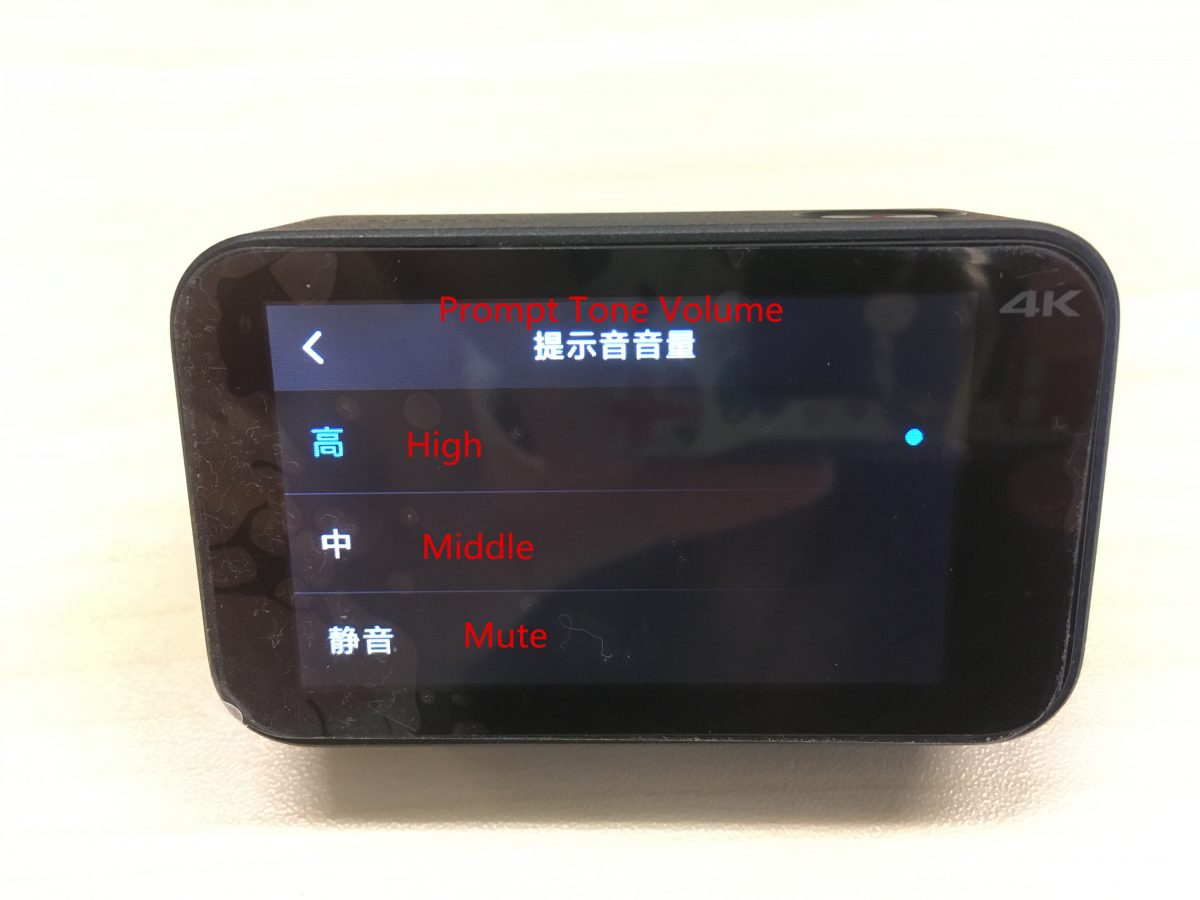
(4) プロンプトチューンのボリュームは次のように分割できます。: 高い, 真ん中, 低い.
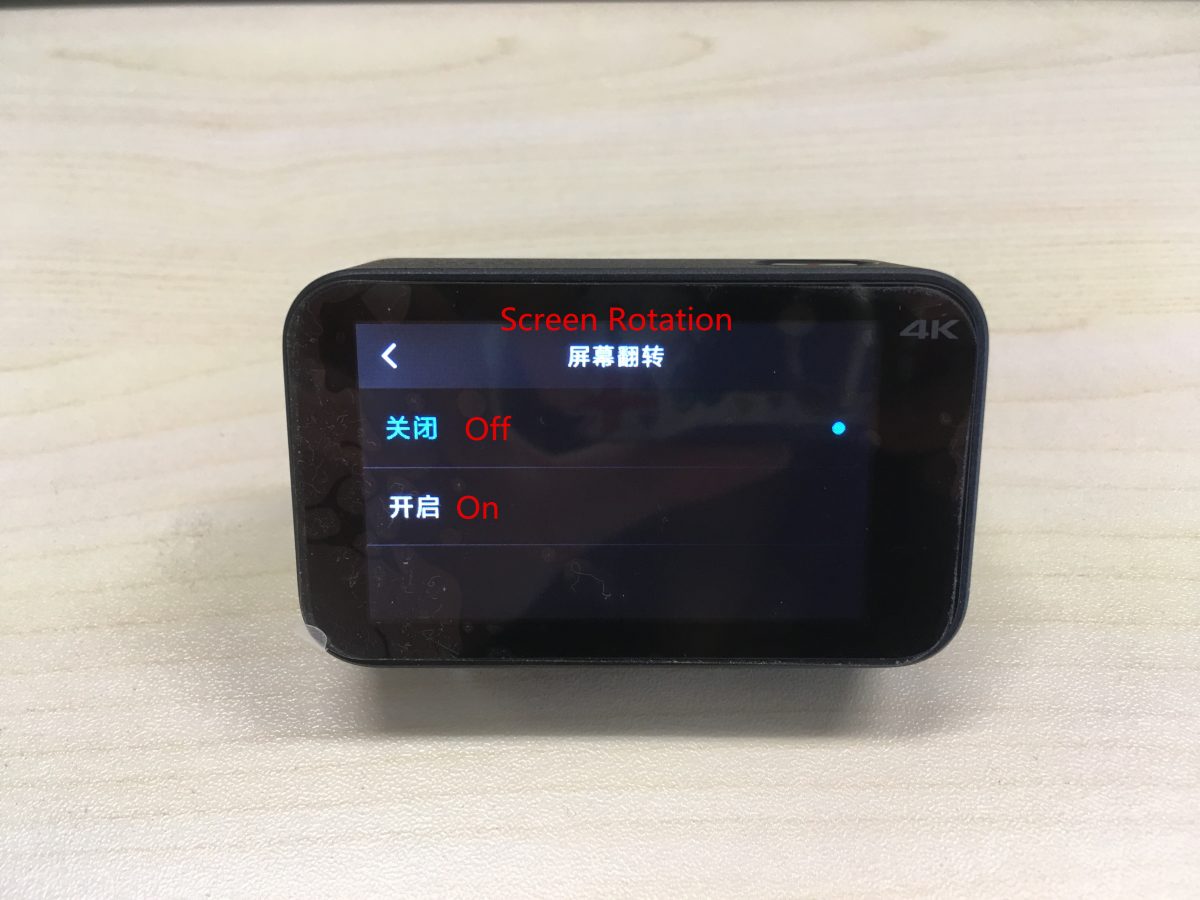
(5) オンにする / ここから画面の回転をオフにします.
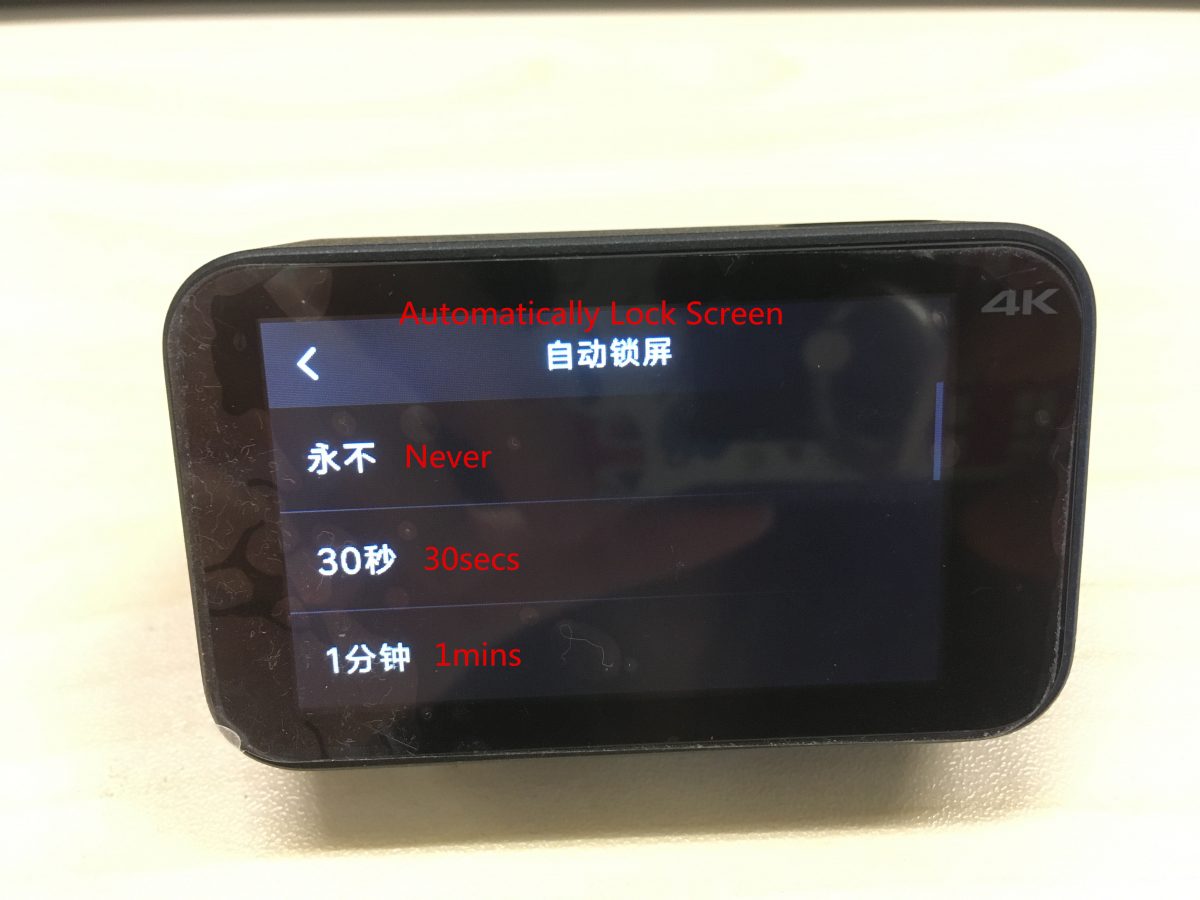
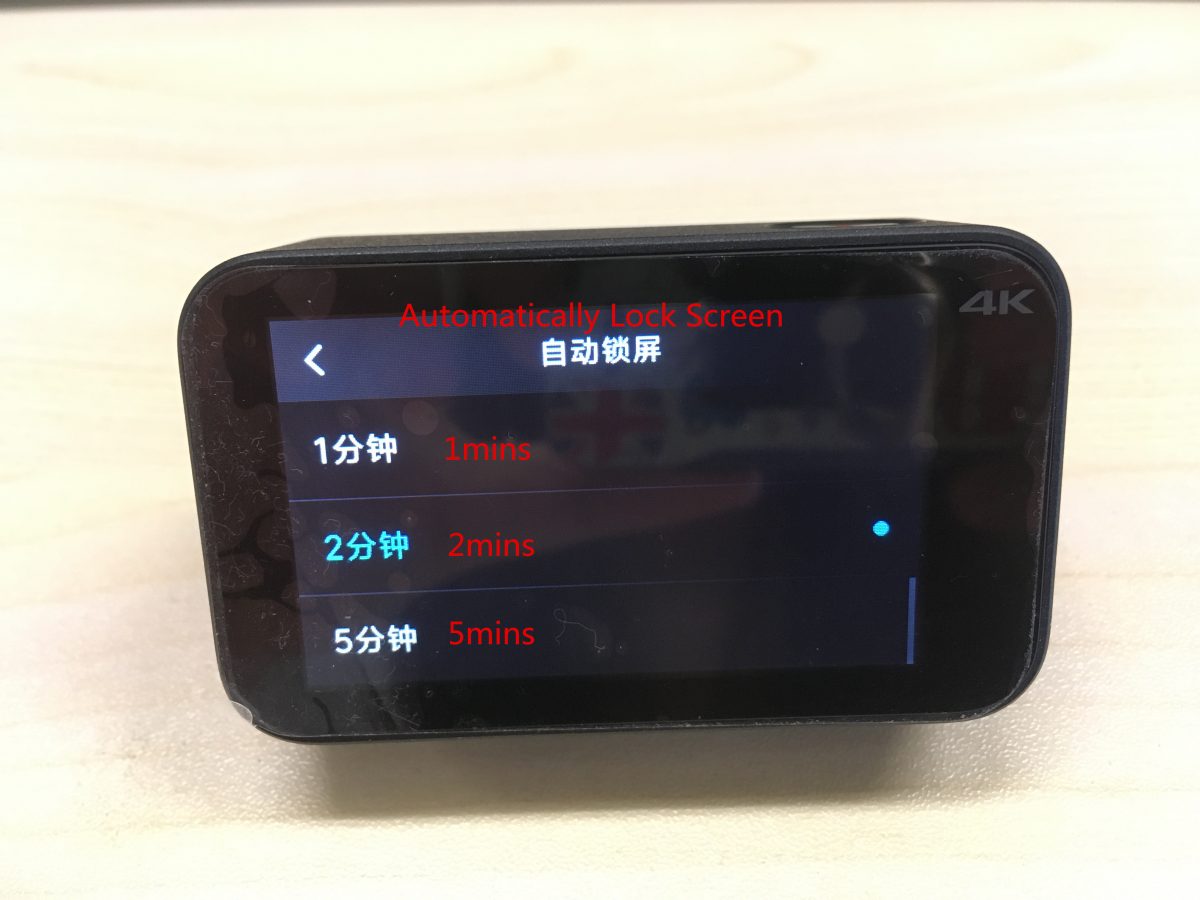
(6) 画面を自動的にロックする: 一度もない, 30秒, 1分, 2分, 5分.
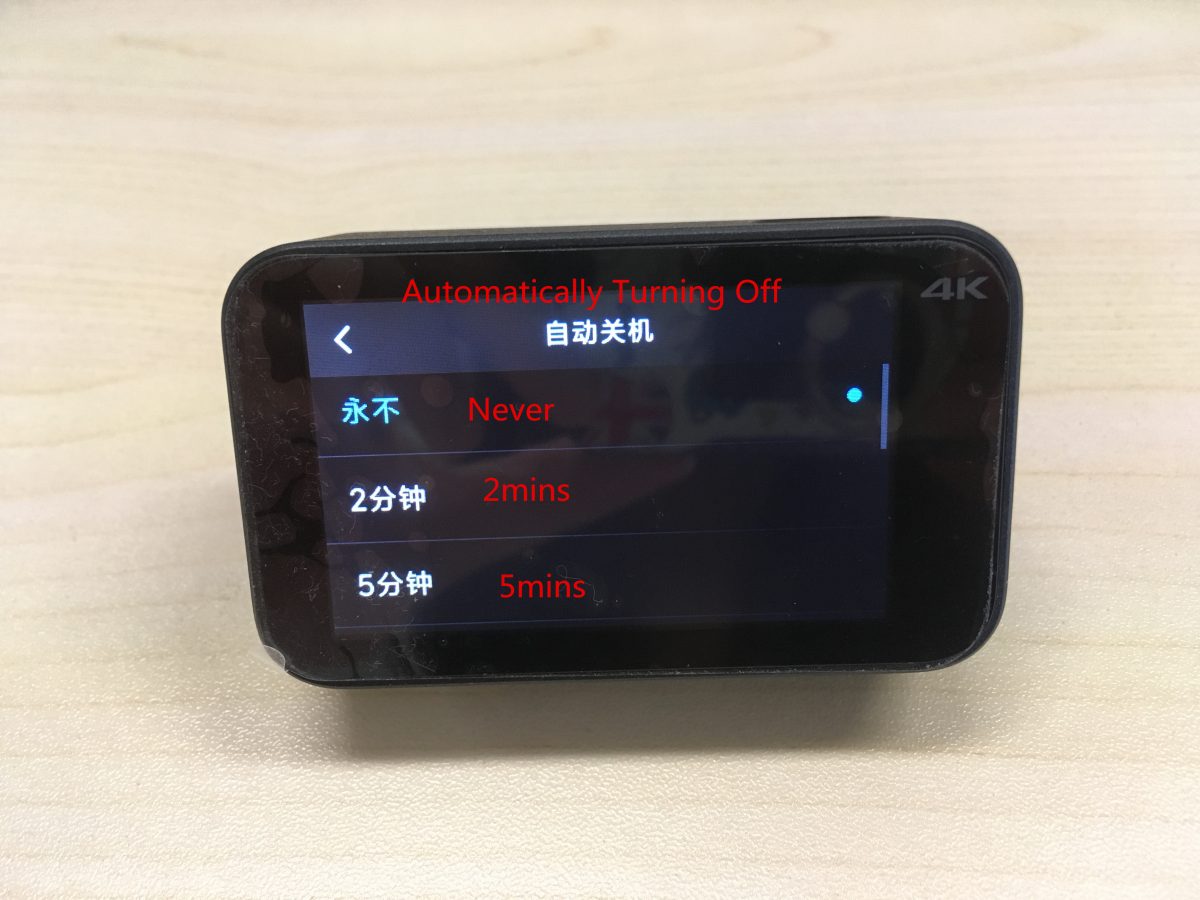
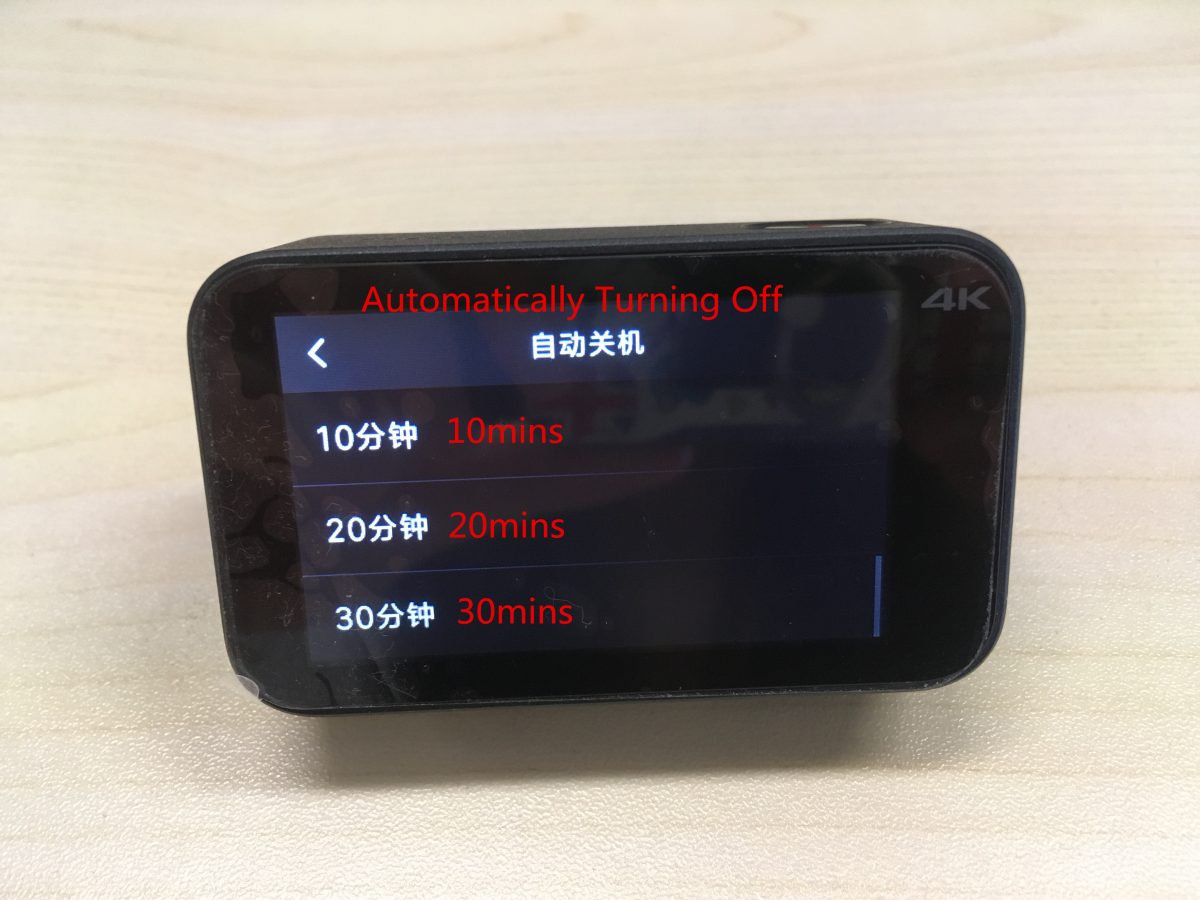
(7) 自動的に電源が切れます: 一度もない, 2分, 5分, 10分, 20分, 30分,
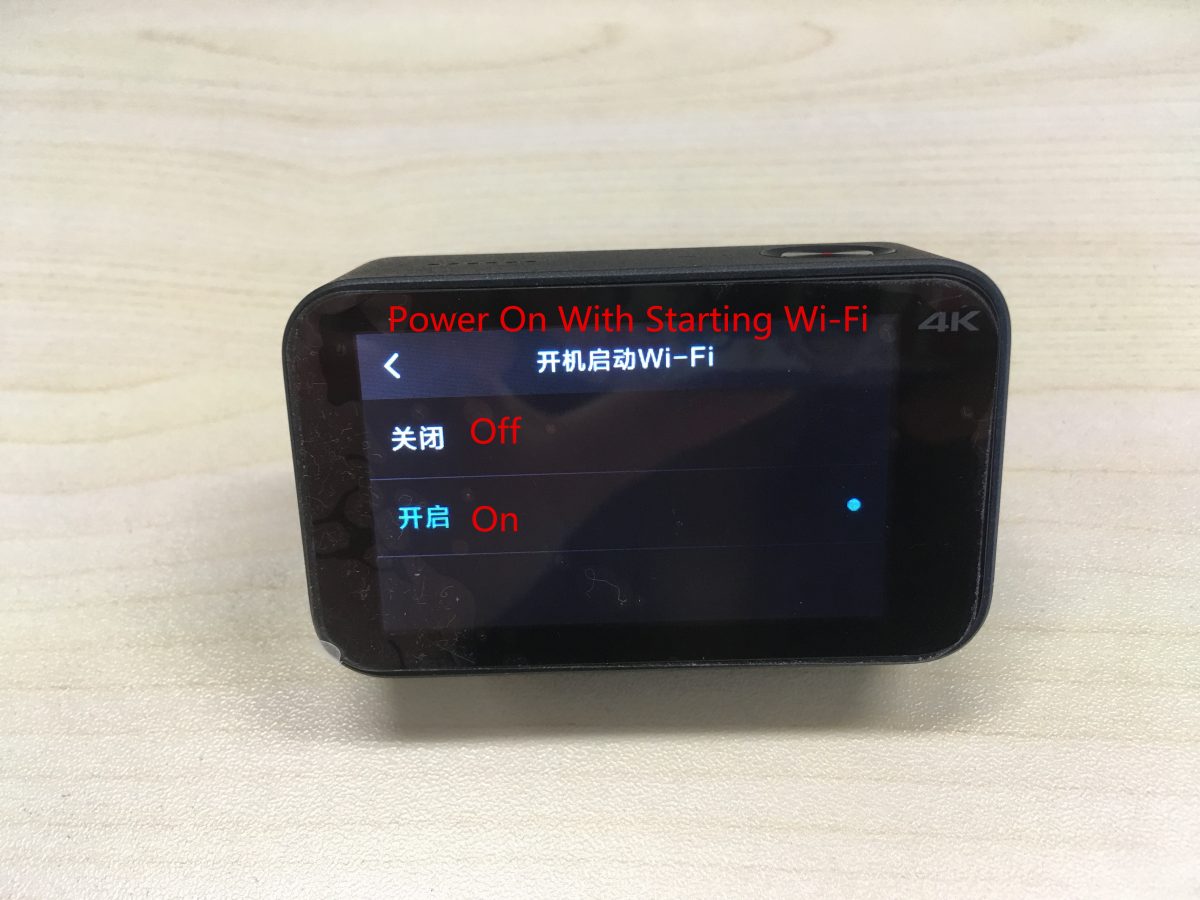
(8) オンにする / 「Wi-Fi起動と同時に電源オン」をオフにする.
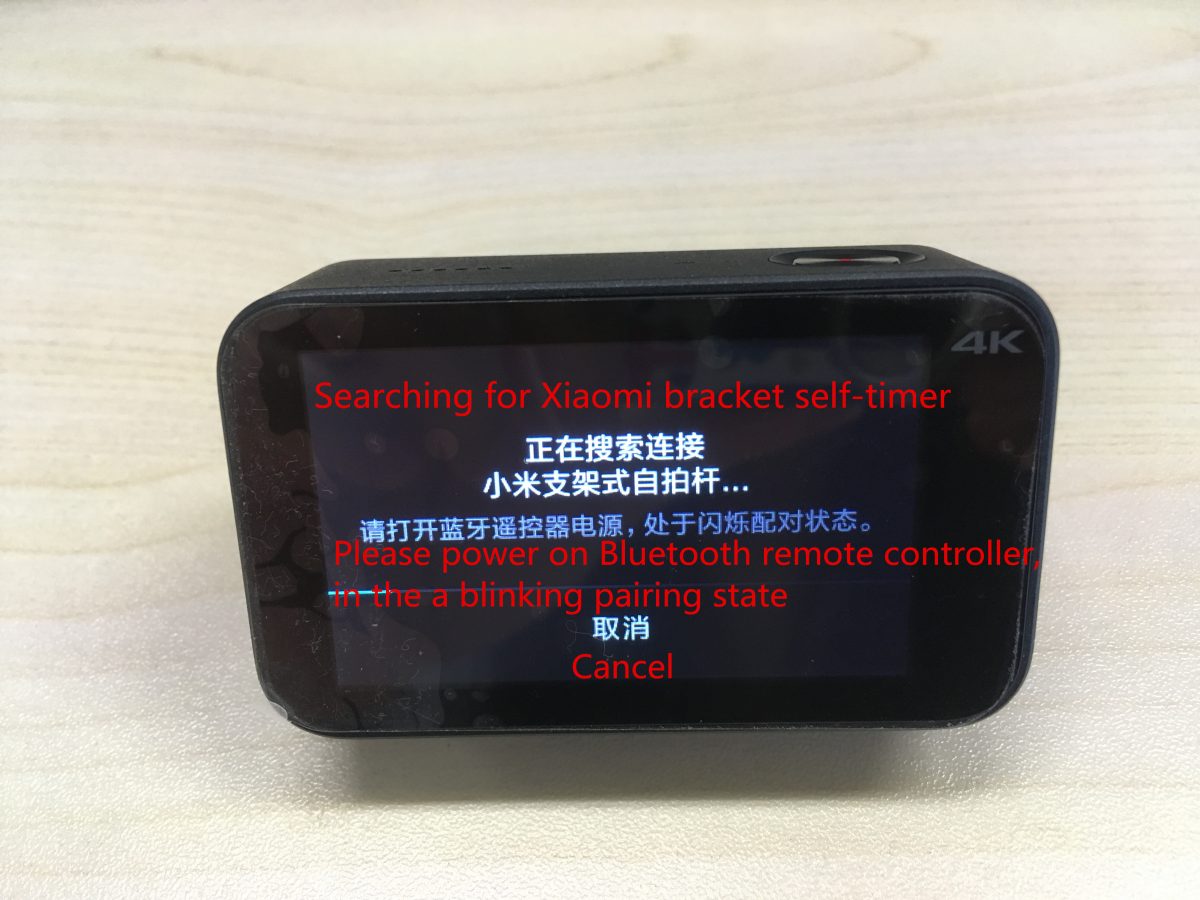
(9) Bluetoothリモコンのペアリング: Bluetooth 送信機の電源を入れ、点滅しているペアリング状態にしてください。.
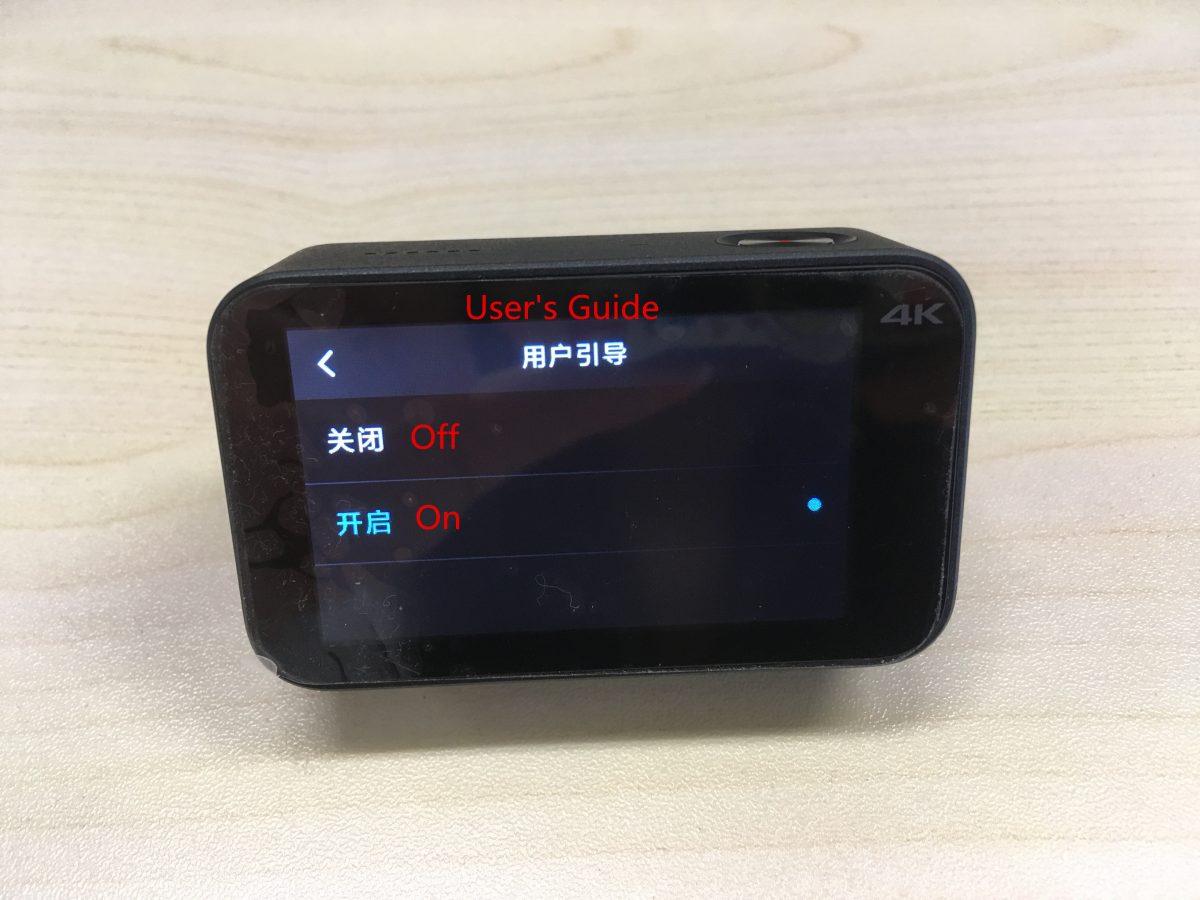
(10)オンにする / ユーザーガイドから外した.
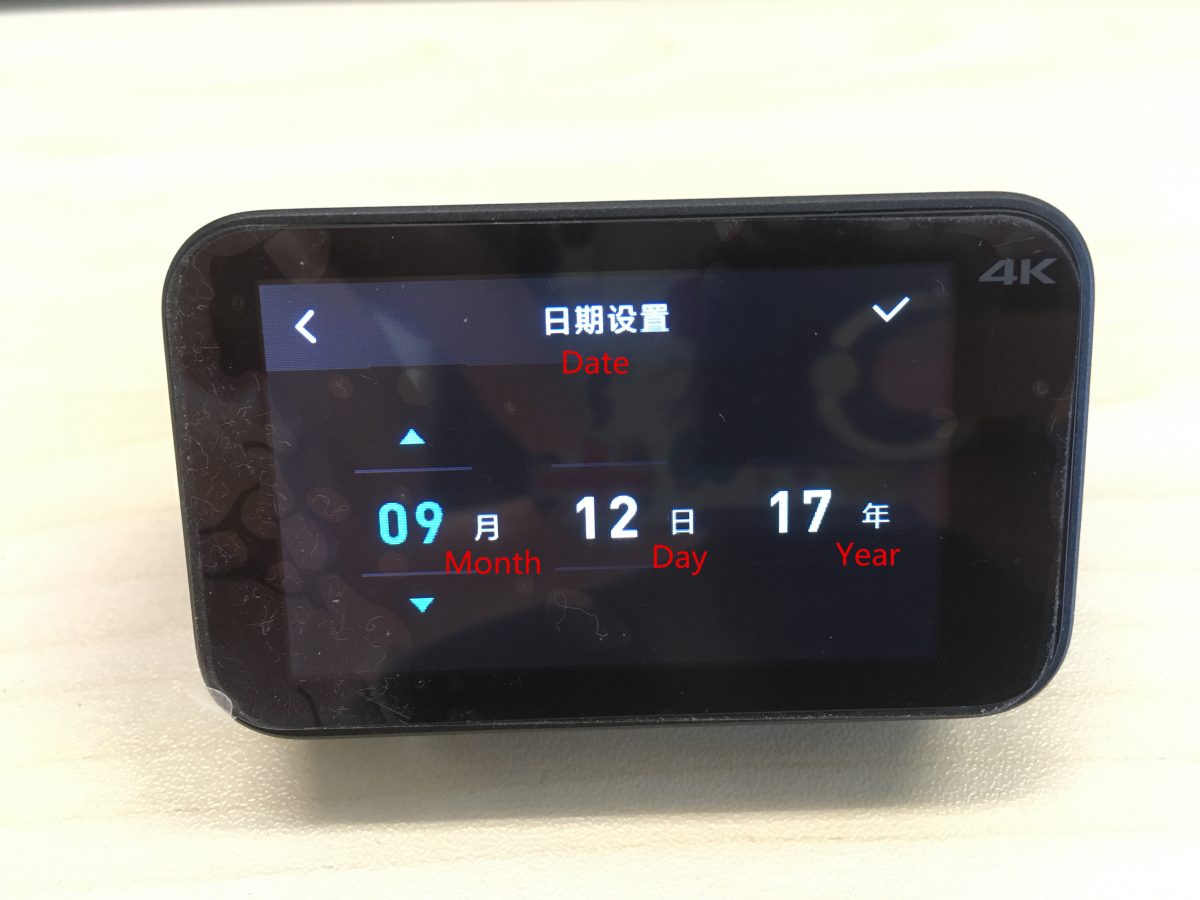
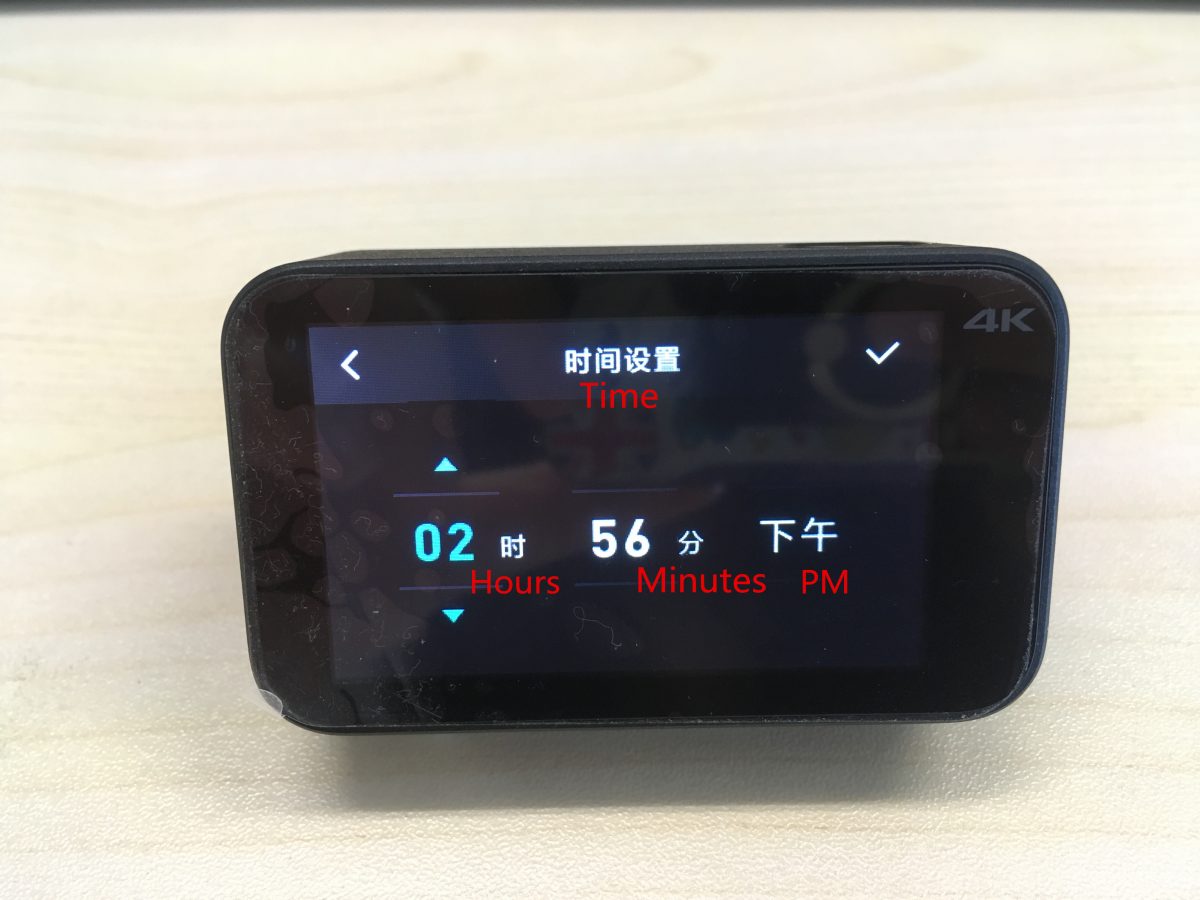
(11) ここから日付と時刻を設定します.
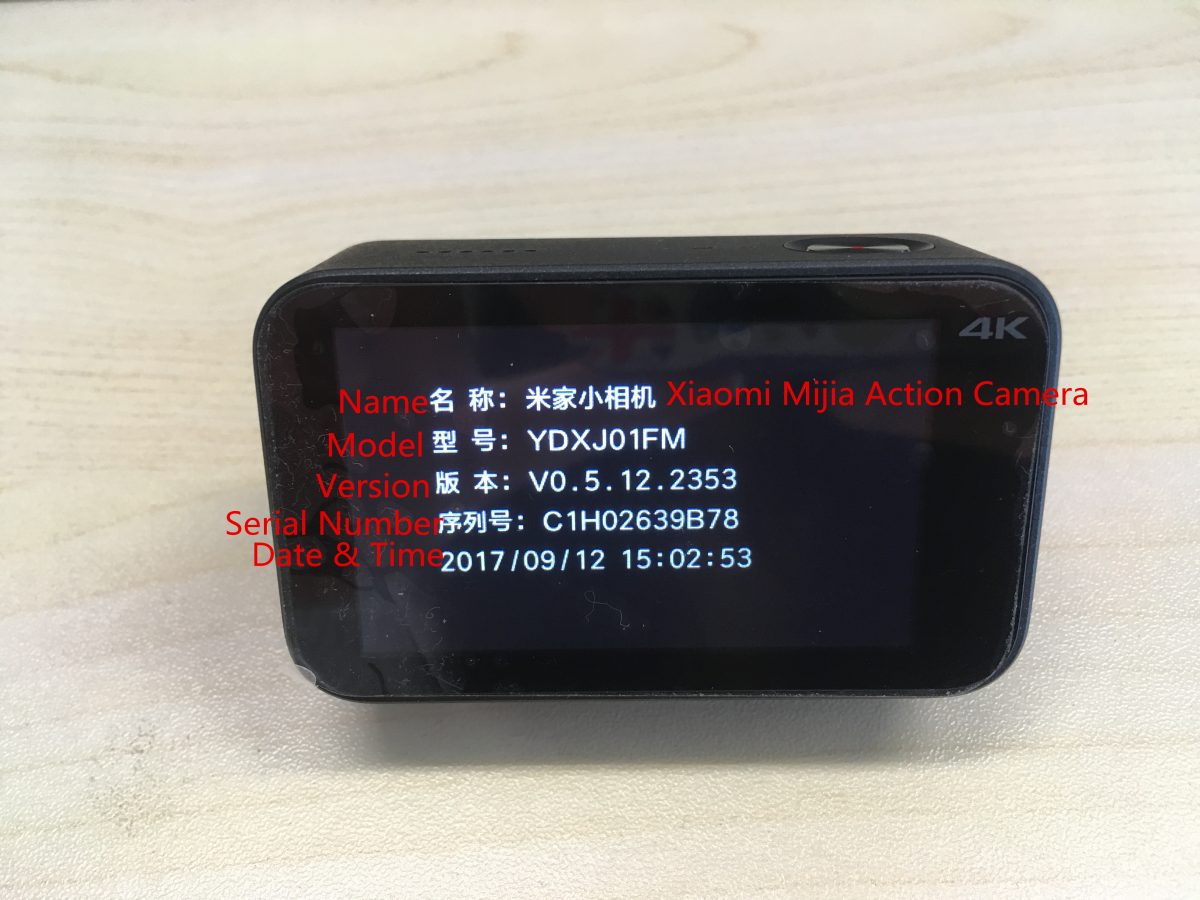
(12) だいたい: カメラに関する具体的な情報.
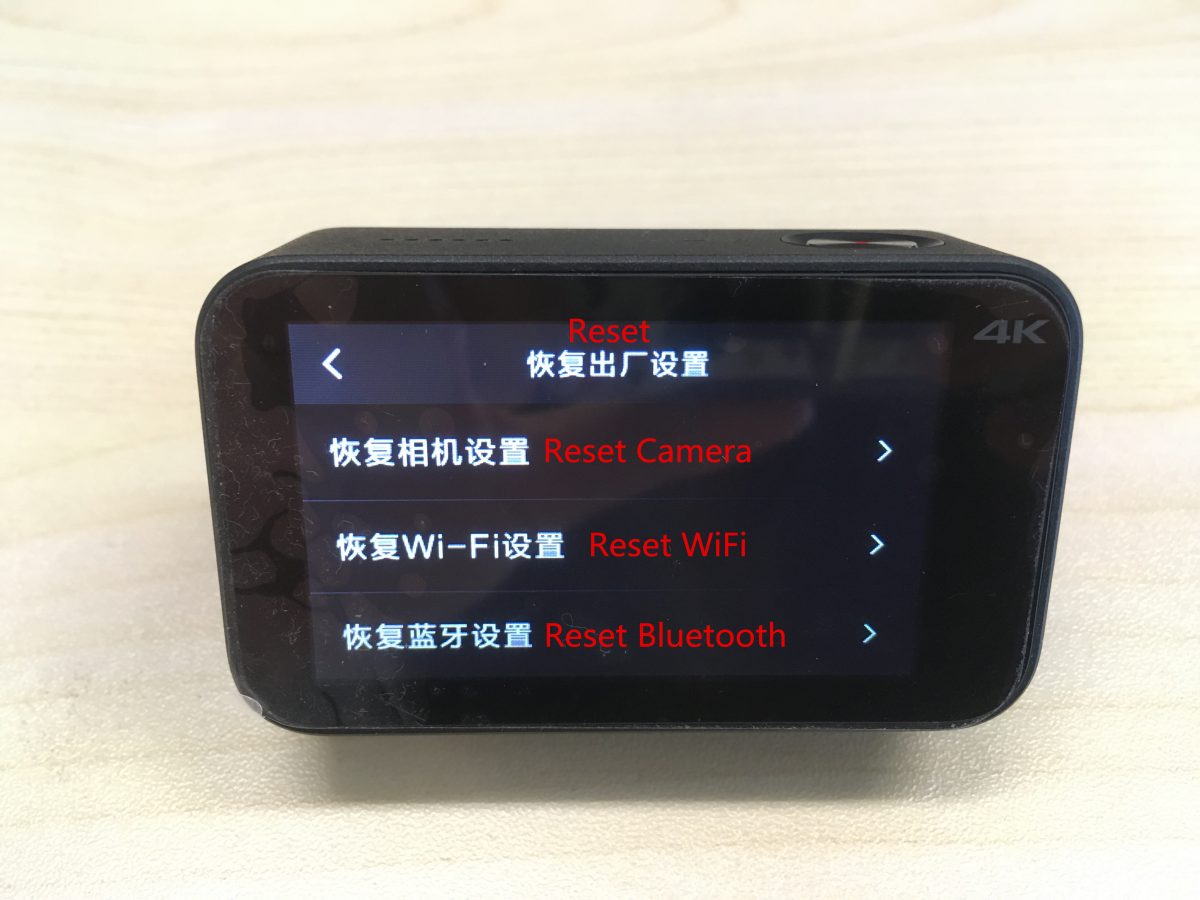
(13) カメラをリセットする, Wi-Fi, Bluetoothの設定はこちらから.
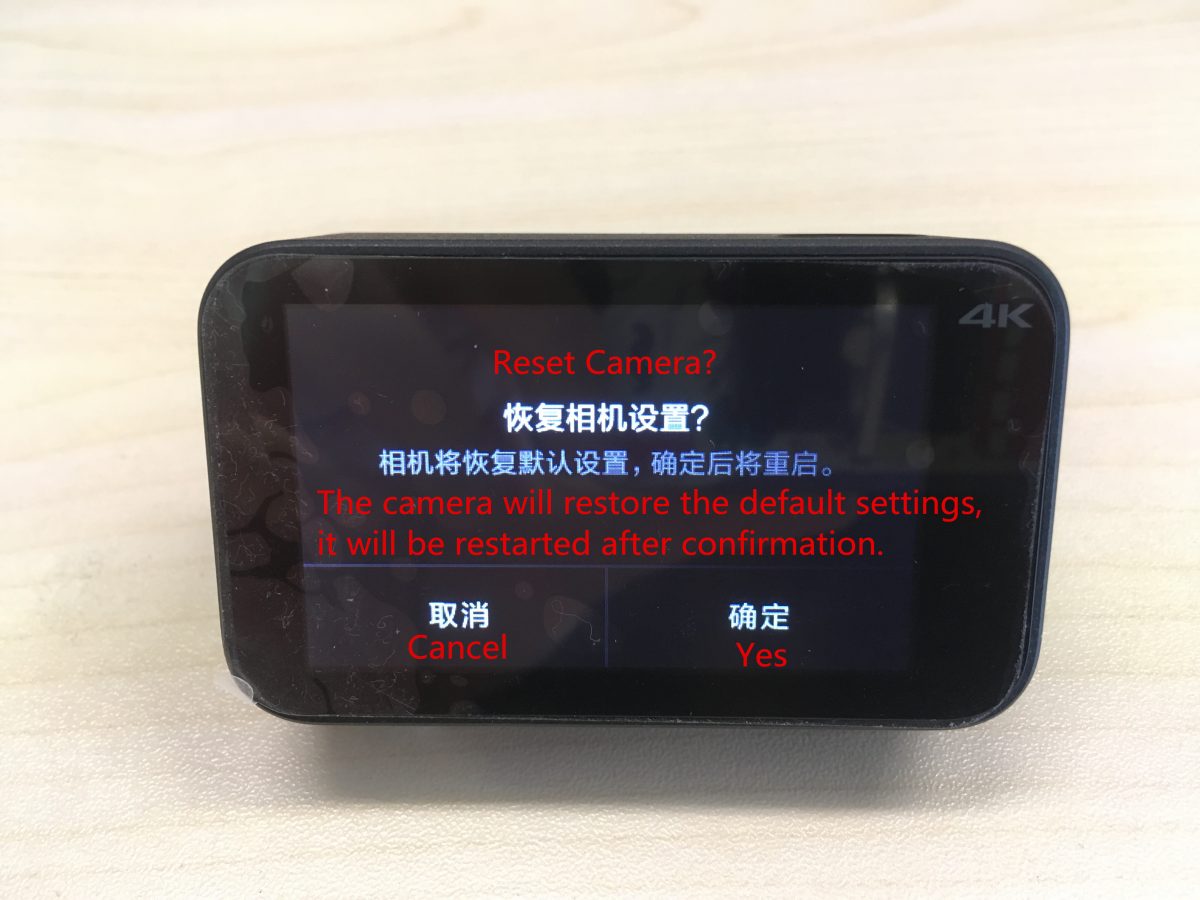
カメラはデフォルト設定を復元します, 確認後に再起動されます.
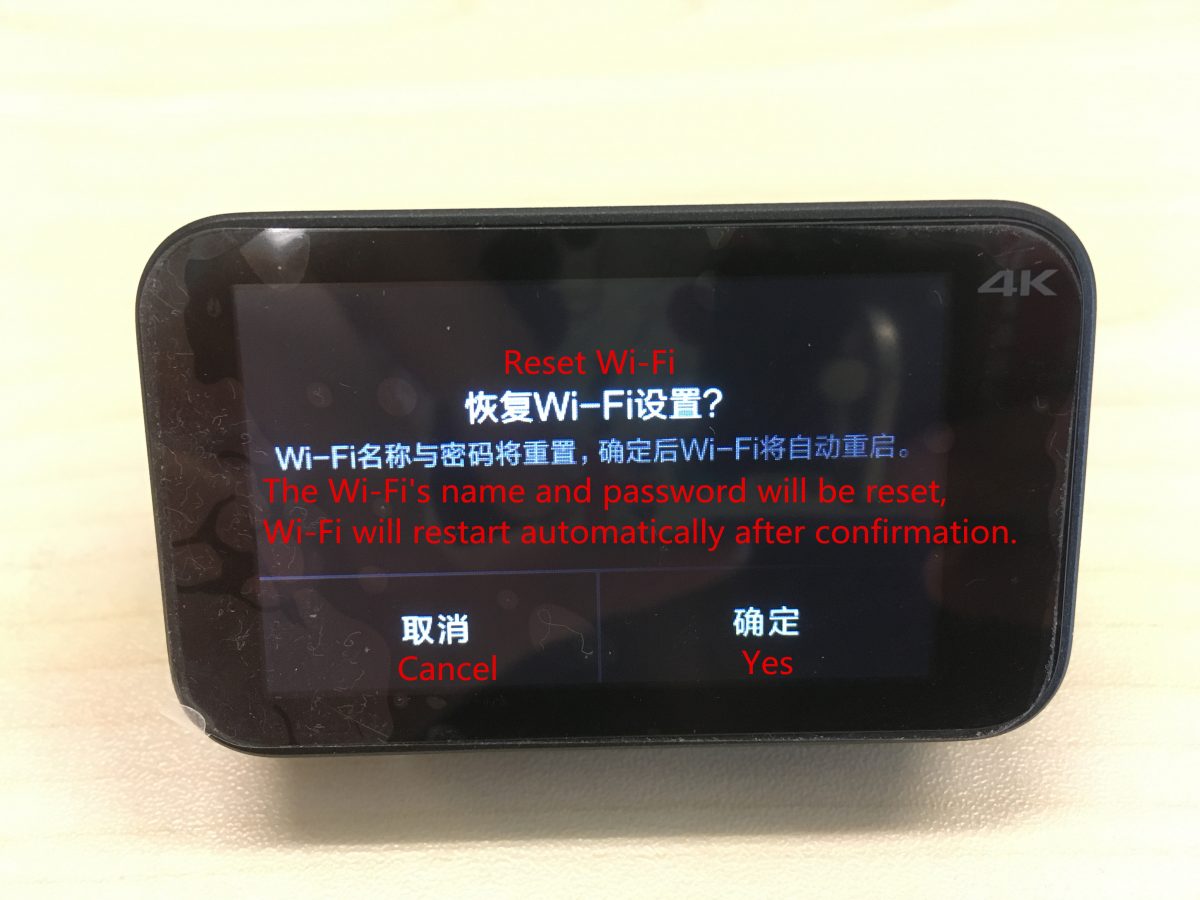
Wi-Fiの名前とパスワードがリセットされます, 確認後、Wi-Fi が自動的に再起動します.
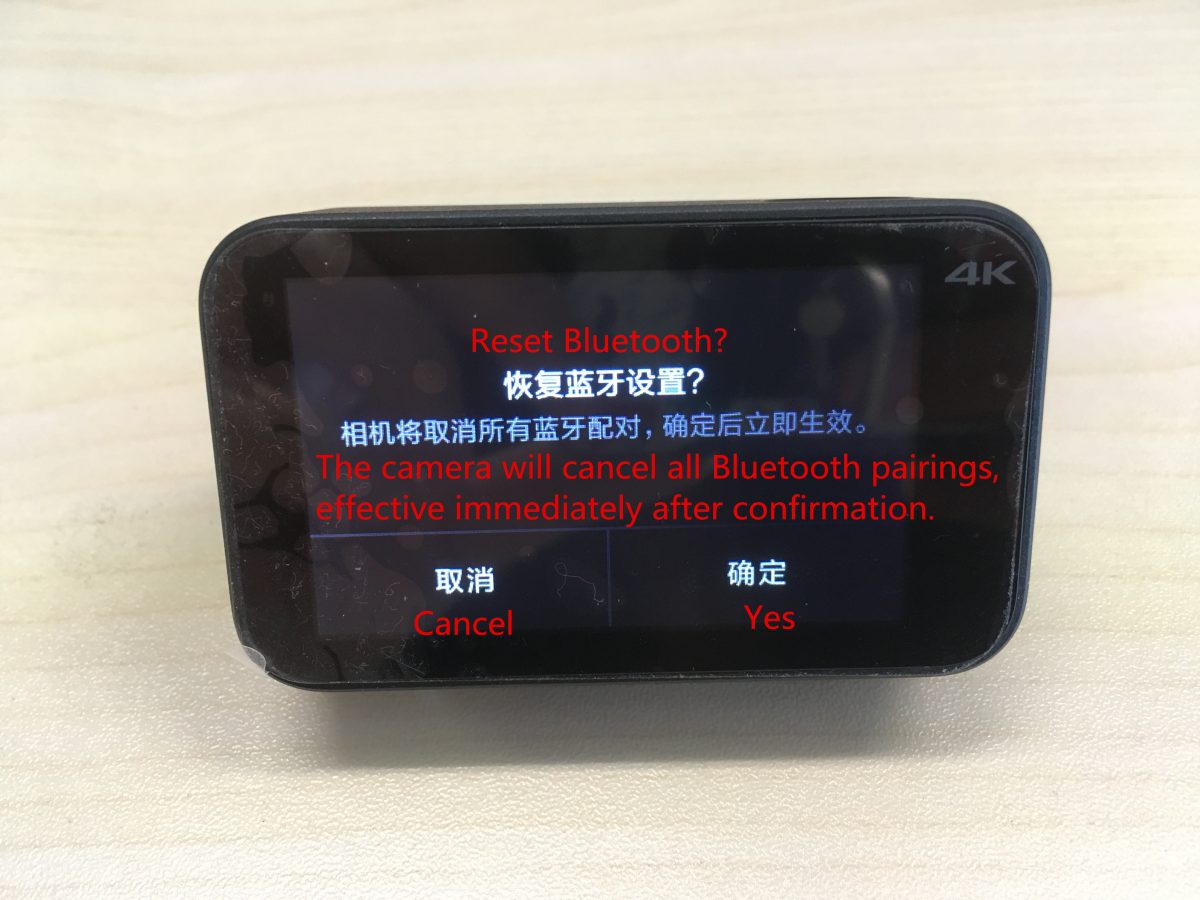
カメラは、その後すべての Bluetooth ペアリングをキャンセルします。, 確認後即時有効.
4. Wi-Fi設定ガイド:
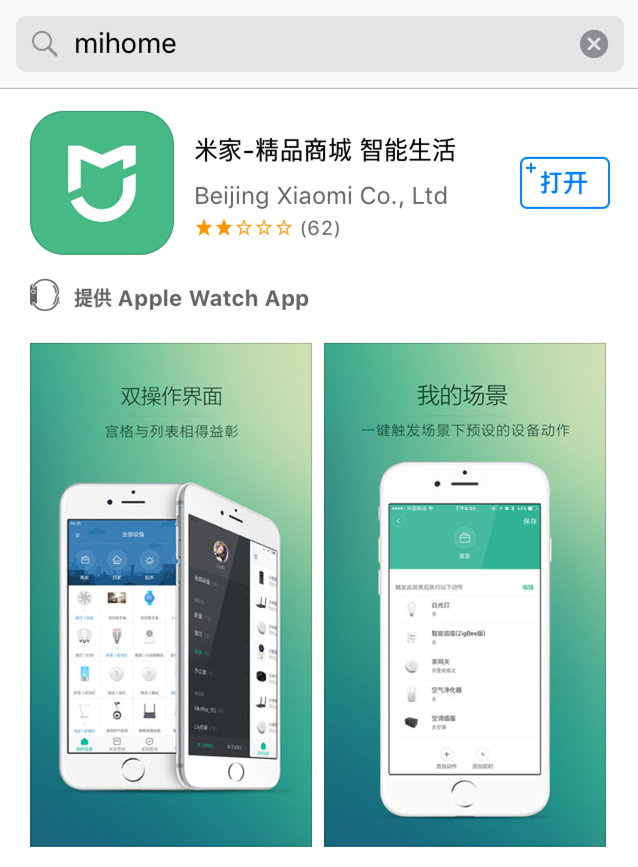
(1) 「ミホメ」で検索” APPストアで、またはユーザーマニュアルのQRコードをスキャンしてAPPをダウンロードしてください.
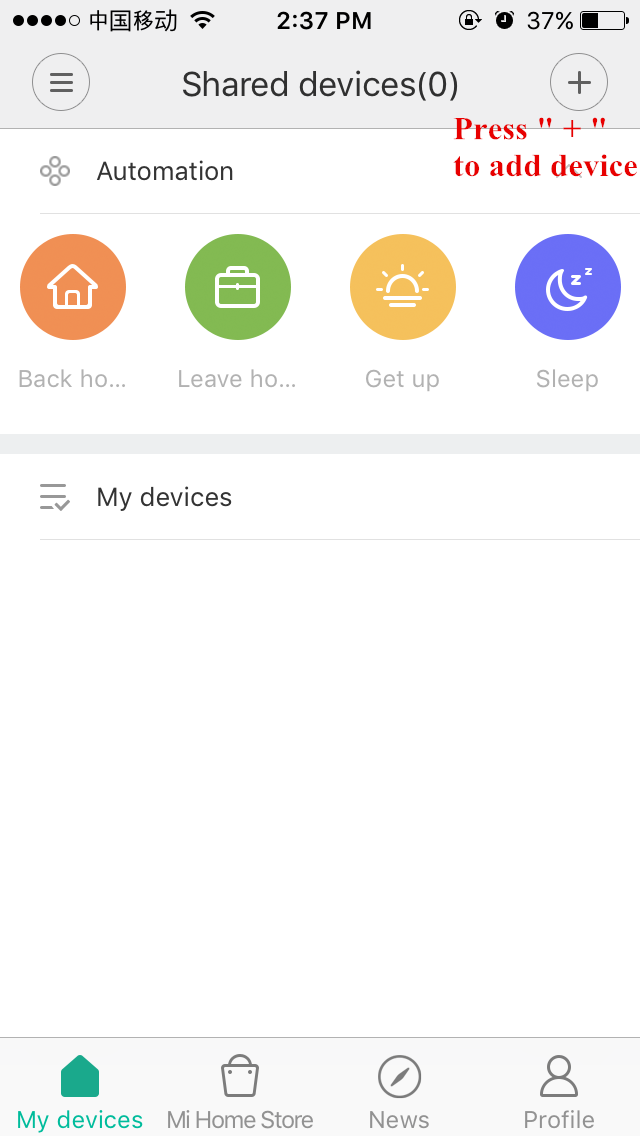
(2) 「+」を押します” デバイスを追加するには.
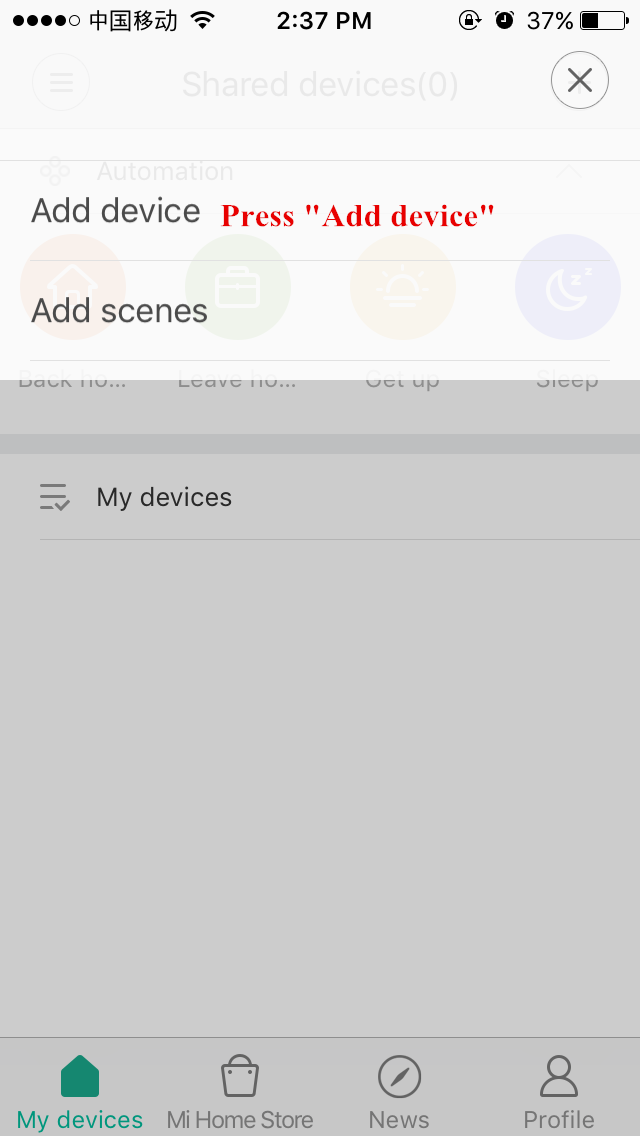
(3) 「デバイスの追加」を押します.
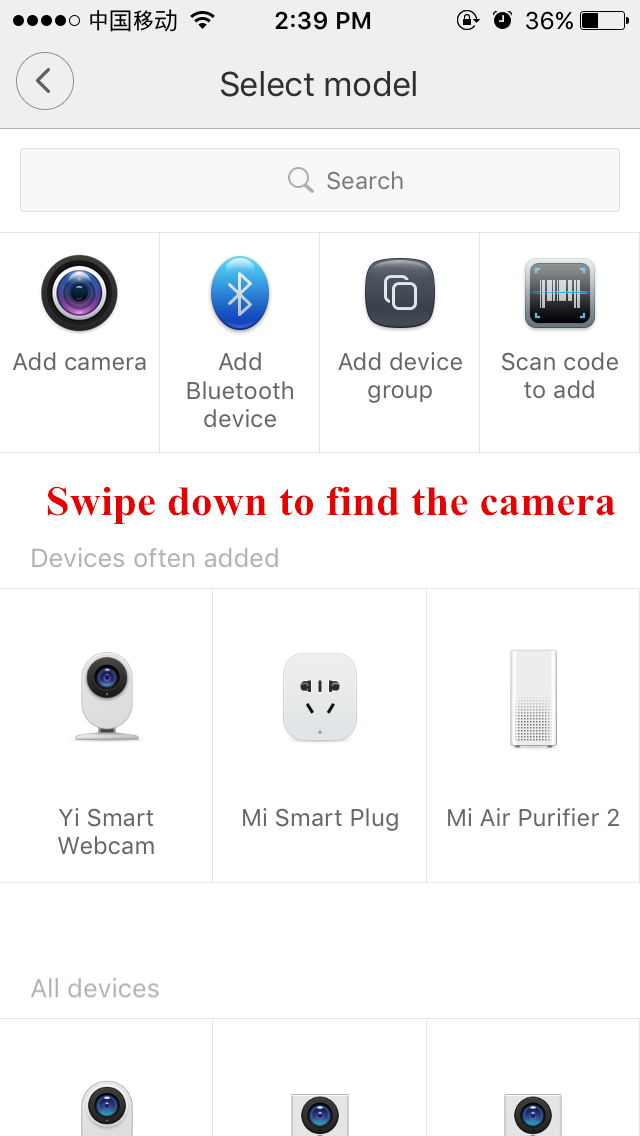
(4) 下にスワイプして Xiaomi アクションカメラに移動します.
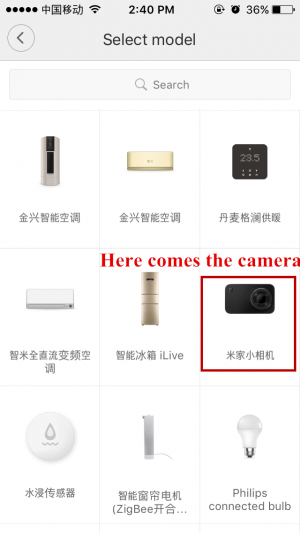
(5) カメラは右中央にあるので押します.
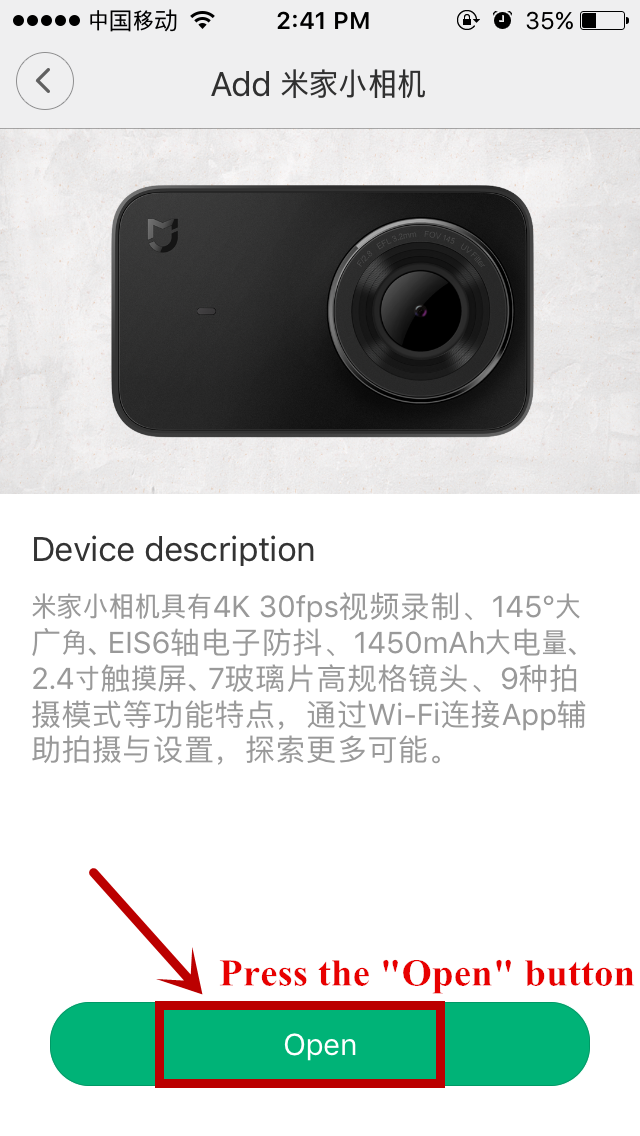
(6) 「開く」を押します” ボタン.
(7) カメラのWi-Fiをオンにする.
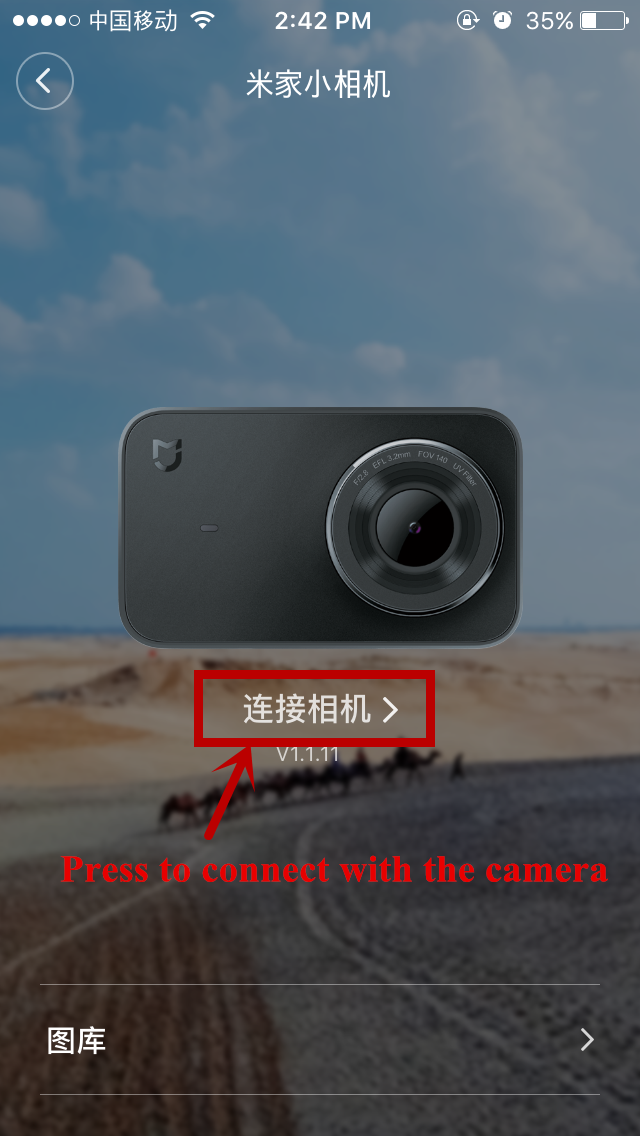
(8) 接続ボタンを押してカメラとAPPの接続を完了します.
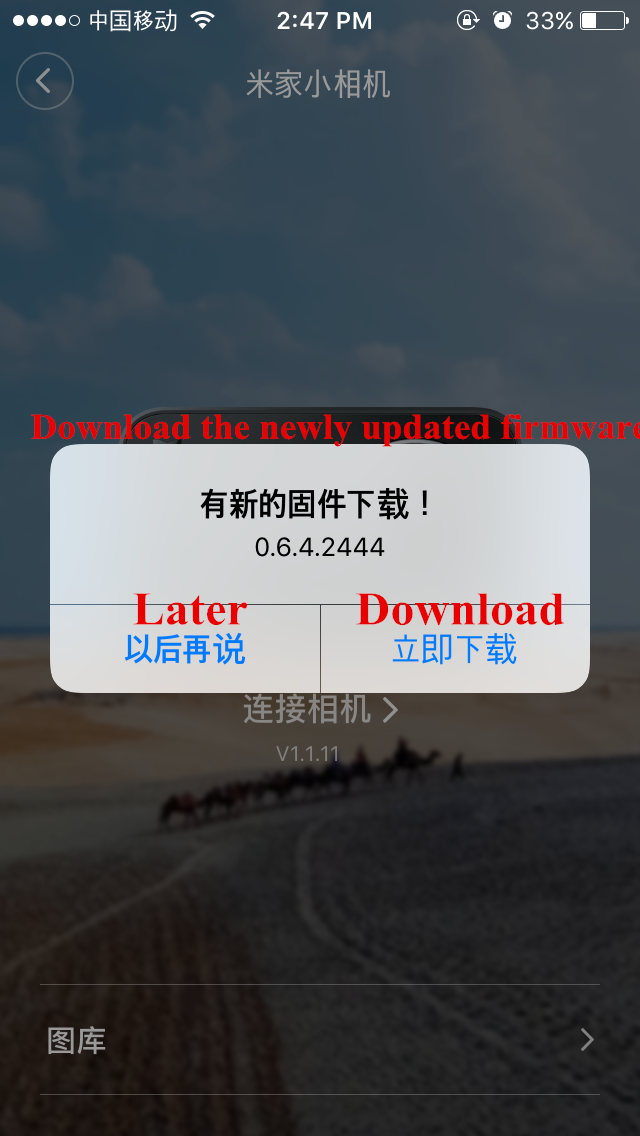
アプリがファームウェアのアップデートを要求する場合, 後でダウンロードするか、すぐにダウンロードするかを選択できます.
5. 操作ガイドの翻訳:
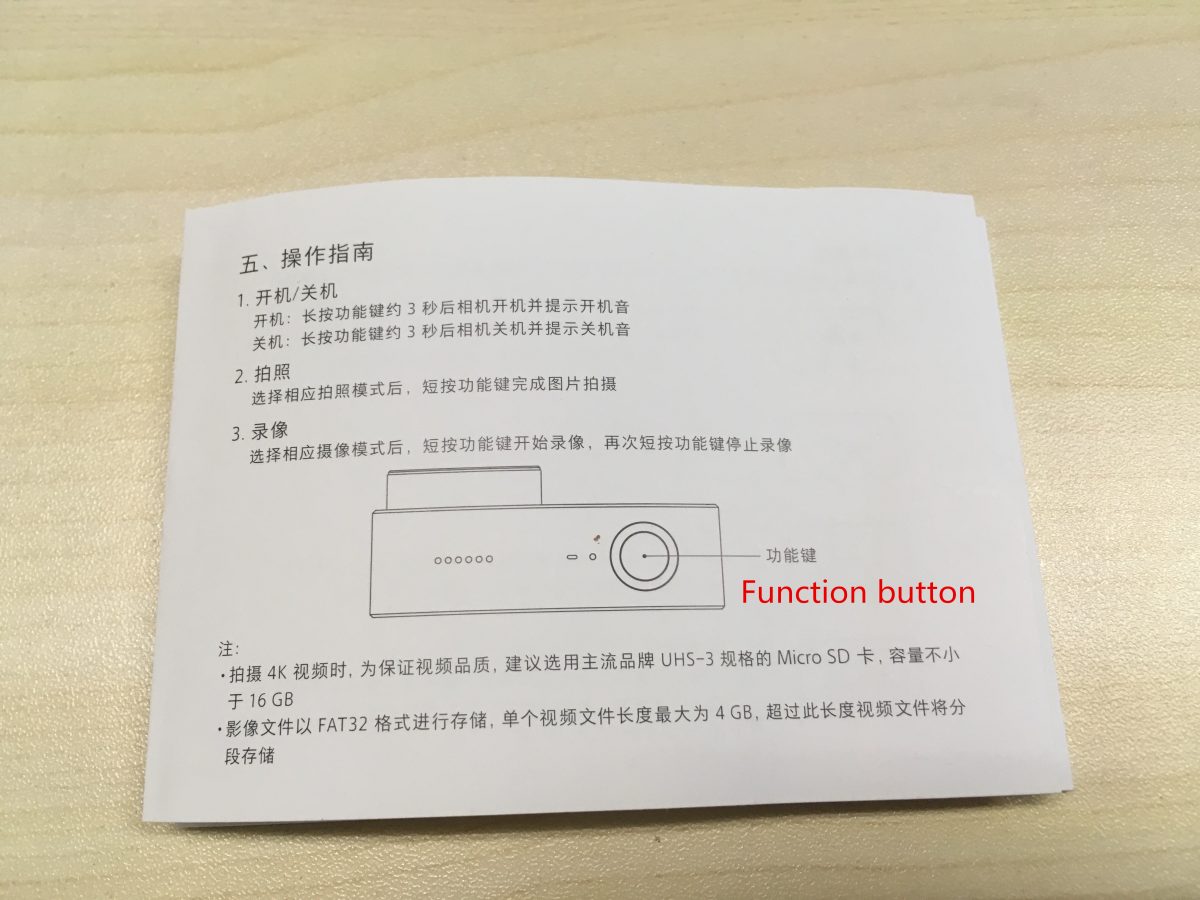
(1) オンにする / オフ
オンにする: ファンクションボタンを約3秒長押しすると電源が入り、電源オン音が鳴ります。.
消す: ファンクションボタンを約3秒間長押しすると電源がオフになり、電源オフ音が鳴ります。.
(2) 写真
対応する撮影モードを選択してください, 機能ボタンを短く押して写真の撮影を終了します.
(3)ビデオ
対応するビデオモードを選択してください, 機能ボタンを短く押してビデオ撮影を開始します, もう一度ファンクションボタンを押すと動画撮影が停止します.
ノート:
* 4K動画撮影時, 16GB以上の容量を持つUHS-3フォーマットのMicro SDカードを使用することをお勧めします。.
* 画像ファイルはFAT32形式で保存されます. 単一ビデオ ファイルの最大長は 4GB です, 4GBを超える動画は別途保存されます.
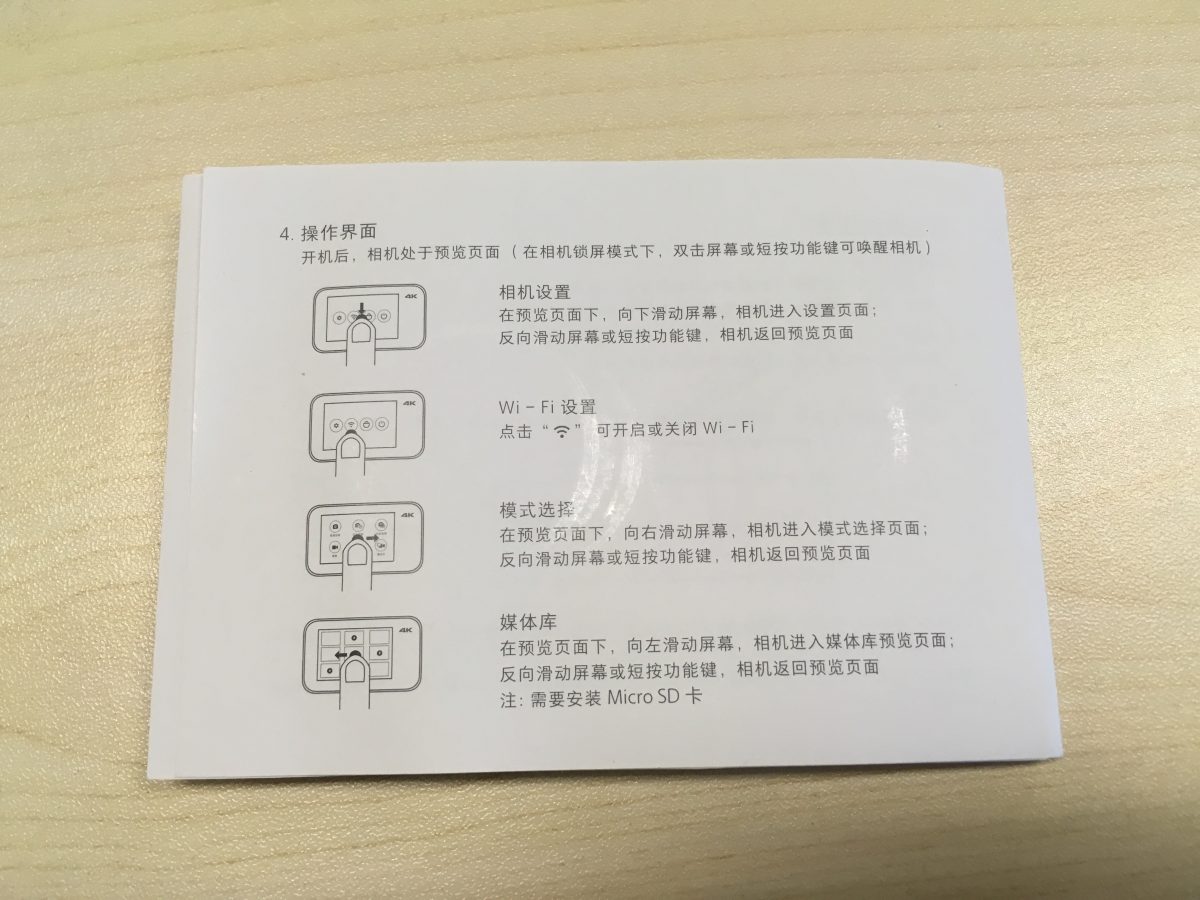
(4) 操作インターフェイス
電源を入れた後, カメラはプレビュー ページに表示されます (ロックモード中, 機能ボタンをダブルクリックまたは短く押すとカメラが起動します)
カメラの設定: プレビューページで, 下にスワイプして設定ページに入ります; 反対方向にスワイプするか、機能ボタンを短く押してプレビュー ページに戻ります.
Wi-Fi設定: Wi-Fi マークを押してオンにします / Wi-Fiをオフにする.
モード選択: プレビューページで, 右側にスワイプしてモード選択ページに入ります; 反対方向にスワイプするか、機能ボタンを短く押してプレビュー ページに戻ります.
メディアライブラリ: プレビューページで, 左側にスワイプしてメディア ライブラリのプレビュー ページに入ります; 反対方向にスワイプするか、機能ボタンを短く押してプレビュー ページに戻ります.
ノート: マイクロSDカードを取り付ける必要があります.
