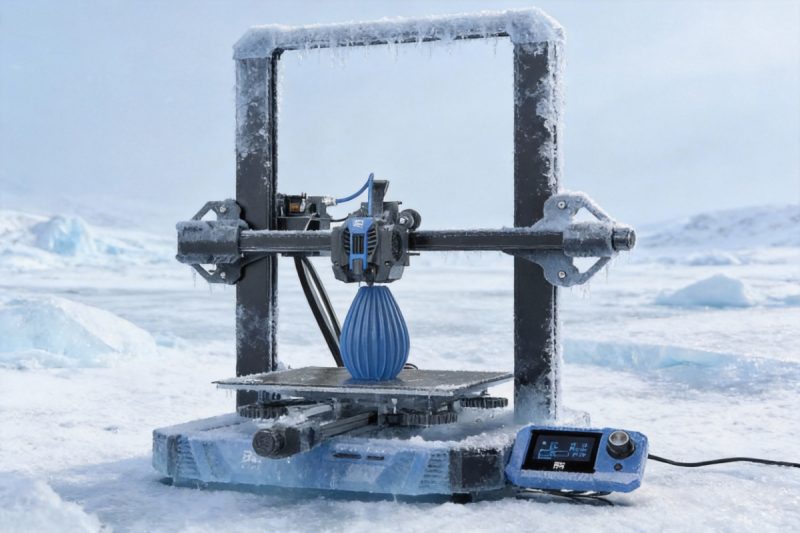
If your printer has suddenly started failing despite unchanged settings, the ambient temperature is the likely culprit. 3D printing in cold weather introduces a hidden variable that disrupts the delicate physics of melting plastic and the chemistry of curing resin. Most desktop 3D printers are designed to operate in a “room temperature” environment (approx. 20°C–25°C / 68°F–77°F). When temperatures drop below this range in garages, basements, or drafty workshops, success rates plummet.
This guide moves beyond theory to diagnose specific winter failure symptoms and provides a decision path from emergency quick fixes to permanent hardware upgrades.
Is It Just Cold? Diagnosing Winter Failures
Before tweaking calibration knobs, confirm that temperature is the root cause. Cold air acts differently on filament extruders than it does on resin vats, creating distinct patterns of failure.
The Red Flags: FDM Symptoms
In Filament Deposition Modeling (FDM), cold air causes rapid, uneven cooling. This thermal contraction leads to geometric instability.
- Warping that defies bed leveling: If the corners of your print curl upward despite a perfect first layer and clean bed, the ambient air is cooling the plastic too fast, causing it to shrink and pull away from the build plate.
- Layer Delamination: Prints may finish but exhibit horizontal cracks or split layers. This happens when a new layer cools so quickly that it cannot chemically bond to the layer beneath it.
- “Thermal Runaway” Errors: If your printer halts and screams an alarm, the heating element might be struggling to maintain temperature against a cold draft, triggering the firmware’s safety shutoff.
The Red Flags: Resin Symptoms
In SLA/MSLA (Resin) printing, temperature dictates viscosity and reaction speed. Cold resin flows like cold honey, making the mechanics of the print difficult.
- “Pancaking”: The print sticks to the FEP film rather than the build plate or supports, leaving a flat, cured blob at the bottom of the vat.
- Brittle Supports & Layer Shifts: Supports may print but are too weak to hold the model, snapping mid-print due to incomplete curing.
- Thickened Resin “Sludge”: At temperatures below 20°C (68°F), resin becomes highly viscous. It fails to flow back under the build plate quickly enough during lift cycles, resulting in missing details or blowouts.
Part I: Saving Your FDM Prints (Filament)
To fix FDM issues, you must reduce the temperature differential between the hot nozzle and the surrounding air.
The “Quick Fix” (Temporary/Low Cost)
If you need to finish a print immediately without buying hardware, focus on isolation and adhesion.
- Draft Shielding: Identify and block cold drafts from windows or doors. In your slicer, enable a “Draft Shield.” This builds a thin wall around your object, sacrificing a small amount of filament to protect the main print from cold air currents.
- The Cardboard Box / Trash Bag Method: For an emergency fix, place a large cardboard box over the printer (ensure it does not touch moving parts or hot components). This traps the heat generated by the bed and nozzle, raising the ambient temp by 5–10°C.
- Material Switching: If possible, switch from temperature-sensitive materials like ABS or ASA to PLA or PETG, which are more forgiving of cooler environments.
The “Permanent Fix” (Active/High Quality)
For consistent winter printing, you must control the environment.
- Enclosures:
- Soft Tents: Flame-retardant, lined fabric tents are the industry standard for stabilizing temperature. They retain heat effectively and protect against dust.
- Hard Enclosures: Acrylic or IKEA Lack table builds offer better visibility and rigidity but may require sealing tape to be truly draft-proof.
- Bed Insulation: Sticking foil-backed foam insulation to the underside of your heated bed helps the printer maintain temperature with less energy, preventing thermal fluctuations.
- Active Heating: In extreme cold (below 10°C/50°F), an enclosure alone may not suffice. A small, thermostat-controlled PTC heater can be added to the enclosure to maintain a steady 25°C.
Part II: Saving Your SLA Prints (Resin)
Resin printing is strictly chemical. If the resin is too cold, the photo-polymerization process slows down, and the fluid dynamics fail.
The “Quick Fix” (Manual/Labor Intensive)
These methods work for single prints but require manual effort every time you print.
- The Warm Water Bath: Before pouring, place your resin bottle in a bowl of warm (not hot) water for 10–15 minutes. Shake well. This temporarily lowers viscosity, helping the initial layers adhere.
- Plate Warming: Use a hairdryer or heat gun to gently warm the metal build plate before leveling and starting the print. A cold plate acts as a heat sink, instantly cooling the initial layers of resin.
- Slicer Tweak: Increase “Rest Time After Retract” (or “Light-off Delay”). This gives the thick, cold resin an extra 1–2 seconds to flow back underneath the build plate before the UV light turns on.
The “Permanent Fix” (Automated/Consistent)
Automating temperature control is the only way to ensure reliability for long prints.
- The “Brewer’s Hack”: Wrap a fermentation heating belt around your resin vat. These are cheap, effective, and often come with a simple temperature dial. They apply heat directly where it is needed—the resin.
- Internal Chamber Heaters: Small, dedicated PTC heaters designed for 3D printers can be placed inside the printer’s UV cover. They heat the air, which in turn warms the resin and the build plate.
- Vat Bands: Some manufacturers now sell silicone heating bands specifically sized for common resin vats (e.g., for Mars or Saturn series printers), offering a cleaner fit than generic brewing belts.
Decision Guide: DIY vs. Pro Solutions
Not every user needs a commercial heating system. Use this table to match your solution to your environment.
Comparison Table: Cost vs. Effort vs. Safety
| Solution | Best For | Cost | Effort | Safety Risk |
|---|---|---|---|---|
| Cardboard Box | Emergency FDM fixes | Free | Low | High (Flammability) |
| Draft Shield (Slicer) | Mild warping issues | Free | Very Low | None |
| Soft Enclosure | Garage FDM setups | $$ | Low | Low (If flame retardant) |
| Fermentation Belt | Resin vats in cold rooms | $ | Medium | Low |
| Active Chamber Heater | Freezing temps / Engineering materials | $$$ | High | Medium (Requires monitoring) |
The Safety Reality Check
Never use a standard household space heater inside a small DIY enclosure. Standard space heaters lack the precision controls needed for small volumes and pose a significant fire hazard if airflow is restricted. Always opt for low-voltage heaters designed for electronics or fermentation belts that apply gentle, contact-based heat. If building a DIY enclosure, ensure all materials (insulation, walls) are flame-retardant.
Summary Checklist: Your Winter Action Plan
If your prints are failing, follow this diagnostic flow:
1. Identify Symptom:
- FDM: Corners lifting? → Drafts/Cooling issue.
- Resin: Prints not sticking/pancaking? → Viscosity/Temp issue.
2. Apply Level 1 Fix:
- FDM: Use a brim and cover the printer (monitor closely).
- Resin: Warm the bottle and increase “Rest Time” in slicer.
3. Upgrade if Necessary:
- If failures persist, install a Soft Enclosure (FDM) or a Vat Heater (Resin).
