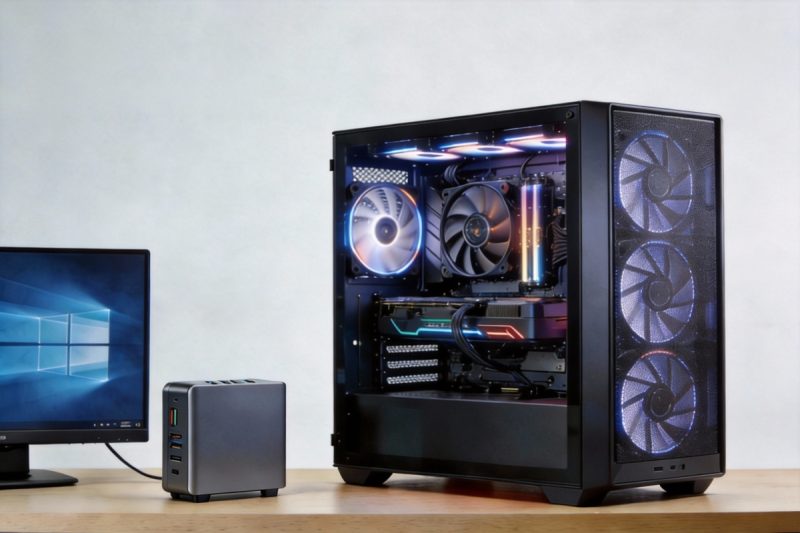
The Mini PC vs Desktop 2026 discussion is no longer centered purely on raw computing power. Instead, it reflects a shift toward efficiency, thermals, and long-term practicality versus maximum upgradeability.
With the maturation of advanced mobile manufacturing nodes and the widespread integration of AI-dedicated silicon such as NPUs, the historical performance gap between Mini PCs and desktop towers has narrowed significantly for mainstream, burst-heavy workloads. For most everyday users, the key question is no longer “Is it fast enough?” but rather “Do I need the physical advantages of a full-size tower?”
This guide evaluates the trade-offs in sustained performance, space, energy consumption, and longevity to help you determine which form factor best fits your actual usage patterns.
Quick Answer: Which Form Factor Fits You?
If you want to skip the technical deep dive, the following decision matrix highlights which form factor aligns best with common user profiles.
| User Profile | Primary Goal | Verdict | Why |
|---|---|---|---|
| Home Office Professional | Silence, focus, video calls | Mini PC | Modern Mini PCs comfortably support multiple displays at 1080p–4K@60Hz depending on port configuration, while keeping noise and desk clutter to a minimum. |
| Competitive Gamer | High FPS (144Hz+) in AAA titles | Desktop | High-refresh-rate gaming often requires GPUs in the 300–400W class, where the airflow and cooling capacity of a tower chassis are decisive. |
| Eco‑Pragmatist | Lower energy bills & noise | Mini PC | Mini PCs typically idle around 10–15W, while high-end desktops with discrete GPUs often idle between 60–100W. Over years of use, the difference is substantial. |
| Creative Specialist | Video editing, 3D rendering | It Depends | Mini PCs are well-suited for shorter edits and proxy workflows, but long, sustained 4K renders favor desktops with higher thermal headroom. |
| Minimalist | Aesthetics & invisible tech | Mini PC | VESA mounting allows the system to disappear behind a monitor, creating an ultra-clean workspace. |
Key Differences: Performance, Space, & Cost
To make an informed purchase, it is essential to understand the following trade-offs.
Performance Ceiling & Thermals (Burst vs. Sustained)
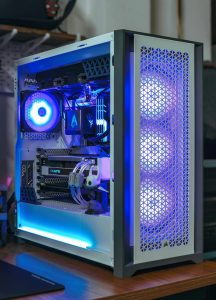
One of the most common concerns around Mini PCs is thermal throttling.
- The Burst Reality: Many modern tasks—launching applications, compiling small projects, loading web pages, or running AI-assisted queries—are burst-oriented. Mini PCs excel here, delivering high boost clocks for short durations and matching desktops in perceived responsiveness.
- The Sustained Wall: Workflows that pin the CPU or GPU at near 100% utilization for extended periods—such as long video renders, complex simulations, or local AI model training—still favor desktop towers. Under sustained loads, Mini PCs will eventually reduce clock speeds to remain within safe thermal limits.
In practice, cooling design and memory bandwidth, not peak CPU specifications alone, often define the real-world performance ceiling of compact systems.
Space & Aesthetics (The Invisible Setup)
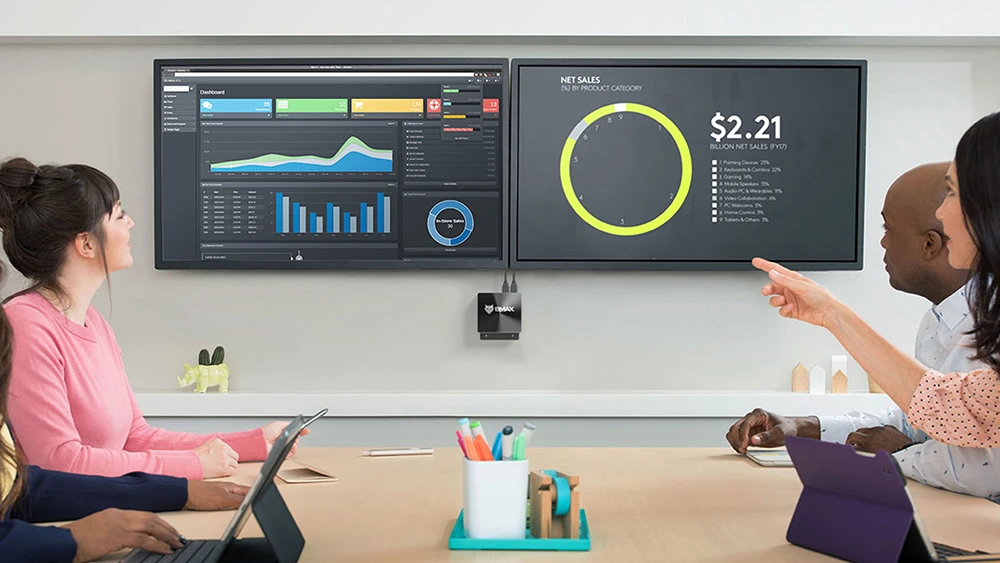
Form factor is often the decisive factor in modern workspaces.
- Mini PC: Most models support VESA mounting, enabling installation behind a monitor or TV. This effectively creates an all-in-one experience while retaining modular components.
- Desktop Tower: A traditional tower occupies roughly 40–50 liters of volume, compared to a Mini PC’s typical 0.5–1 liter footprint. While towers offer visual customization options, they require dedicated desk or floor space.
Energy Efficiency & Power Bills (Total Cost of Ownership)
For users in regions with high electricity costs, energy efficiency directly impacts total cost of ownership.
- Idle Power Draw: Mini PCs commonly idle at 10–15W. By contrast, high-end desktop systems equipped with discrete GPUs frequently idle in the 60–100W range, even when doing no active work.
- Long-Term Impact: Over a 3–4 year lifespan, especially for systems that remain powered on for extended periods, the electricity cost difference can be significant. For always-on home servers or office machines, Mini PCs are often the financially rational choice.
Upgradeability & Longevity (The “Dead End” Risk)
Upgrade paths remain the strongest argument in favor of desktops.
- Desktop Advantage: Nearly all components are replaceable. CPUs, GPUs, storage, cooling, and even the power supply can be upgraded independently, extending system lifespan for many years.
- Mini PC Reality: Most Mini PCs allow only RAM and SSD upgrades. CPUs and GPUs are typically soldered. Emerging standards such as OCuLink and USB4 make external GPUs possible, partially mitigating the limitation, but at the cost of higher expense, reduced bandwidth efficiency, and increased setup complexity.
Who Should Buy a Mini PC in 2026?
A Mini PC is the right choice if efficiency and simplicity outweigh raw horsepower.
- Home Office Professionals: Quiet operation, low heat output, and reliable multi-monitor support without unnecessary power draw.
- Living Room Users: Compact, unobtrusive systems ideal for streaming, media consumption, and light emulation.
- Enterprise and Fleet Buyers: Reduced desk space requirements and lower long-term energy costs across large deployments.
Who Should Stick to a Desktop Tower?
A desktop tower remains the optimal solution when sustained performance and customization are mission-critical.
- High-End Gamers: 1440p or 4K gaming at high refresh rates benefits from powerful GPUs and robust cooling.
- Hardware Enthusiasts: Users who enjoy incremental upgrades, custom cooling, and component-level control.
- Heavy Creatives: Professionals whose income depends on render times and sustained compute throughput.
The Verdict: Choosing Your 2026 Setup
The perception of the Mini PC as a weak compromise is outdated. For many office workers, general users, and efficiency-focused setups, Mini PCs offer an excellent balance of performance, space savings, and energy efficiency.
Desktop towers continue to dominate scenarios that push hardware to its physical limits—particularly high-end gaming and prolonged professional workloads. The optimal choice ultimately depends on whether your daily computing demands are burst-oriented or sustained, and whether efficiency or expandability is your top priority.
Frequently Asked Questions (Mini PC vs Desktop)
Do Mini PCs last as long as desktops?
Component durability is comparable. However, limited upgrade options mean Mini PCs may become obsolete sooner for high-end tasks compared to desktops where major components can be replaced.
Can I play AAA games on a Mini PC in 2026?
Yes, with caveats. Integrated GPUs can generally handle AAA titles at 1080p on low to medium settings. Higher resolutions and refresh rates still favor desktops or Mini PCs with dedicated mobile GPUs.
Are Mini PCs cheaper to run?
In most cases, yes. Due to their mobile-oriented architectures, Mini PCs typically consume 50–80% less energy than high-end desktop systems for everyday workloads, resulting in noticeable savings over time.
