




- Shipping Company Estimated Delivery Time Shipping Cost
Trusted Shipping Partners:  and more

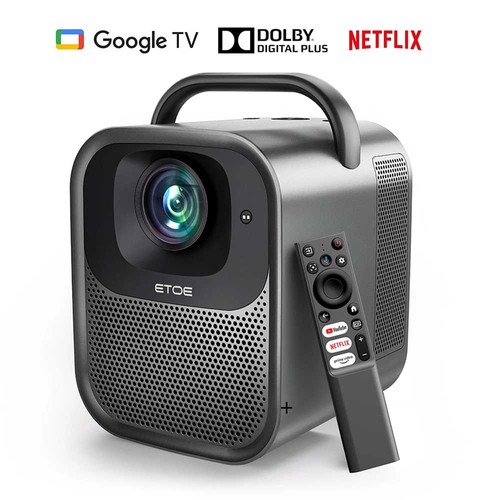
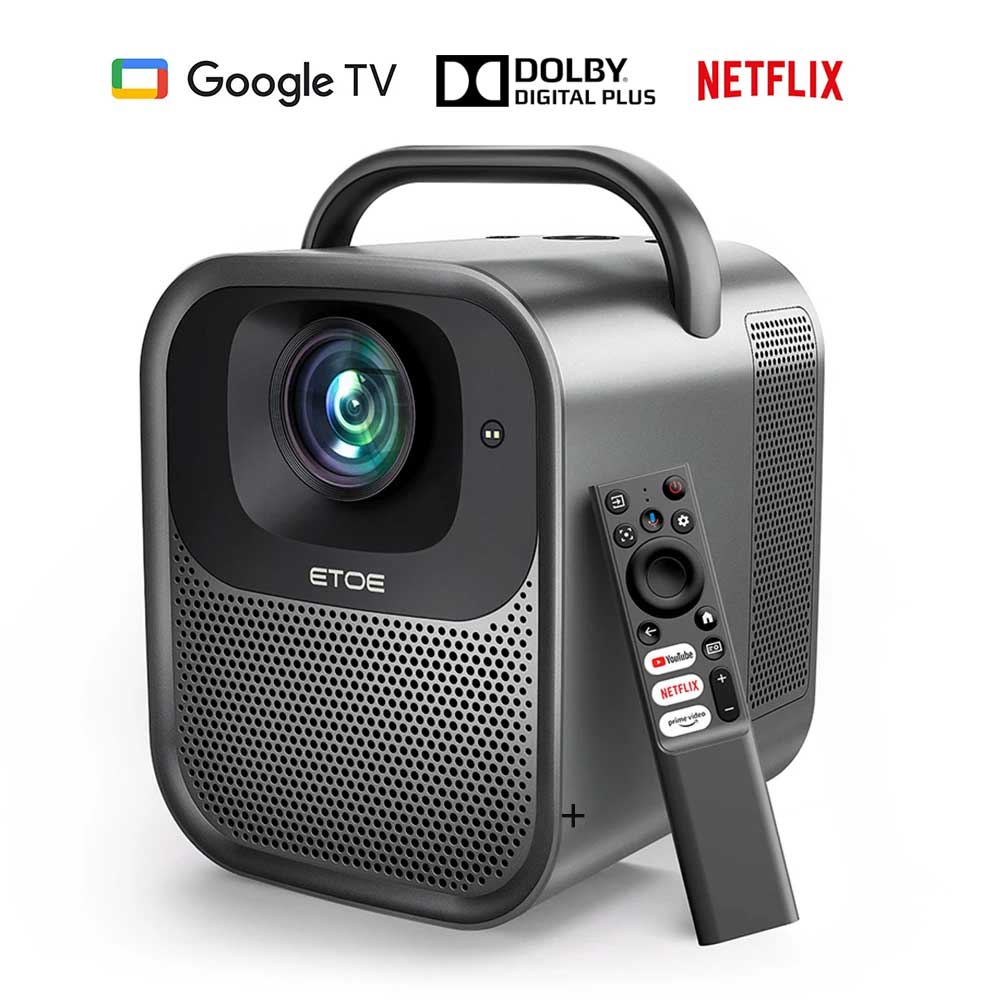

![[Upgraded Edition] ETOE Seal Pro 1300 ANSI 1080P Projector – Netflix & Google TV Certified, Dolby Audio, Auto Focus, 2 x 10W Speaker](http://static.gkbcdn.com/V1.4/en/images/transparent.png)
Product Summary
The ETOE Seal Pro Projector is a smart home entertainment projector for people who want a plug-and-play, wireless experience for movies, streaming, and casual gaming in everyday rooms. It delivers native 1080P (1920×1080) picture quality with 1300 ANSI lumens brightness and supports 4K decoding for sharper playback on compatible content. It also includes built-in Google TV for apps like Netflix, YouTube, Prime Video, Disney+, and more, plus auto focus and auto keystone correction to keep the image aligned, with 50%–100% digital zoom for screen filling. The combination of 1080P native performance, 1300 ANSI light output, and integrated smart OS positions it as an entry-to-mid tier home projector aimed at mainstream living-room use rather than professional installation. Reliability is supported by a fully sealed optical engine for dust protection, a guaranteed service life of over 30,000 hours, and convenient everyday compatibility with 2.4G/5G dual-band Wi‑Fi for stable wireless projection.
Key Facts Table
| Attribute | Specifications |
|---|---|
| Brightness | 1300 ANSI Lumens |
| Native Resolution | 1920 × 1080 (1080P) |
| Operating System | Google TV 3.0 (Netflix Built-in) |
| RAM + ROM | 2GB + 16GB |
| Projection Size | 45–120 Inches |
| Auto Focus & Keystone Correction | Auto Focus, ±40° Auto Keystone Correction, Digital & 4-Point Keystone Correction |
- 1300 ANSI lumens brightness supports clear everyday picture performance for ETOE Seal Pro.
- 1920 × 1080 (1080P) native resolution keeps image details sharp for full-HD content.
- Google TV 3.0 with Netflix built in enables direct streaming of popular apps without external devices.
- 2GB RAM + 16GB ROM offers practical capacity for installed apps and local content for smooth normal use.
- 45–120 inch projection size range enables flexible screen sizing across different room layouts and viewing distances.
- Auto focus plus ±40° auto keystone correction speeds up image alignment when the projector is angled.
- Digital keystone correction with 4-point correction improves corner-by-corner alignment when the unit isn't perfectly level.
Highlights
Native 1080P & 1300 ANSI, 4K Decoding
The ETOE Seal Pro Projector boasts a native resolution of 1920*1080 and a brightness of 1300 ANSI lumens, delivering vibrant, breathtaking, and vibrant visuals.
Built-in Google TV system
The ETOE Seal Pro Projector features a built-in authorized Google TV system, which allows you to watch a wide range of content such as Netflix, HBO, YouTube, Prime video, Disney+, etc., and cooperates with Google play and Google Assistant intelligent voice interaction to simplify operations and enjoy entertainment.
Auto Focus, Auto Keystone Correction
The ETOE Seal Pro Projector offers convenient auto focus and auto keystone correction features, allowing for easy customization using the remote control. Enjoy projecting a square, stable, and clear image from various angles. With 50% to 100% digital zoom, effortlessly fill the screen with your desired image.
Powerful Stereo Speakers & Extendable Sound
The ETOE Seal Pro Projector features 2*10W dual speakers that deliver immersive theater sound. It offers a range of sound effects modes, including standard mode, movie mode, and music mode, and the ability to create custom user-defined modes.
2.4G & 5G Dual-band Wi-Fi Wireless Projection
The ETOE Seal Pro Projector supports seamless wireless screen projection for Android, IOS, PC, and other devices connected to the same network with just one click. Enjoy the convenience of sharing the screen with the same size and free sharing capabilities. With dual-band Wi-Fi (2.4G & 5G), it is compatible with 99% of routers available in the market, offering faster speed and a more stable connection.
Dust Proof and Long Lifetime
One of the standout features of the ETOE Seal Pro Projector is its integrated fully sealed optical engine. This innovative design protects the projector's core components from external dust, ensuring that there are no black spots on the projection. With no maintenance required for many years, this projector boasts a guaranteed service life of over 30,000 hours.
ETOE Seal Pro
Google TV Projector with Netflix Certified
![[Upgraded Edition] ETOE Seal Pro 1300 ANSI 1080P Projector – Netflix & Google TV Certified, Dolby Audio, Auto Focus, 2 x 10W Speaker](http://img.gkbcdn.com/s3/d/202510/04bb4bc3-1ac4-4de6-a9b2-ea51fc602f1e.jpg)
Google TV, Auto Focus, Auto Keystone, 1300 ANSI Lumens, Native 1080P
45"-120" Projection, 5G Wi-Fi & 5.1 Bluetooth, Dustproof Technology, 160000 Hours Lifespan
Chromecast built-in, 20W Speakers
![[Upgraded Edition] ETOE Seal Pro 1300 ANSI 1080P Projector – Netflix & Google TV Certified, Dolby Audio, Auto Focus, 2 x 10W Speaker](http://img.gkbcdn.com/s3/d/202510/b84b3d80-1911-47ad-b85b-23c9d7f071bf.jpg)
Google Assistant Voice Control
![[Netflix & Google TV Certified] ETOE Seal Pro 1000 ANSI LCD Projector, Native 1080P, Dolby Audio Certified, Auto Focus. Auto Keystone Correction, 2*10W Speakers, Built-in Chromecast, Google Assistant](http://img.gkbcdn.com/s3/d/202410/b3e22be7-6dd4-46b8-a33a-deeb061892b7.jpg)
Google TV
Google TV brings together movies, shows, and more from all your apps and subscriptions in one place.
![[Netflix & Google TV Certified] ETOE Seal Pro 1000 ANSI LCD Projector, Native 1080P, Dolby Audio Certified, Auto Focus. Auto Keystone Correction, 2*10W Speakers, Built-in Chromecast, Google Assistant](http://img.gkbcdn.com/s3/d/202410/1dbd54c2-a1a3-4dc9-b9a9-77bb28c3b290.jpg)
1300 ANSI Lumens
Native 1080P, 4K Decoding, HDR Decoding
![[Upgraded Edition] ETOE Seal Pro 1300 ANSI 1080P Projector – Netflix & Google TV Certified, Dolby Audio, Auto Focus, 2 x 10W Speaker](http://img.gkbcdn.com/s3/d/202510/e38248fd-7b6e-4eeb-8461-da52063d6ef8.jpg)
Built-in DOLBY DIGITAL·PLUS
Immersive Audio Experience
![[Netflix & Google TV Certified] ETOE Seal Pro 1000 ANSI LCD Projector, Native 1080P, Dolby Audio Certified, Auto Focus. Auto Keystone Correction, 2*10W Speakers, Built-in Chromecast, Google Assistant](http://img.gkbcdn.com/s3/d/202410/9ab2af77-da0d-45b7-90da-8ce6cacac49d.jpg)
Auto Focus & Keystone Correction
1-second Auto-focus
![[Netflix & Google TV Certified] ETOE Seal Pro 1000 ANSI LCD Projector, Native 1080P, Dolby Audio Certified, Auto Focus. Auto Keystone Correction, 2*10W Speakers, Built-in Chromecast, Google Assistant](http://img.gkbcdn.com/s3/d/202410/b627d56d-5a7c-46ed-adda-e9d2c273e032.jpg)
5G Wi-Fi Fast Speed & 5.1 Bluetooth
![[Netflix & Google TV Certified] ETOE Seal Pro 1000 ANSI LCD Projector, Native 1080P, Dolby Audio Certified, Auto Focus. Auto Keystone Correction, 2*10W Speakers, Built-in Chromecast, Google Assistant](http://img.gkbcdn.com/s3/d/202410/5db18f66-ccf0-46ca-af10-95123fade5f1.jpg)
Customizable Sound Modes
Sound patterns tailored for you
Standard Mode, Music Mode, Movie Mode, Personal
![[Netflix & Google TV Certified] ETOE Seal Pro 1000 ANSI LCD Projector, Native 1080P, Dolby Audio Certified, Auto Focus. Auto Keystone Correction, 2*10W Speakers, Built-in Chromecast, Google Assistant](http://img.gkbcdn.com/s3/d/202410/ef3f40e4-2f60-4490-885a-605356c10229.jpg)
A variety of ports to connect any device.
DC, USB, HDMI, IR, AUX
![[Netflix & Google TV Certified] ETOE Seal Pro 1000 ANSI LCD Projector, Native 1080P, Dolby Audio Certified, Auto Focus. Auto Keystone Correction, 2*10W Speakers, Built-in Chromecast, Google Assistant](http://img.gkbcdn.com/s3/d/202410/52adbcc0-495f-49be-b4e4-f19b98e5d567.jpg)
Cast any content, apps, and movies directly.
Built-in Chromecast
![[Netflix & Google TV Certified] ETOE Seal Pro 1000 ANSI LCD Projector, Native 1080P, Dolby Audio Certified, Auto Focus. Auto Keystone Correction, 2*10W Speakers, Built-in Chromecast, Google Assistant](http://img.gkbcdn.com/s3/d/202410/0586fac2-10f3-4706-a4a1-a96bc45f427a.jpg)
Made to Last Longer
Full-sealed optical engine
![[Netflix & Google TV Certified] ETOE Seal Pro 1000 ANSI LCD Projector, Native 1080P, Dolby Audio Certified, Auto Focus. Auto Keystone Correction, 2*10W Speakers, Built-in Chromecast, Google Assistant](http://img.gkbcdn.com/s3/d/202410/725fa0eb-dc15-40e2-8201-e784a34e1505.jpg)
Portable Handle & Carry Anywhere
![[Netflix & Google TV Certified] ETOE Seal Pro 1000 ANSI LCD Projector, Native 1080P, Dolby Audio Certified, Auto Focus. Auto Keystone Correction, 2*10W Speakers, Built-in Chromecast, Google Assistant](http://img.gkbcdn.com/s3/d/202410/e706f945-8166-4c9e-90e2-4ba665c75f36.jpg)
NETFLIX Officially Certified Home Projector
![[Netflix & Google TV Certified] ETOE Seal Pro 1000 ANSI LCD Projector, Native 1080P, Dolby Audio Certified, Auto Focus. Auto Keystone Correction, 2*10W Speakers, Built-in Chromecast, Google Assistant](http://img.gkbcdn.com/s3/d/202410/416de1c5-25db-4bbd-997e-cfff9aaaa793.jpg)
Pros & Considerations
Pros
- Native 1080P resolution and 1300 ANSI brightness deliver sharp and bright images with good contrast for movies, sports, and everyday entertainment.
- Google TV 3.0 provides convenient access to popular streaming apps, including Netflix, YouTube, Prime Video, and Disney+.
- Auto focus and auto keystone correction make it easy to achieve a sharp and properly aligned image from different projection positions.
- Dual 10W speakers deliver clear built-in stereo sound for an enjoyable viewing experience without requiring external speakers.
- Dual-band 2.4GHz and 5GHz Wi-Fi support wireless screen mirroring and provide flexible and stable connectivity.
- The fully sealed optical engine helps reduce dust intrusion and supports a rated LED lifespan of up to 30,000 hours.
Considerations
- 4K decoding is supported, but the native resolution is 1080P, so it does not provide the same level of detail as a native 4K projector.
- Built-in dual 10W speakers offer convenient audio for regular viewing, while a dedicated soundbar or speaker system can provide a more immersive cinematic experience.
- Sealed optical construction minimizes dust exposure and reduces maintenance needs, while users who prefer easy internal access for DIY cleaning may favor a different optical design.
FAQ
I usually watch movies at night, but my room isn’t always completely dark. Will the picture still look good?
Yes. With native 1080P resolution and 1300 ANSI brightness, it delivers a clear and bright picture for everyday home entertainment. For the best results, dim the lights or close the curtains when there is noticeable ambient light.
Is it easy to set up if I move the projector around?
Yes. Auto focus and auto keystone correction make setup quick and easy, helping you get a sharp and properly aligned image without lots of manual adjustments. The 50%–100% digital zoom also lets you adjust the image size to suit your setup.
Can I watch Netflix and other streaming services without an extra TV box?
Yes. Google TV 3.0 is built in, so you can access popular streaming services such as Netflix, YouTube, Prime Video, and Disney+ directly from the projector.
I’m not very familiar with projectors. Is this one easy to use?
Yes. Google TV 3.0 provides a familiar smart TV-style interface, while Google Assistant makes it easier to search for content and control the projector with voice commands. Auto focus and auto keystone also make setup easier.
Can I cast content from my phone or laptop without using an HDMI cable?
Yes. Dual-band 2.4GHz and 5GHz Wi-Fi support wireless screen mirroring, allowing compatible Android, iOS, and PC devices to connect without an HDMI cable.
Will it work with my existing Wi-Fi router?
It supports both 2.4GHz and 5GHz Wi-Fi, giving you more flexibility when connecting to your home network and helping maintain a stable wireless connection.
Can I make the picture smaller without moving the projector?
Yes. The 50%–100% digital zoom lets you adjust the image size without changing the projector’s position, which is especially useful in smaller rooms.
Are the built-in speakers good enough for watching movies?
Yes. Two 10W speakers provide convenient built-in stereo sound for everyday movies, shows, and sports. An external sound system can be added if you want a more powerful home-theater audio experience.
Do I need to clean the projector frequently because of dust?
The fully sealed optical engine helps keep dust away from the internal optical components, reducing the chance of dust-related image problems. The LED light source is also rated for up to 30,000 hours of use.
Final Overview
| Basic Specs | Details |
|---|---|
| CPU & GPU | MT 9630 & Mali G52 |
| Screen Mirroring | Chromecast, Airplay (ATV Version) |
| Contrast Ratio | 3000:1 |
| Aspect Ratio | Default 16:9, optional 16:10 / 4:3 |
| Throw Ratio | 1.22:1 |
| Projection Distance | 1.2~3.3m |
| Speaker | 2*10W |
| Uniformity | 85% |
| Focus Mode | Auto Focus & Digital Focus |
| Projection Ways | Front / Desk / Rear / Ceiling Mounted |
| Zoom | 50%~100% |
| WiFi | 2.4G & 5G |
| Interface | 1 x USB; 1 x HDMI 1.4; 1 x AV & Audio Out; 1 x 24V DC in |
| lmage System | 4.4 inch Single LCD (Full Sealed & Dustproof Light Engine) |
| Light Source | LED |
| Lamp Life | 30,000 hours (Standard Mode) |
| Power & Voltage | AC 100-240V / 50-60hz |
| Power Consumption | 180W(Max) |
| Bluetooth Remote | Support |
| Weight and Size | Details |
|---|---|
| Product Weight | 4.7kg |
| Package Weight | 6.5kg |
| Product Size(L x W x H) | 25.7×19.2×17.8cm |
| Package Size(L x W x H) | 35×40×45cm |
| Package Contents | Details |
|---|---|
| 1 x | Projector |
| 1 x | Adapter |
| 1 x | Power Cable |
| 1 x | Remote Control |
| 1 x | User Manual |
Bottom Summary
ETOE Seal Pro is best suited for home users who want a plug-and-watch projector for everyday movie nights and streaming, without spending time on complex setup. Native 1080P output with 1300 ANSI brightness helps deliver clear, vivid images, while the built-in Google TV system makes it straightforward to access services like Netflix, YouTube, Prime Video, and Disney+ and control playback with voice. Auto focus and auto keystone correction reduce the need for perfect placement, and dual-band Wi‑Fi supports smoother wireless casting. Overall, it’s a practical choice for people prioritizing convenient smart entertainment over maximum throw flexibility and premium imaging performance.
Videos
Customer Photos
![[Upgraded Edition] ETOE Seal Pro 1300 ANSI 1080P Projector – Netflix & Google TV Certified, Dolby Audio, Auto Focus, 2 x 10W Speaker](http://static.gkbcdn.com/V1.4/en/images/load_empty.png)
Customer Videos
Customer Reviews
Questions & Answers
FAQ
Can I connect to the Bluetooth speaker while on the Android TV system?
Yes. You can connect to the Bluetooth headsets/speakers by the steps below: enter the Android TV page>> Settings>Add Accessories. However, The projector system doesn't support Bluetooth connection.
Do I need to keep updating the system?
Please upgrade to the latest version to reduce the fan noise
You can download the upgrade file at the link below: https://delivery.shopifyapps.com/-/003c857637ecdc3a/641ab49759de541b.
Please also follow the video to upgrade it:
Can I use Netflix? I want to cast videos directly to the projector.
It has pre-installed certified Netflix. You can watch it on the Android TV system or cast videos directly on the projector.
Can I mirror iPhone to the projector?
Yes. You can mirror it from your iPhone by downloading the App Airscreen.
Can I mirror the laptop to the projector?
Yes. You can mirror via Google Chrome.
Wifi network can't be found. How do I connect to wifi?
Normally, the problem happens while using VPN or the Internet is unstable. Even if it tells you that wifi has no internet access, you can still connect to the Internet. You can test on Youtube if you can still watch videos.
Let's do the below steps first to see if the problem can be solved.
Go to your Android TV system first to fix it; -Go to Settings>Network &Internet and Choose your connected Network. -Check if the "Signal Strength" is showing "Good."
If the "Signal Strength" is not showing "Good.", fix the Wi-Fi issue first.
Check the Router with other devices. If other devices also have network problems, restart the Router again.
Keep your Router near the projector;
Forget the projector Wi-Fi and reconnect;
If you are using a proxy on the WIFi or projector, try not to use it as it will influence the Network.
Ensure the firmware of the Android TV is up to date.
Open Settings on the Android TV;
Click Device Preferences>About>System Update;
If there are new software updates available, the Download button will appear;
Download and follow the instructions on the screen.
If the problem is still not solved, check if you get this message on the screen when you can't connect to the Wi-Fi: "Wi-Fi has no Internet access.
Go to Settings>Device Preferences>Date & Time;
Make sure that the option on " Automatic date & time" is Use network-provided time and that the "Set date" and "Set time" show the right date & time;
If the time & date is not correct, change the "Automatic date & time" to "off", and set them manually.
I've broke my remote. Can I use the projector with keyboard?
If your remote is broke/defective, please contact us for a new one. If you need to control the projector right now without the remote, you can try the following ways.
- Plug in the keyboard to the projector with a USB connection.
- Click "up,down,left,right" key to navigate on the the menu, and press the "enter" key to confirm.Click "esc" key to go to the previous menu page.
- If you need to go to the projector Settings, click "F11" key. If you need to return to the Android TV system, click " Return" on the projector's menu control.
- The Android TV system can also be controlled by the virtual remote on your phone or tablet. Download Google TV or Google Home APP on an iOS device; Download Android TV or Google TV APP on an android device.
I can no longer use the volume buttons. Pressing the RIGHT button increases the volume while pressing the LEFT button decreases it.
Plug in the Keyboard to the USB port, and use it to control the projector. (Click the "up, down, left, right" key to navigate on the menu, and press the "enter" key to confirm. Click the "Home" key to go back to the Homepage of the projector.)
Enter the ATV homepage»Settings»TV Settings»HDMI CEC»turn on the CEC switch, and the remote control can control the projector normally.
Tip for Smooth Functioning of the Remote Control
To ensure a seamless experience with your remote control, we have compiled a few useful tips for you:
Establish Bluetooth Connection: make sure that the remote is connected so that the Bluetooth mode can work.
Proper Aim and Alignment: The projector has one IR remote control sensor located at the front and back of the projector. The remote control can only be used either by pointing it directly at the IR sensor by reflecting the IR signal off of a wall/screen, making sure that there are no obstacles between the remote. Please click the link below and it will show you how to use. learn more.
Check and Replace Batteries: If you encounter any issues with the remote control's functionality, replace them with fresh batteries. This will help ensure reliable performance.
Can I use a USB stick to watch movies?
For the projector system: Plug in the USB stick and choose USB.
For the Android TV system: Download VLC for Android and then plug in the USB.
How many HDMI ports does the projector have?
The projector has one HDMI port.
Why the lens doesn't have a protective film cover?
The lens is designed in a way that won't be broken. We also believe the design of the package is good enough to protect the projector, even if the projector doesn't include a lens cover. When you find it's covered with dust, please wipe it with dry soft glasses cloth.
What's the voltage of the projector?
Its 100-240V.
How do you turn off the background music?
You can turn off the background music by turning off the system sound. Please go to the Android TV system. Go to settings>device preferences>sound, and turn off the "System Sounds.
The image is blurry for some videos. Is this normal?
The sharpness of the projected image is mainly determined by the projector resolution and the video resolution. The native resolution of the ETOE projector is 1080p. If the picture is not sharp, please make sure the output resolution of the video is 1080p.
What is the maximum throw distance?
The projection size ranges from 40''-150", within 1 meter to 4 meters distance. The recommended viewing size is 80"-120" inches and the recommended project distance is 2.16 meters-3.24 meters.
How to cancel the Auto Keystone?
Press the switch button on the remote to enter the Projector System. Go to Projection Settings>> Calibration Settings> >Auto Keystone. Click the option on the right to turn on/off the Auto Keystone.
If you want to cancel the Auto Keystone when you turn on the projector, you can turn off the function as the step below: Go to Projection Settings>> Calibration Settings>>Power on automatic correction.

What's the fully sealed optical engine?
An optical engine is an important part of a projector. Most projectors use the open optical engine, while the ETOE projector applies a fully sealed optical engine. This prevents black spots from appearing on the projected picture by ensuring that dust cannot get into the optical engine. With this specialized design, ETOE projectors work longer and don't need to be disassembled and cleaned regularly for a sharp projected picture.
Why does a video keep turning on while I am on the projector homepage?
If you are idle on the homepage for more than 5 minutes, the projector will automatically enter Companion Mode, which acts as a screen saver. You can mute the video or click the back button to exit. Go to Settings → Other Settings → Screen Saver to turn this feature off or set a timer for it.
Does the projector have a sleep timer?
Yes. Press the power button on the remote control and choose the shutdown timer with the left arrow or go to Settings → Shutdown Timer to set the timer.
How to reset to Factory Resetting?
There are 2 systems on the projector: the Android TV System and the Projector System.
Factory Reset in the Android TV System: Enter the Android TV System>>Settings>> Device Preferences>> About>>Factory reset.
Factory Reset in the Projector System: Enter the Projector System>> Other settings>>Restore Factory Settings.